Self-Timer
Once the camcorder is seL the c_u_ncorder oper_tor c_m become D_rt of the scene in a more natural way
adding the final touch to a memorable picture.
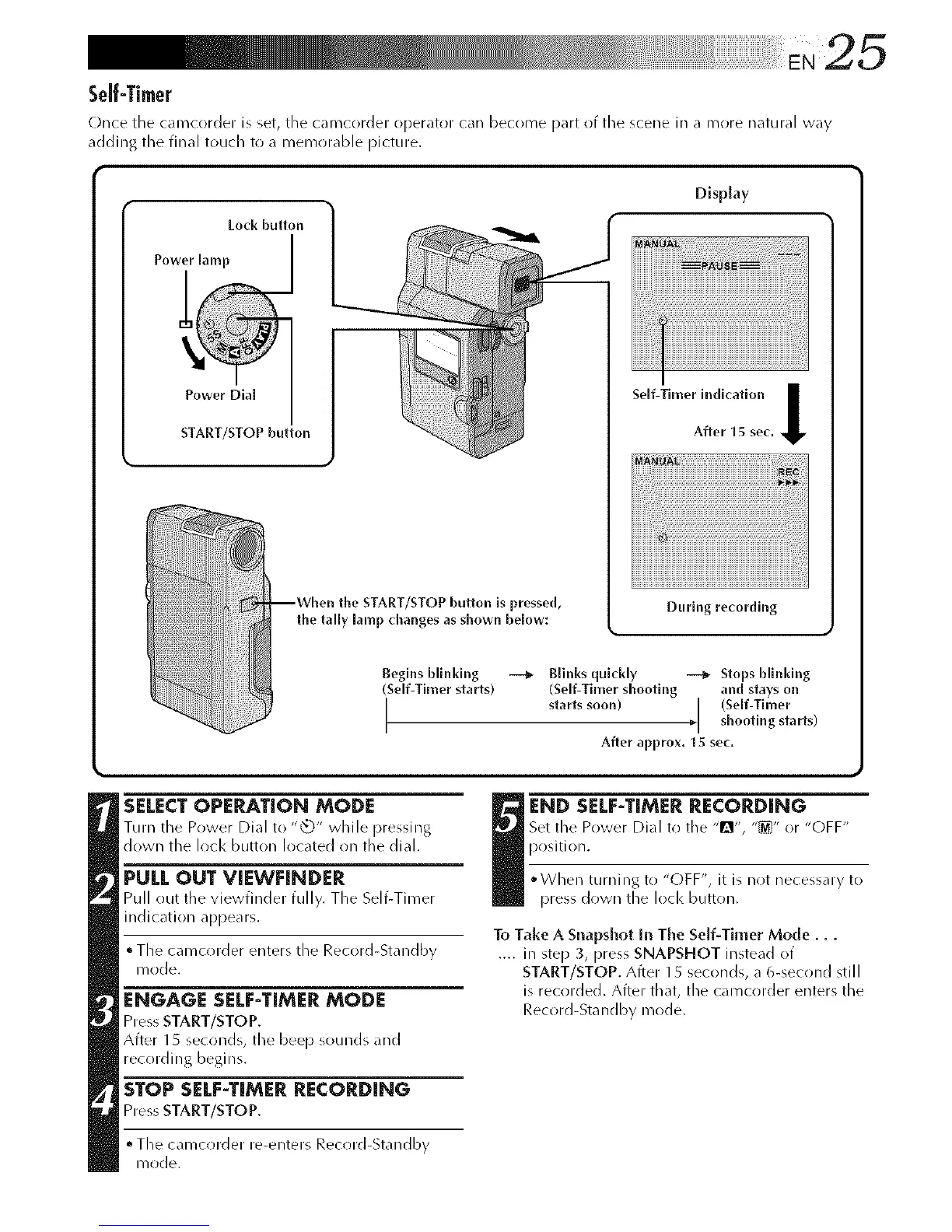
Lock button
START/STOP button
the START/STOP button is pressed,
the tally lamp changes as shown below:
Display
I
Self-Timer indication I
After 15 sec,
During recording
Begins blinldng
(Self-Timer starts)
I
Blinks quickly _ Stops blinking
(Self-Timer shooting and stays on
starts soon) I (Self-Timer
I shooting starts)
After approx. 15 sec,
SELECT OPERATION MODE
Turn the Power Dial to "_" while pressing
down the lock button located on the dial.
PULL OUT VIEWFINDER
Pull out tile viewfinder fully. The Self-Timer
indication appears.
• The camcorder enters the Record-Standby
mode.
ENGAGE SELF-TIMER MODE
Press START/STOP.
After 15 seconds, the beep sounds and
recording begins.
STOP SELF-TIMER RECORDING
Press START/STOP.
° The camcorder re-enters Record-Standby
mode.
I ND SELF-TIMER RECORDING
Set the Power Dial to tile "!_", "_" or "OFF"
position.
• When turn ing to "OFF", it is not necessary to
press down tile loci< button.
To Take A Snapshot In The Self-Timer Mode...
.... in step 3, press SNAPSHOT instead of
START/STOP. After 1 5 seconds, a 6-second still
is recorded. After that, the camcorder enters the
Record-Standby mode.



 To Next Page