OperationMode
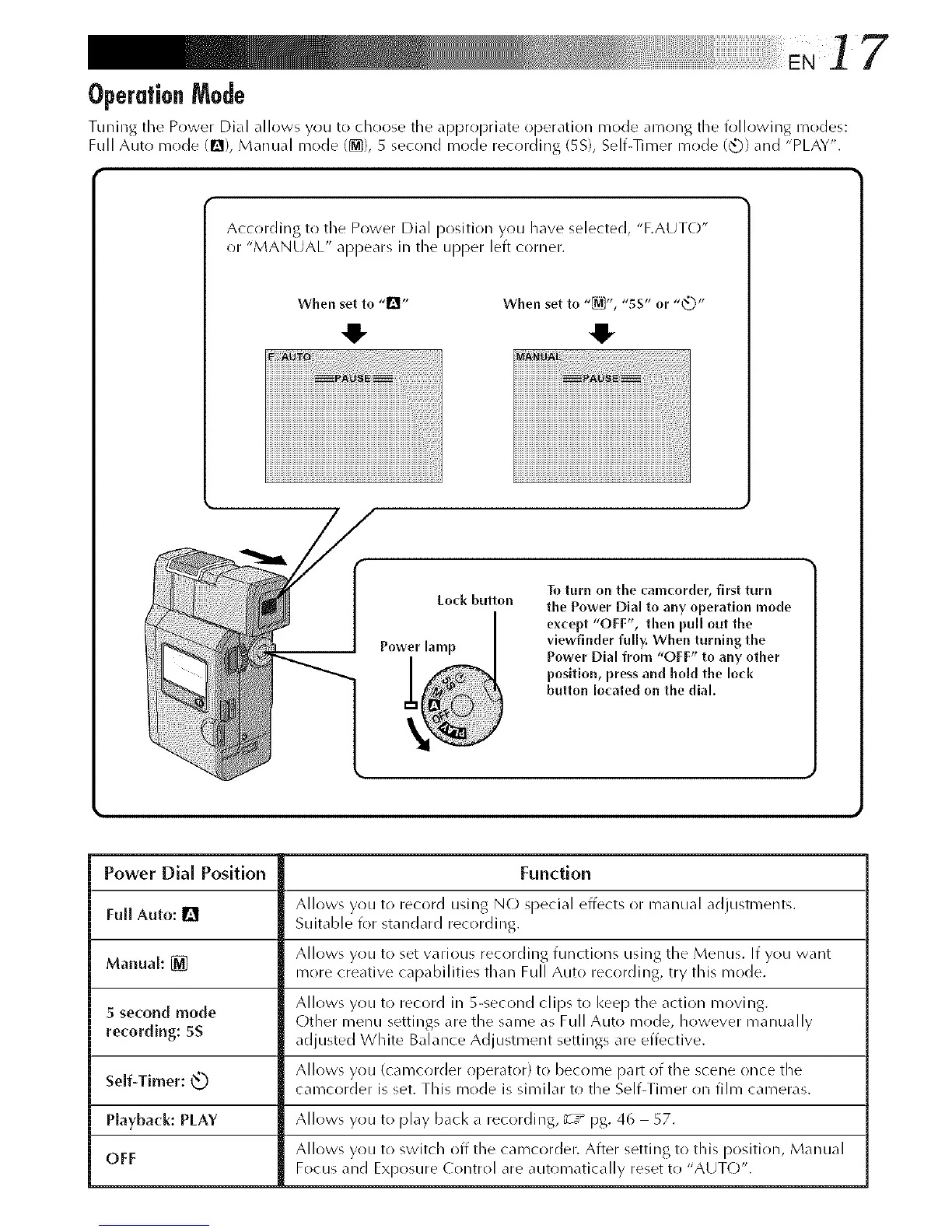
Tuning the Power Dial allows you to chr)ose the api)rr)priate ol)eration mode amr)ng the follr)wing modes:
Full Auto mr)de (Q), Manual mode (@}), 5 second mode recording (5S), Self-Timer mode (_3) and "PLAY".
Accr)rding to the Power Dial position you have selected, "F.AUTO"
or "MANUAL" appears in the upi)er left corner.
When set to ,,_1', When set to "_", "SS" or "_"
4- 4,
Lock button
Power [amp
To turn on the camcorder, first turn
the Power Dial to any operation mode
except "OFF", then pull out the
viewfinder fully, When turnlng the
Power Dial from "OFF" to any other
position, press and hold the lock
button Io(ated on the dial,
Power Dial Position Function
Allows you to record using N(-) special effects or manual adjtlgtn/er/t5.
Full Auto: I_1 Suitable for standard recording.
Allows you t() set various recrlrding functions using the Menus. If you want
Manual: [] more creative capabilities than Full Auto recording, try this mode.
Allows you to record in 5-second clip_ to kee I) the action moving.•
5 second mode Other menu settings are the same as Full Auto mr)de, however manually
recording: 5S adjusted White Balance Adju tment_ settings• are effective.
Allows you (camcorder operator) to becr)me part of the scene once the
Self-Timer: _ camcorder is set. This mode is similar to the Self-Timer on film cameras.
Playback: PLAY Allows you to play back a recording, _-:_ pg. 46 57.
OFF Allows you to switch off the camcorder. After setting to this position, Manual
Focus and Exposure Control are automatically reset to "AUTO".



 To Next Page