Dubbing
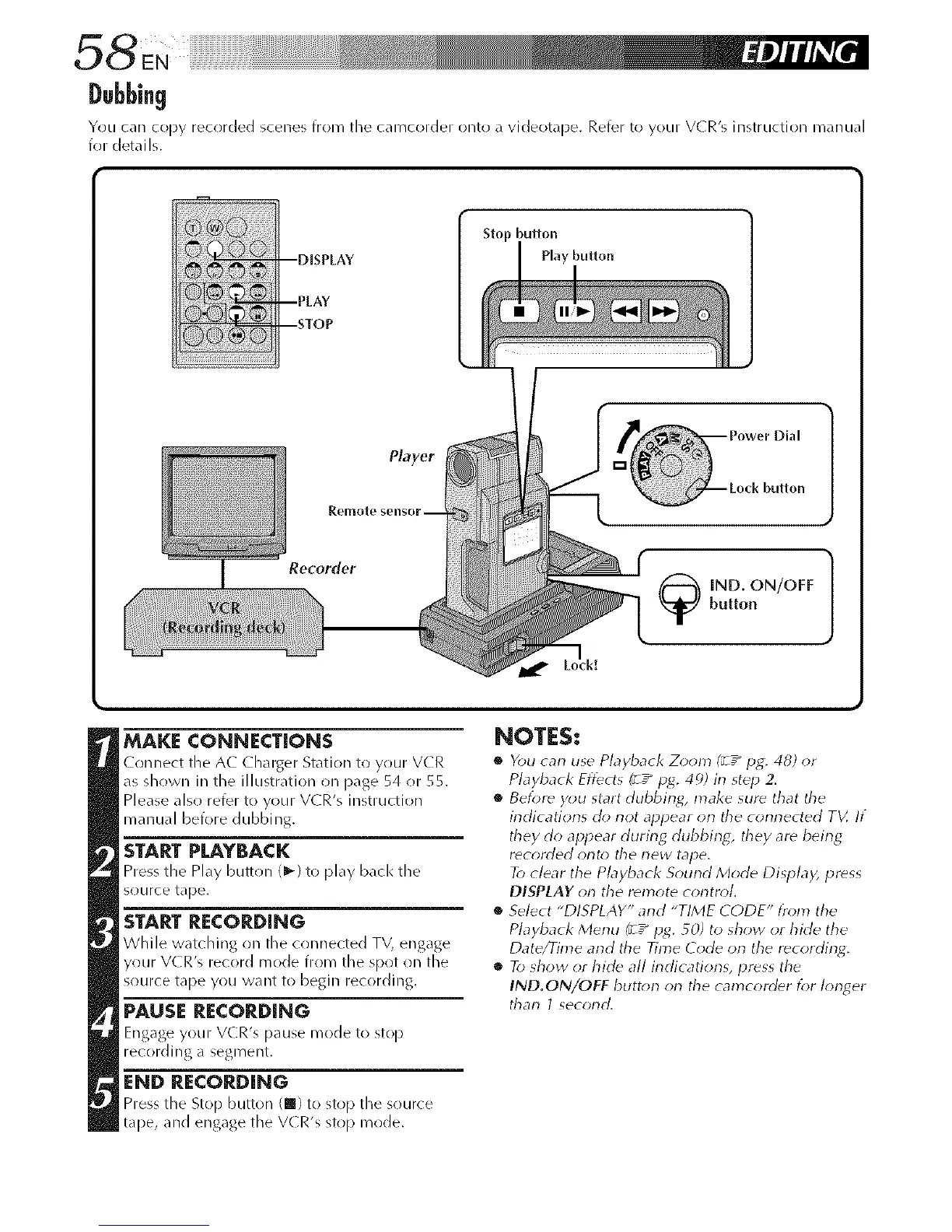
You can copy recorded scenes from tile camcorder ontl! a videotape. Refer to your V(R's instruction manual
for details.
Recorder
MAKE CONNECTIONS
Connect tile A( Charger Station to your V(R
as shown in the illustration on [}age 54 or 55.
Please also refer to your VCR's instruction
manual before dubl'_ing.
START PLAYBACK
Press the Play button (1_) to play back tile
source tape.
START RECORDING
While watching on the connected TV, engage
your V(R's record mode from the spot on the
source tape you want to begin recording.
PAUSE RECORDING
Engage your VCR's pause mode to stop
recording a segment.
END RECORDING
Press the Stop button (m) to stop the source
tape, and engage the V(R's stop mode.
NOTES:
• You can use Playback Zoom (_ / pg. 48) or
Playback Effects (_ / p_. 4_)) in step 2.
• Befor_ you start dubbing, make sur_ that tile
indications do not appear on tile connected TV. If
they do appear during dubbing, they are beirlg
r_corded orlto tile new tape.
To clear the Playback Sound Mode Disp/a)? pr(_ss
DISPLAY on the remote control.
• Select "DISPLAY" and "TIME CODE" from the
Playback Menu (_ / pg. 50) to show or hide the
Date/Time and the Time Code on the recording.
• To show or hide all indications, press the
IND.ON/OFF buttorl orl the camcorder for Iorlger
than 1 second.



 To Next Page