Snapshot
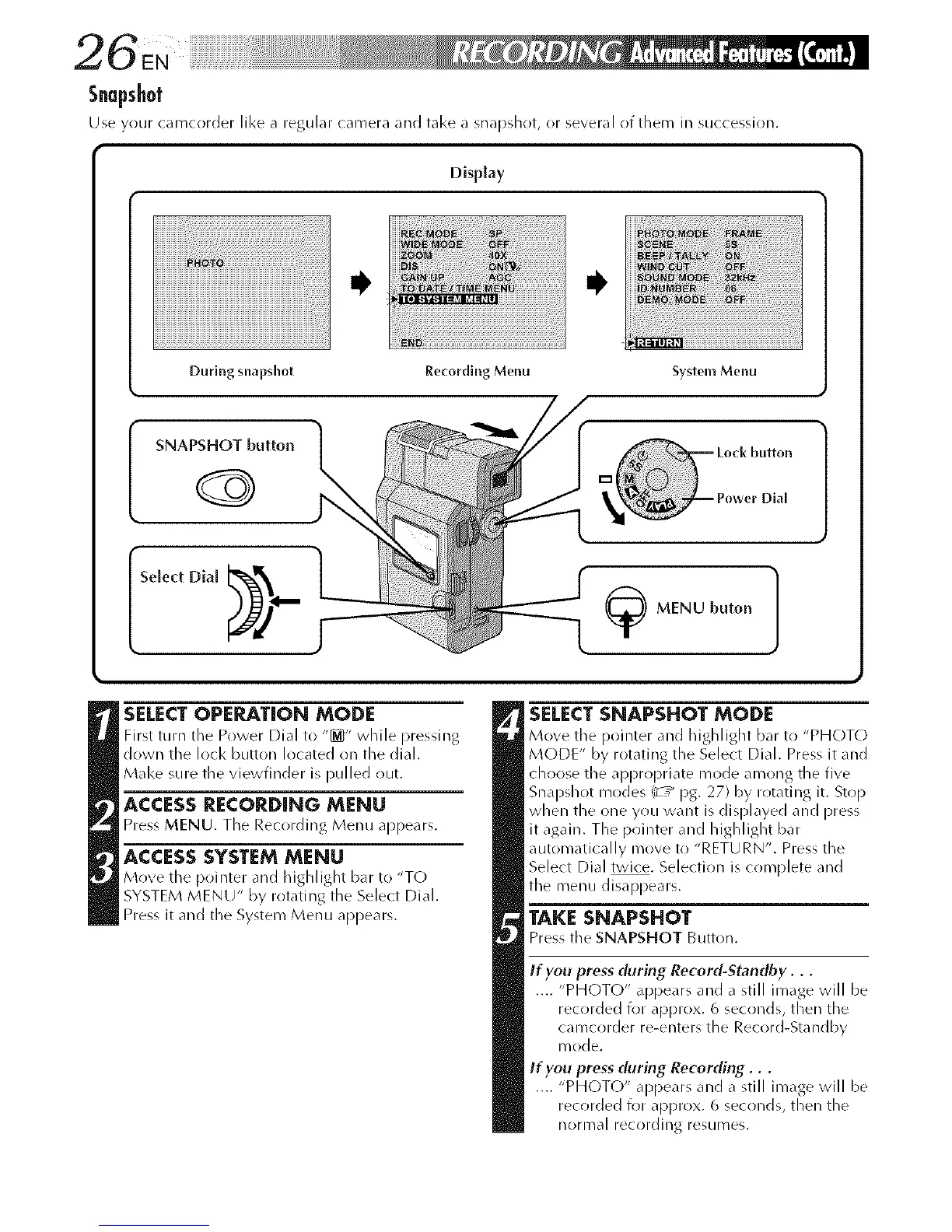
Use your camcorder like a regular camera and take a snapshoL or several of them in succession.
Disphy
During snapshot Recordlng Menu
System Menu
button
(_ MENU huron 1
SNAPSHOT button
SELECTOPE_TION MODE
First turn :he Power Dial to "[_" while pressing
down the loci< button located on the dial.
Make sure the viewfinder is pulled out.
ACCESSRECORDING MENU
Press MENU. The Recording Menu appears.
ACCESSSYSTEMMENU
Move the pointer and highlight bar to "TC)
SYSTEM MENU" by rotating the Select Dial.
Press it and the System Menu appears.
SELECTSNAPSHOT MODE
Move tile pointer and highlight bar to "PHOTO
MODE" by rotating the Select Dial. Press it and
choose the appropriate mode among the five
Snapshot modes (_ / pg. 27) by rotatillg it. Stop
when the one you want is displayed and press
it again. The pointer and highlight bar
automatically move to "RETURN". Press the
Select Dial twice. Selection is complete and
the menu disappears.
TAKE SNAPSHOT
Press tile SNAPSHOT Button.
If you press (luring Record-Standby...
.... "PHOTO" appears and a still image will be
recorded for approx. 6 seconds, then the
camcorder re-enters the Record-Standby
n/ode.
If you press (luring Recording...
.... "PHOTO" appears and a still image will be
recorded for approx. 6 seconds, then the
nornlal recordillg resumes.



 To Next Page