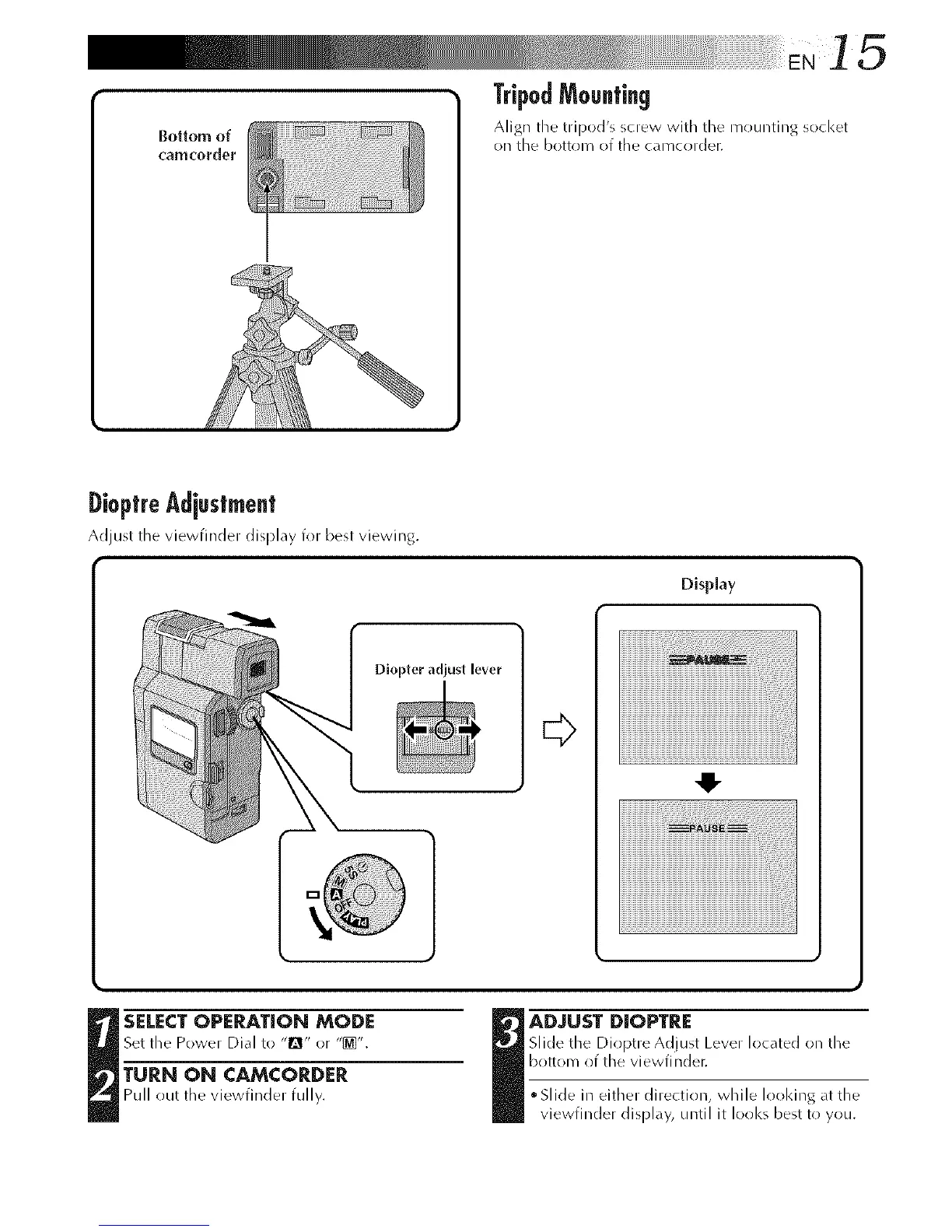
Bottom of
('am(:order
TripodMounting
Align tile tripod's screw with tile n/ounting socket
on tile bottom of the cameoF(_]er.
DioptreAd[estment
Adjust tile viewfinder display for best viewing.
Display
Diopter adjust lever
E>
4!-
SELECT OPERATION MODE
Set the Power Dial to "[]" or "@]".
TURN ON CAMCORDER
Pull out the vJewfJndel fully.
I DJUST DIOPTRE
Slide the Dioptre Adjust Lever located on the
bottom of the viewfi rider.
• Slide in either direction, while lool<ing_t the
viewfinder display, until it looks best to you.



 To Next Page