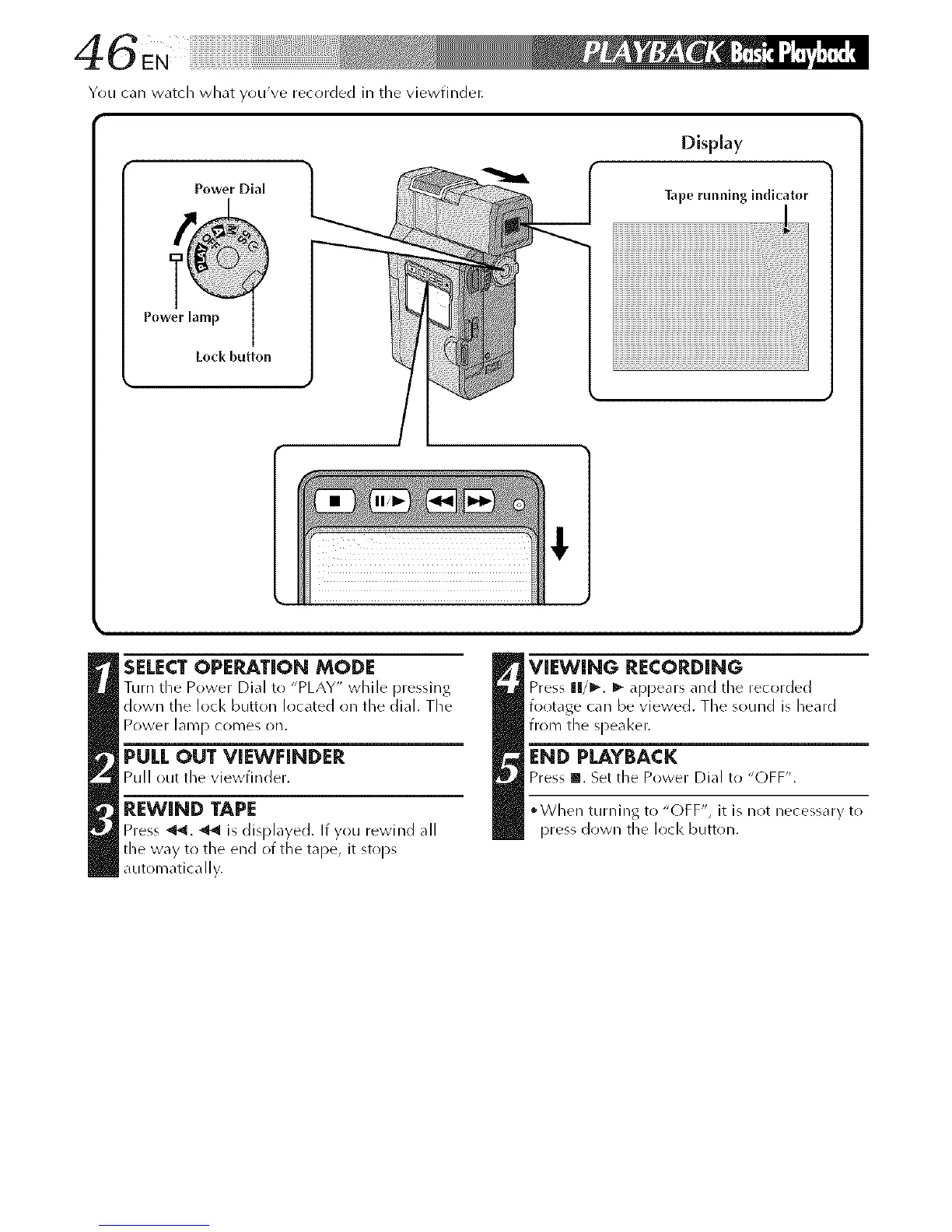
You carl watch what you've recorded in tile viewfindet:
Power Dial
Display
Tape running indicator
Loci<button
iiiiiiiiiiiiiiiiiiiiiiiiiiiiiiiiiiiiiiiiiiiiiiiiiiiiiiiiiiiiiiiiiiiiiiiiiiiiiiiiiiiiiiiiiiiiiiiiiiiiiiiiiiiiiiiiiiiiiiiiiiiiiiiiiiiiiiiiiiiiiiiiiiiiiiiiiiiiiiiiiiiiiil_l_!llll_ll
iiiiiiiiiiiiiiiiiiiiiiiiiiiiiiiiiiiiiiiiiiiiiiiiiiiiiiiiiiiiiiiiiiiiiiiiiiiiiiiiiiiiiiiiiiiiiiiiiiiiiiiiiiiiiiiiiiiiiiiiiiiiiiiiiiiiiiiiiiiiiiiiiiiiiiiiiiiiiiiiiiiiiiiiiiii_il_l_ll_
SELECTOPERATION MODE
Turn the Power Died to "PLAY" while pressing
down the lock button located on the dial. The
Power lamp comes on.
PULL OUT VIEWFINDER
Pull out the viewfinder.
REWIND TAPE
Press"_'_. _ is displayed. If you rewind all
the way to the end of the tape, it stops
automatically.
_ IEWING RECORDING
Press llI/l_. I_ appears _nd the recorded
footage can be viewed. The sound is heard
from the speaker.
END PLAYBACK
Press Ill. Set the Power Dial to "OFF".
When turning to "OFF", it is not necessary to
press down the lock button.



 To Next Page