ManualWhite BalanceOperation
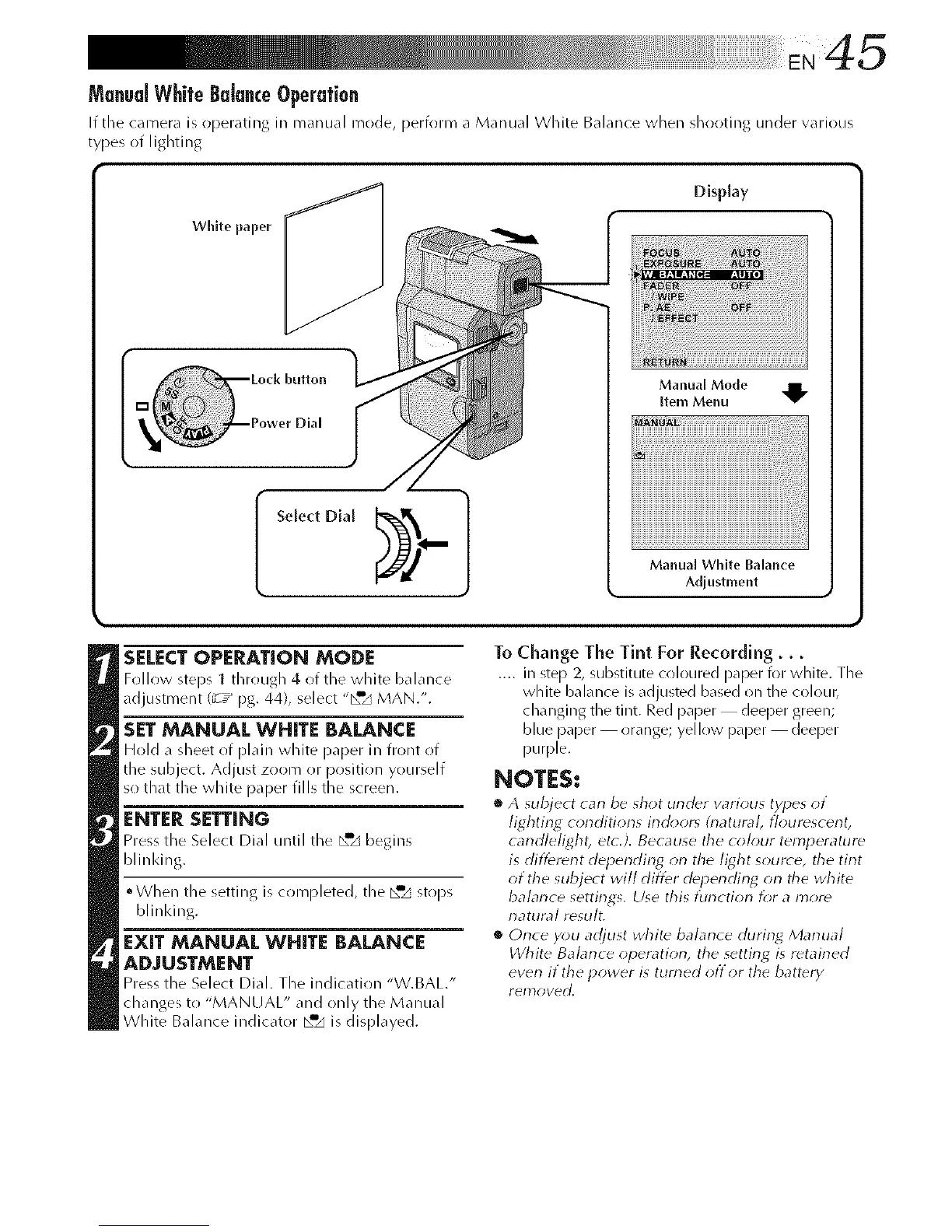
If the camera is operathlg in manual mode, perform a Manual White Balance when shooting under various
types of lighting
White paper
Display
button
Manual Mode
[tern Menu
Manual White Balance
Adjustment
SELECTOPERATION MODE
Follow steps 1 through 4.of the white balance
adjustment (_T_ pg. 44), select "_"_ MAN.".
SET MANUAL WHITE BALANCE
Hold a sheet of plain white p_per in front of
the subject. Adjust zoom (!1 position yourself
so that the white paper fills the screen.
ENTER SETTING
Press the Select Dial until the _w,_begins
blinldng.
°When the setting is completed, the [_'_ stops
blinking.
EXIT MANUAL WHITE BALANCE
ADJUSTMENT
Press the Select Dial. The indJc_tion "W.BAL/'
changes to "MANUAU _and only the Manual
White Balance indicator _a,_ is displayed.
To Change The Tint For Recording...
.... ill step 2, substitute coloured paper k>r white. The
white balance is adjusted based on the coloul_
changing the tint. Red paper deeper green;
blue paper orange; yellow paper deeper
purple.
NOTES:
• A subject can be shot under w_rious types of
lighting conditions indoor_ (rlatuml, flourescent,
candlelight, et_.). Because tile colour temperature
is different depending on the light source, the tint
of the subject will differ depending on the white
balance settings, Use this function f_;r a more
natural rdsult,
• Once you adjust white balance during Manual
White Balance operation, the setting is retained
even if the power is turned off or the battery
yen}oved,



 To Next Page