ForMoreAccurateEditing
Some VC:Rs mal<e tile transition fr(>m Record-Standby to Record mode faster than (>tilers. Even if you begin
editing for the camcorder and the VCR at exactly the same time, you may lose scenes you wanted, or find
tl/at you've recorded scenes you didn't want. For a cleanly edited tape, confirm and adjust the timing of the
camcorder against your VCR.
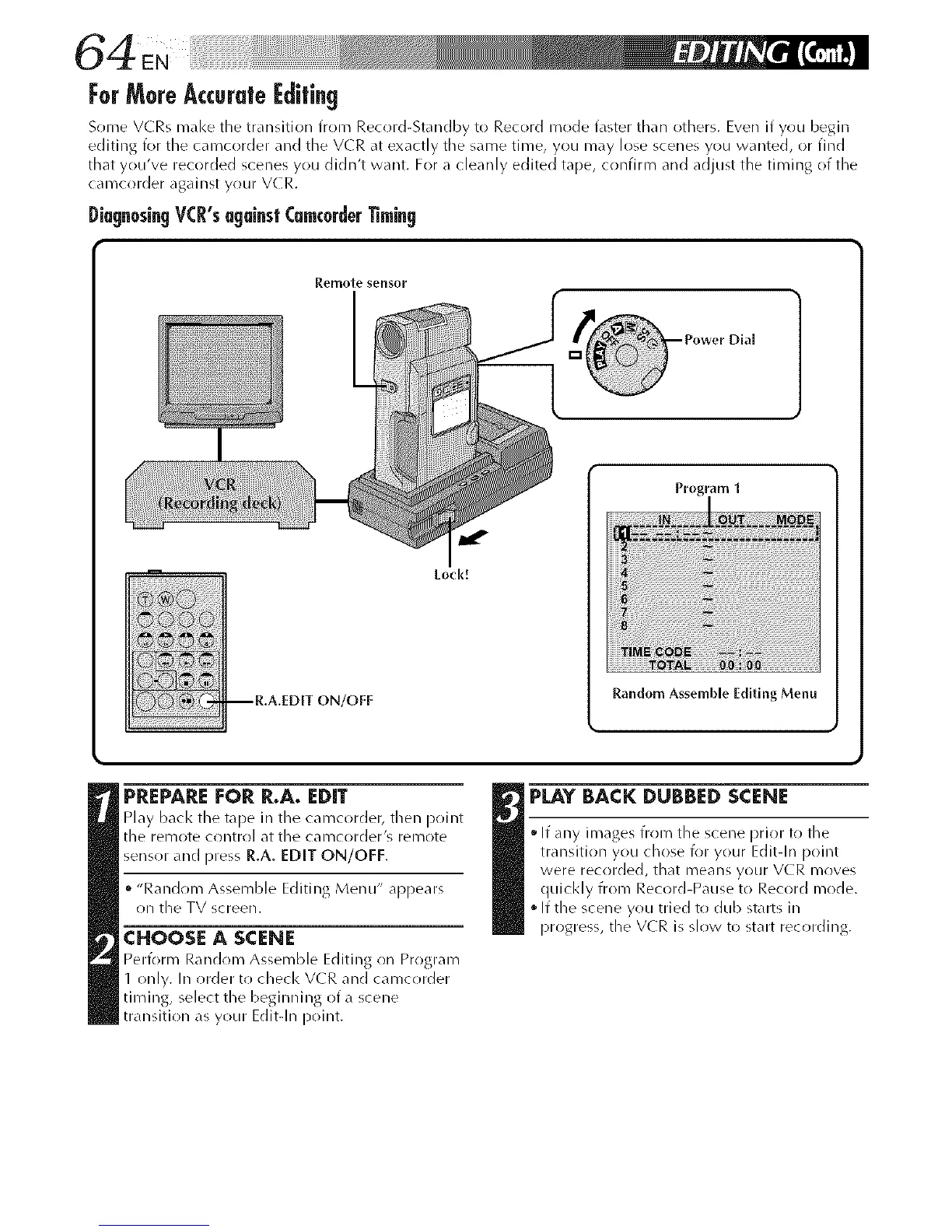
[_[a[In0sin[I Y(:R's u[lainsl (m¢0rder Timin[I
Remote sensor
-- R,A.EDIT ON/OFF
Lock!
Program1
Random Assemble Editing Menu
PREPARE|:OR R.A. EDIT
Play back the tape in the camc(>rder, then point
the rel_/ote contrr)l at the cal_lcorder's relT/Ote
sensor and press R.A. EDIT ON/OFF.
"Randr)m Assemble Editing Menu" appears
on the TV screen.
CHOOSE A SCENE
Perform Randr)lx> Assemble Editing r)n Program
1 only. In order tr) check VCR and camcr)rder
timing, select the beginning of a scene
transition as your Edit-In point.
PLAY BACK DUBBED SCENE
ffany images from the scene prior to the
transition y(>u chose for your Edit-In p(>int
were recr)rded, that means y(>ur V(R mr)yes
quickly from Record-Pause to Record mode.
If the scene you tried to dub starts in
13rogre%, the VCR is slow to start recording.



 To Next Page