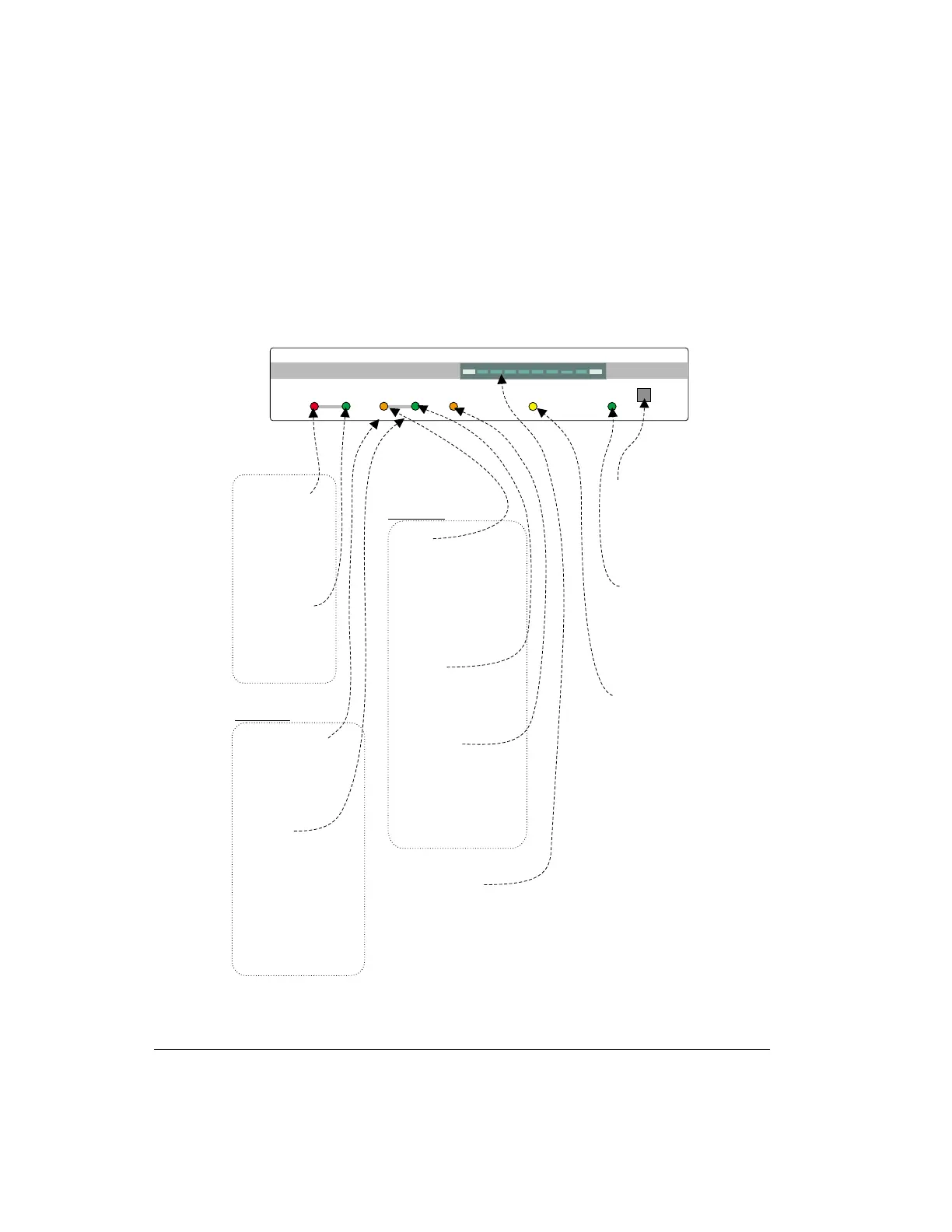
The Front Panel of the KAM’98
The controls and indicators on the front of your KAM’98 are shown below:
Getting Started The Front Panel of the KAM’98
User’s Guide 98 KAM’98 v 8.3
Po we r switc h
(pushintoturn
powerON, push
in again to turn
p o we r O FF)
Green LEDis ON
whe n
is tu rn e d O N a n d
receiving power
KA M ’ 9 8
Re d LED is O N
whe n the KAM’9 8
is se n d in g d a ta to
yourtransceiver
Green LEDis ON
whe n the KAM’9 8
is receiving a
sig na l fro m your
transceiver
Green LEDisONwhen
the KAM’98 ha s a
packetconnection on
th e c u rre n t stre a m
GreenLEDisONwhen
ha s a t
le a st one una cknowle dged
packet on the current
stre a m (i.e., a p a c ke t tha t
wa s tra nsm itte d to a no the r
station has notbeen
acknowledged ora packet
is cued fortransmission
to a no the r sta tio n)
the KAM’98
Ye llo w LED is O N
when there is an
HF TORmode or
packetconnection
to the s
m a ilbox (i.e., PBBS)
Ye llo w LED BLINKS
when there is
unrea d ma il for
youinyourmailbox
and there is
currentlyno
connection to
yo u r m a ilb o x
KAM’98’
Tra n sm it
Connected
Sta tu s
Ma ilb o x
Po we r
Receive
© Copyright 1998 by Ka ntronics, Inc
Lin k
Va lid
Speed
Ba rg ra p h
Th is t h re e -c o lo r LED
re p o rts link sta tu s:
the KAM’98 is the
se nd ing sta tio n (re d LED),
the re c e iving sta tio n
(gre e n LED), or cha nging
o ve r (o ra n g e LED).
Gre e n LED is ON when
the KAM’98 is receiving
va lid HF TOR da ta
Th is t h re e -c o lo r LED
ind ic a te s whe the r
TORdata is being
re c e ive d . a t
1 0 0 b a u d (g re e n ),
200 ba ud (ora nge), or
300 baud (red)
Th i s t e n - s e g m e n t G r e e n LE D
is used for tuning HF signa ls
s u c h a s R TTY,the TORmodes,
and packet. Tuning is "on signa l"
whenthe leftmostand right
m o s t LEDS a re b rig h tly illu m in a te d .
KA M ’ 9 8
Pow e r
Xm it Rc v
Kantronics
Con S ta
Lin k
Valid
Speed
Mail
Packet
Non-Packet
Mo d e s



 To Next Page