Establishing Communication
For Pacterm to communicate with your TNC, these conditions must be met:
•
The TNC is turned ON.
•
The TNC is connected to your computer’s COM1 or COM2 port and
Pacterm is set to expect it on the COM port to which it is connected.
•
The PC computer and the TNC are connected via a standard RS-232C
serial modem cable, or at least by the 5-wire cabling described in the
TNC documentation.
•
The COM port is functioning properly (e.g., cable is plugged in
securely).
• There are no other faults in the normal operations of the components or
connections between them.
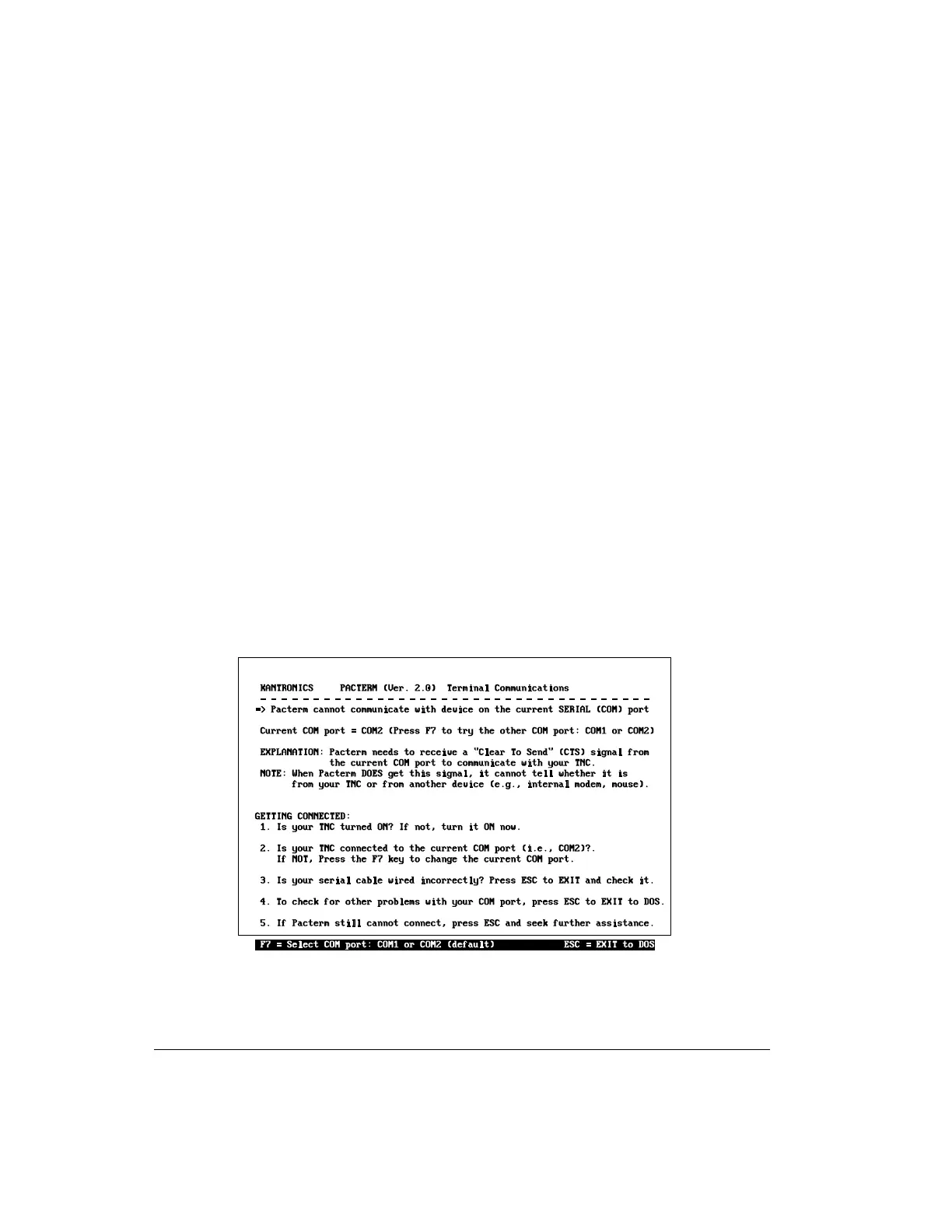
When you first try to communicate with the TNC, Pacterm checks for a signal
from the current COM port that is consistent with a TNC. If it does not find such
a signal, Pacterm presents the “Pacterm cannot communicate” screen shown be-
low, for your use in establishing the connection.
If you have further difficulty establishing or maintaining communications, see
the trouble-shooting section at the end of this chapter for possible solutions.
Pacterm v 2.0 Establishing Communication
User’s Guide 74 KAM’98 v 8.3



 To Next Page