+ Hint: Since, the KAM’98’s “Computer” port has a female DB-25 connector,
the KAM’98 end of your modem cable must have a male DB-25 connector. You
also will need to be sure your KAM’98 to computer cable is correctly wired. This
topic is covered when we get to the actual installation of the cable.
+ Technical note: To use your KAM’98 with a non-PC compatible, use a serial
communication program and a serial modem cable (i.e., RS-232C cable). You
can get help from your computer dealer, users group and members of the amateur
radio community. When talking with computer dealers or others who may
not be familiar with packet and/or non-packet digital communication via ra
-
dio, refer to your KAM’98 as an “external modem,” not as a “TNC,” a less
familiar term.
GPS Device (Optional)
The KAM’98 works with Global Positioning System (GPS) devices that (1) sup
-
port the NMEA-0183 standard, and (2) have a dataport through which they com
-
municate. The GPS device connects to the KAM’98 through the KAM’98’s serial
(“computer”) port. It can also be connected via the AUX connector.
Note: The GPS data port must be RS-232 compatible to mate with the KAM’98.
The Major Components of Your Station Installing Your KAM’98
KAM’98 v 8.3 39 User’s Guide
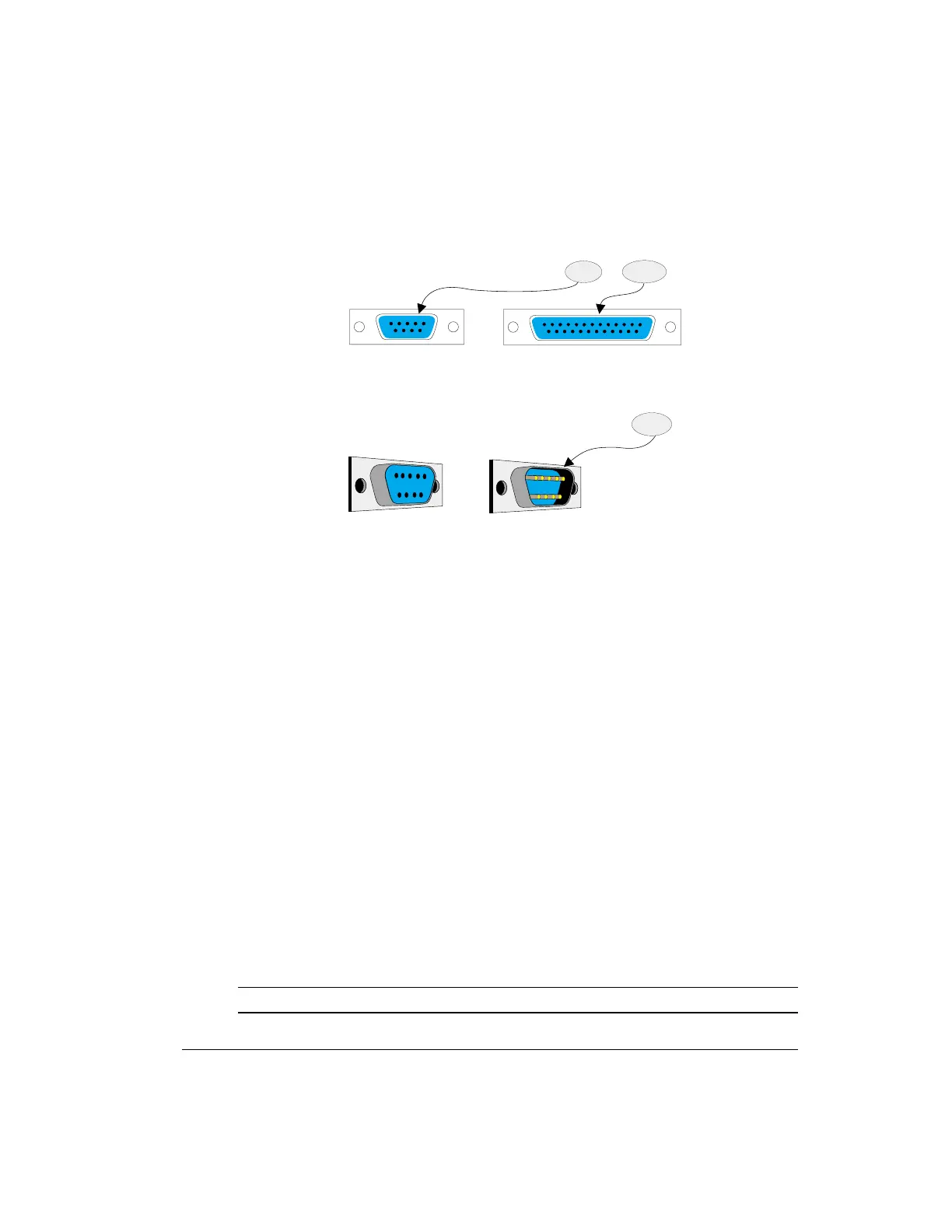
1. Is yourcomputer's serial (COM)port DB-9 or DB-25 ?
2.Note thatyourcomputer'sserial(COM)port is male
The computer-end of yourRS-232 cable musthave the
samenumberofpinsasdoesyourserial(COM)port.
9pins
25 pins
The computer-end of yourRS-232 cable mustbe female,
to c onnec t to the c omputer's ma le seria l (COM) port.
© Copyright1996 by Kantronics, Inc
Female
Male



 To Next Page