a fixed length pause between pulses) or a single long (about 1.5 second)
ON/OFF pulse. For details on the CTRL command, see the Command
Reference.
+
You can also use the ANALOG and/or CTRL commands, without the REMOTE
command, to carry out sensing and control functions at a local Kantronics TNC.
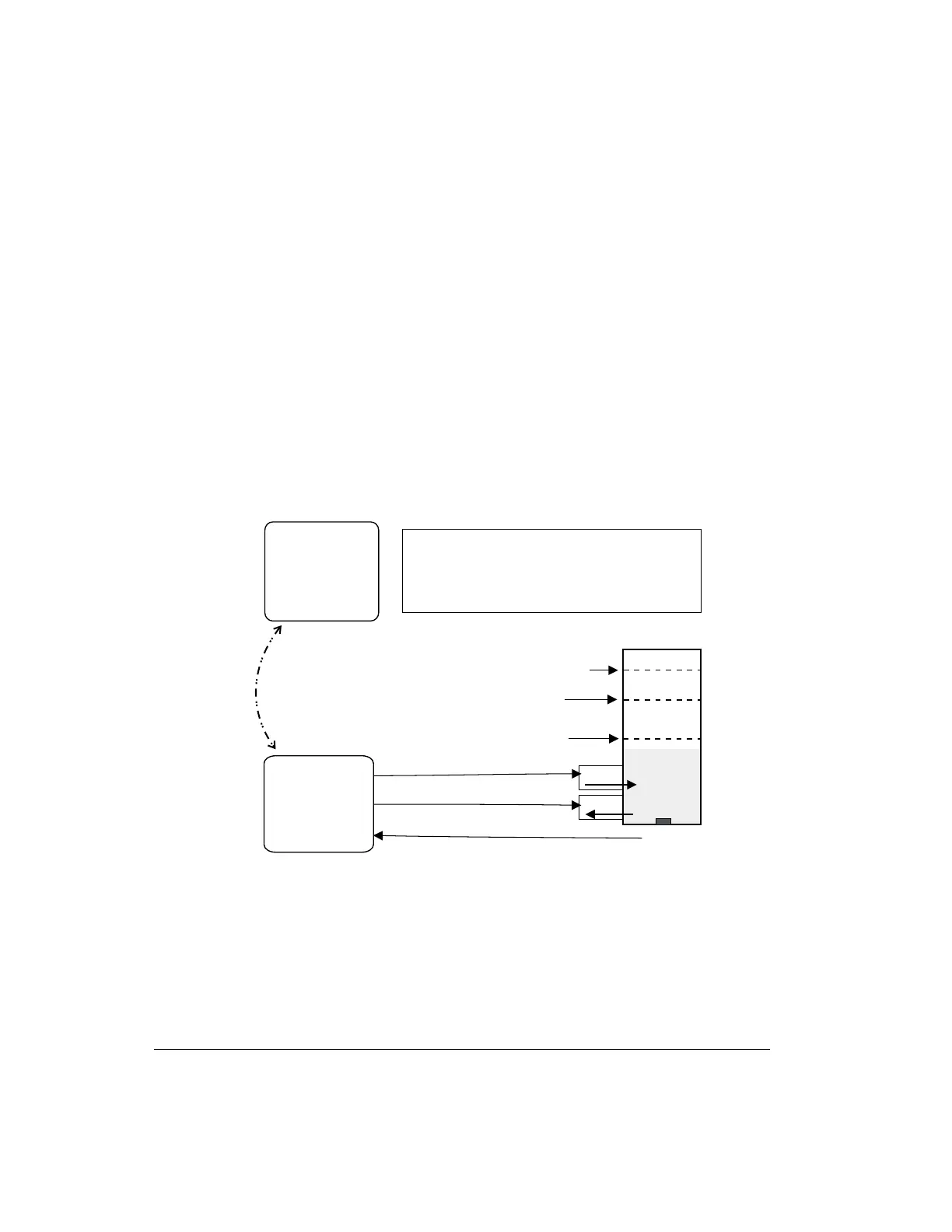
The following diagram illustrates the use of two Kantronics TNC/radio stations
for remote control and sensing. These operations could be carried out manually
or via a terminal program running in the computer in the central TNC station.
As noted earlier, the Command Reference sections and sections of pin assigments
provide details needed to adapt these broad capacities to your own situation, with
your own sensors, controls, and remote locations.
Packet Modes of Operation Other Modes of Operation
User’s Guide 210 KAM’98 v 8.3
Pump
Dra in
To o F u l l
Full
Pressure
Sensor
(for le ve l
of liquid)
LIQUI D
Ta n k
Central
Kantronics
TNC Ba s e d
Sta tion
Rem ote
Kantronics
TNC Ba s e d
Sta tion
Remote Sensing and Control
OPERATING RULES for controlling the level of the liquid:
1. Ifthe levelis"low"orless, turn the Pump ON.
2. If the level is "full" or more, turn the Pump OFF.
3. If the levelis "too full" ormore, OPENthe Drain.
4. If the level is "full" or less, CLOSE the Dra in.
ra d io
connection
between TNCs
Control line 1 (ON/OFF)
Control line 2 (OPEN/CLOSE)
A
/
D
n
l
i
1
se
sor
ne
Exa mple: c ontrolling the level of liquid in a tank
Low



 To Next Page