55
Adjustments & Settings
Settings Menu
3 Damper Resonance
Damper Resonance simulates the resonance eects of the whole piano when the damper pedal is pressed.
Adjusting the Damper Resonance volume
The value can be specied in the range from 1 to 10, or can be set
t o “ O ”.
“1” is the smallest and “10” is the greatest.
When set to “O”, Damper Resonance will not be produced.
4 Damper Noise
The Damper Noise function adjusts the volume of the noise that occurs when the damper pedal is pressed.
Adjusting the Damper Noise volume
The value can be specied in the range from 1 to 10, or can be set
t o “ O ”.
“1” is the smallest and “10” is the greatest.
When set to “O”, Damper Noise will not be produced.
5 String Resonance
String Resonance simulates the resonance eects of the piano strings.
What is string resonance?
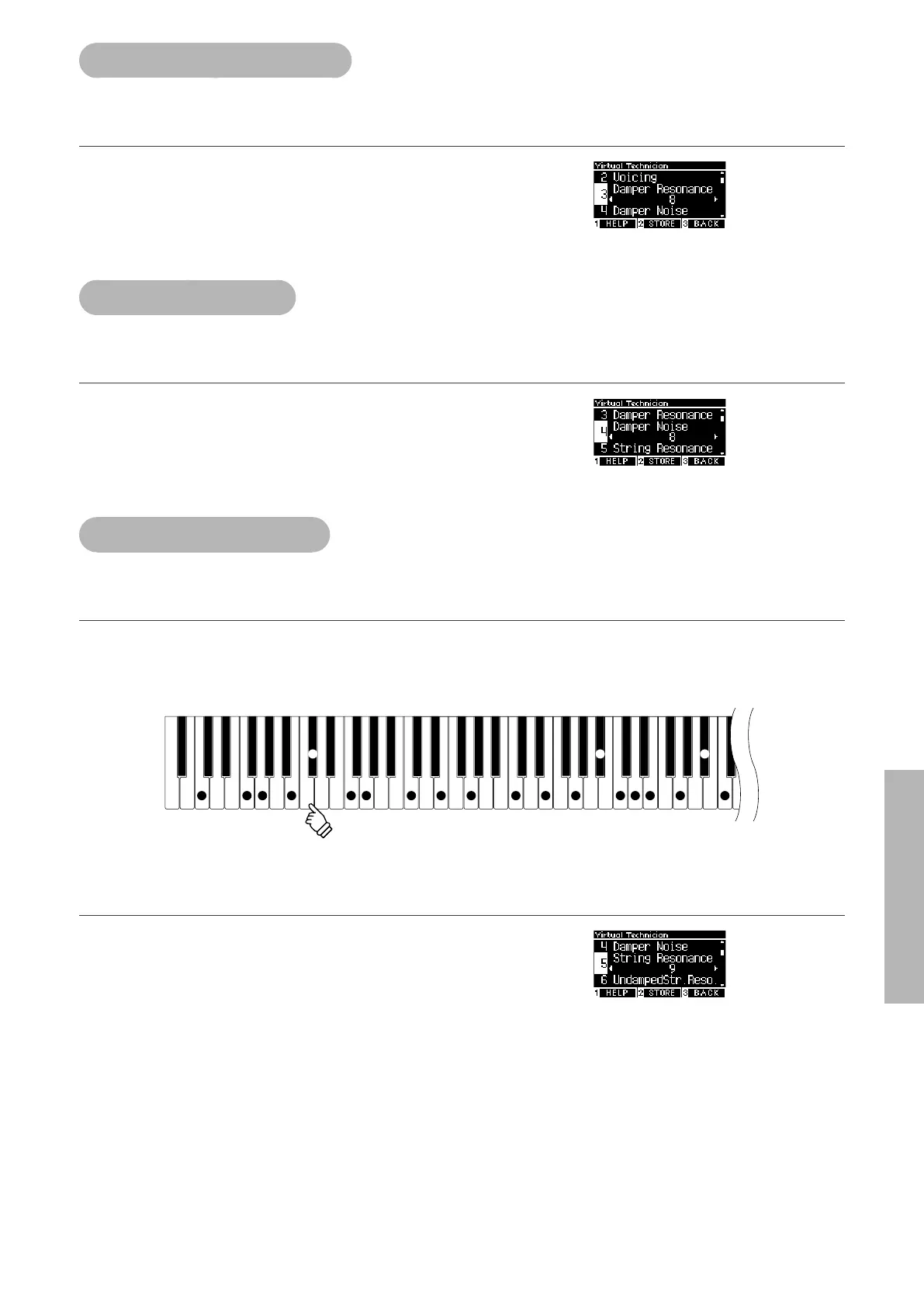
To experience the string resonance phenomenon, gently hold down the “C” key as shown in the illustration below, then play (strike
and release quickly) any of the keys marked with a symbol. In addition to the sound of each note played, it should also be possible
to hear the strings of the rst “C” key resonating “sympathetically”, thus demonstrating String Resonance.
F GC B F G C G C E G C D E G C
C# A# A#
E
hold
▋ Adjusting the String Resonance volume
The value can be specied in the range from 1 to 10, or can be set
t o “ O ”.
“1” is the smallest and “10” is the greatest.
When set to “O”, String Resonance will not be produced.



 To Next Page