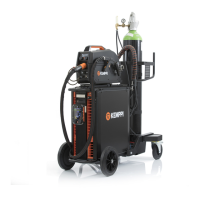
X8 MIG WELDER 2.5 Operation
channels are managed through Control Pad. For more information on saving welding programs,
see Saving new welding programs on page 121.
The welding programs in X8 MIG Welder suit the most common wire types, wire diameters,
shielding gases and different base materials. Programs can be purchased at Kemppi DataStore.
Kemppi also offers Synergic Customized Welding programs which are designed and created
according to customer-specific welding applications. For more information, contact your local
Kemppi dealer.
Selecting a welding program through Channels view
The easiest way to select a welding program is to browse through the memory channels in the
channels view and select the memory channel that has the appropriate program saved in it. For
more information, see Using memory channels on page 118.
Selecting a welding program through Settings view
You can find the optimal welding program for the job at hand by using the search filters.
First, select the welding mode (MIG/MMA/GOUGING) in Settings > Mode.
If you select the MIG mode, you can see a list of filters (for example, Material and Wire material)
under the title Welding program.
Select appropriate filters to narrow down the list of welding programs. You will see the programs
matching your filter selection as the last item on the list. It is possible that there is just one
program matching your filter selection.
OPERATING MANUAL | EN 137
©
KEMPPI 2017 | 1817


 To Next Page
 Loading...