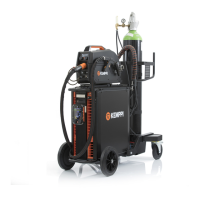
X8 MIG WELDER 2.5 Operation
To use X8 MIG Welder for brazing, in Settings, select the mode (MMA/MIG), and in the filter list,
for Type, select Brazing to see the suitable welding programs.
Trigger logic functions
You can select the trigger logic through Control Pad in Settings > Trigger logic.
• 2T: Pressing the trigger (1) ignites the arc. Releasing the trigger (2) switches the arc off.
Figure 40: 2T trigger logic
• 4T: Pressing the trigger (1) starts the Pregas, and releasing the trigger (2) ignites the arc.
Pressing the trigger again (3) switch the arc off. Releasing the trigger (4) ends the Postgas.
Figure 41: 4T trigger logic
• WP Switch: The WP Switch trigger logic is similar to the 4T logic, but it includes a secondary
welding power selection. When the arc is ignited, you can change between two pre-adjusted
power levels.
Pressing the trigger (1) starts the Pregas, and releasing the trigger (2) ignites the arc. During
the welding, pressing the trigger briefly (for less than 0.5 seconds) (3 and 5) and releasing
(4 and 6) it changes the current level. Pressing the trigger long again (7) switches the arc off.
Releasing the trigger (8) ends the Postgas.
Figure 42: WP Switch trigger logic
OPERATING MANUAL | EN 152
©
KEMPPI 2017 | 1817

 To Next Page
 Loading...