Style
https://www.ketron.it/images/ketron/Manuali_HTML/SD40/english/06_style.html[13/05/2020 16:58:17]
-
INTRO/ENDING: 1 - 2 - 3
- ARRANGE: A-B-C-D
- FILL: Plays a different Fill according to the arrangement that has been enabled.
-
BREAK: Inserts a different Break according to the arrangement enabled.
-
PAUSE / RESTART/ COUNT IN: Button to perform Start and Count In function on Style or Pause
when Player is used.
-
START: Press this button to activates the execution of the selected style or the file associated with the Player 1/ 2
-
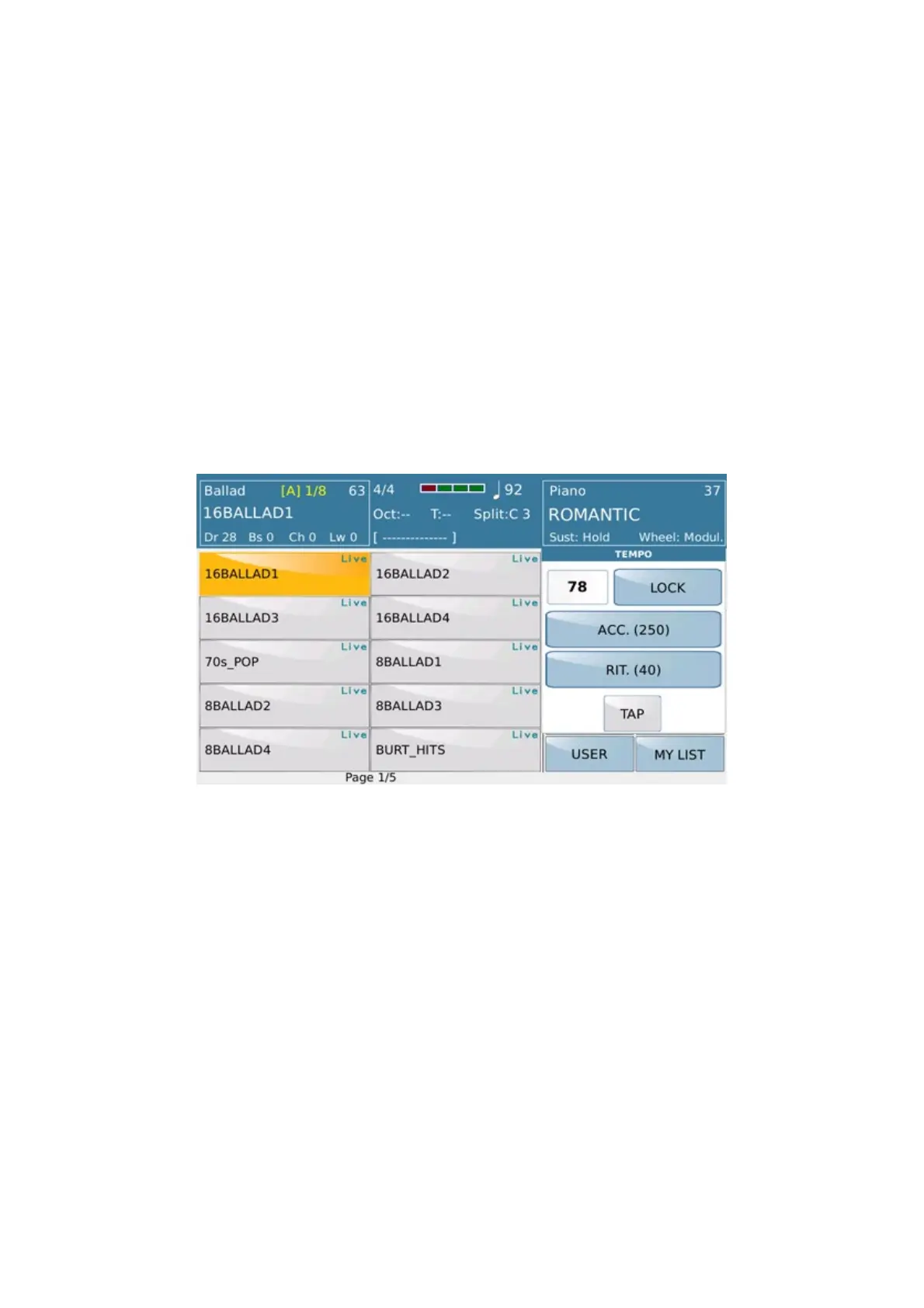
TEMPO : Pressing this button a PopUp menu will show where you can raise (SLOW) or increase (FAST) the tempo
of the Arranger (or the selected file from the Player) plus other functions:
- LOCK: Locks the speed while you are playing Style or a file from Player (1-2).
-
ACC: (Accelerating) Increases the speed of the file you are playing at steps of 5 BPM.
-
RIT: (Delaying): Decreases the speed of the file you are playing at steps of 5 BPM
-
TAP: (Tapping): To synchronise the time with the “tapping” of your fingers.
Many of the main controls in this section can also be controlled with FS6/FS13 footswitch(optional).
On the panel are also functions associated with the management of the Style and / or the Arranger:
On the left side panel of SD 40 are always active potentiometers to adjust the volume of
DRUMS , BASS part ,
harmonic section such accompaniment
CHORD, RIGHT part and STYLE/PLAYER volume.



 To Next Page