Disk Edit
https://www.ketron.it/images/ketron/Manuali_HTML/SD40/english/16_disk_edit.html[13/05/2020 17:08:55]
Disk Edit
This enables a number of functions for the files selected on the bottom bar. The files may be selected one by one,
together or in block using the function
SELECT ALL that selects all the contents of a folder.
Let us now examine these functions.
-
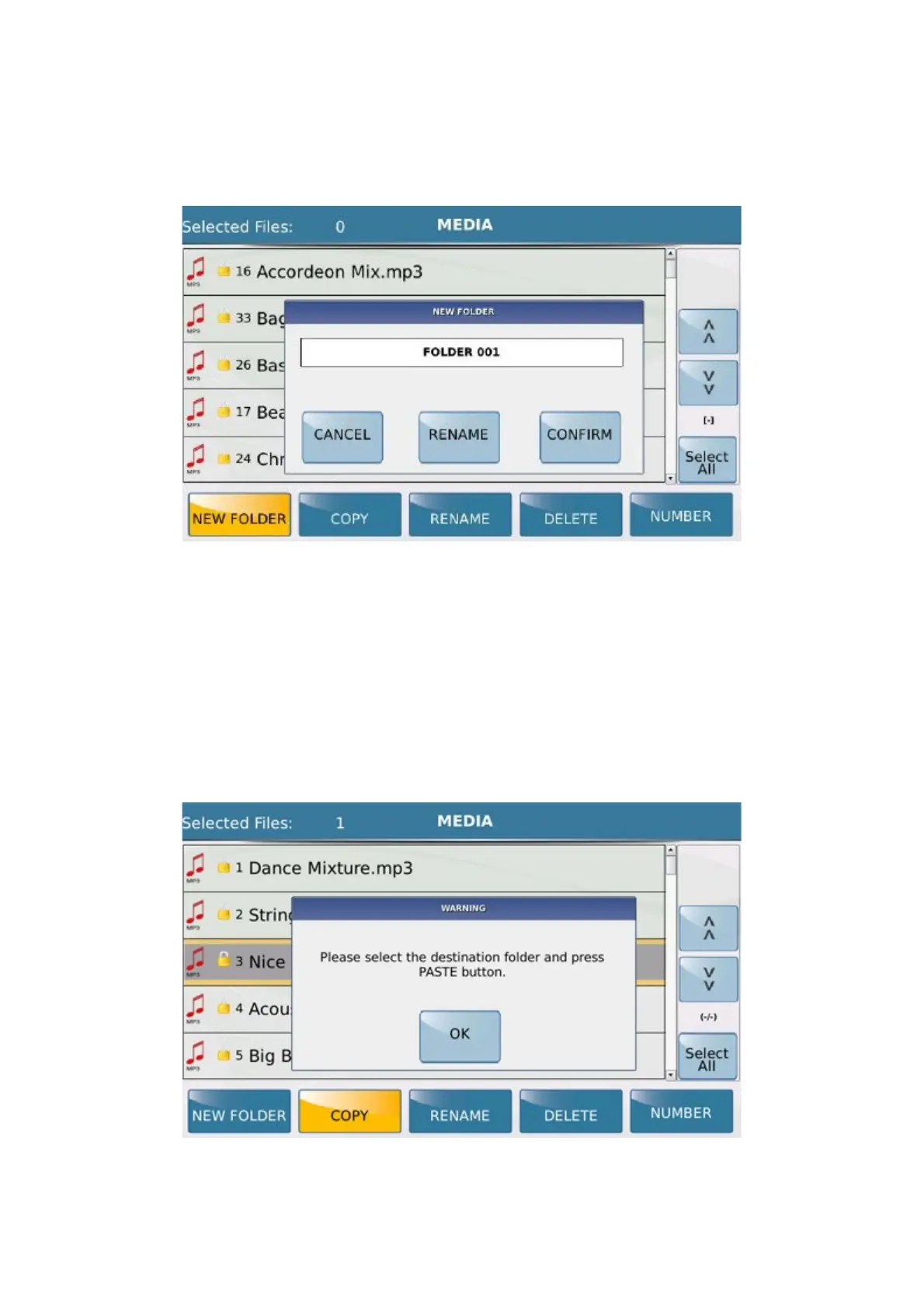
NEW FOLDER : This is used to create a new folder in the current position, namely in the last folder
selected. The name FOLDER 001 is assigned by default. Select CONFIRM to confirm the creation of the
folder. If a folder named Folder 001 has already been created, an error message will be displayed. In this case,
simply assign a different name to the folder using
RENAME at the centre of the display. When you touch
RENAME an alphanumeric keypad is displayed on which you can enter the name of the folder. Select
CANCEL to cancel the new folder creation process.
- COPY: Allows you to copy one or more files that you have selected. In this case select the folder in which to
copy the files and press Paste. As soon as you select the folder in which to copy the files, the key COPY turns
into the key PASTE as show below.



 To Next Page