Edit Micro
https://www.ketron.it/images/ketron/Manuali_HTML/SD40/english/21_edit_micro1.html[13/05/2020 17:04:14]
Edit Micro
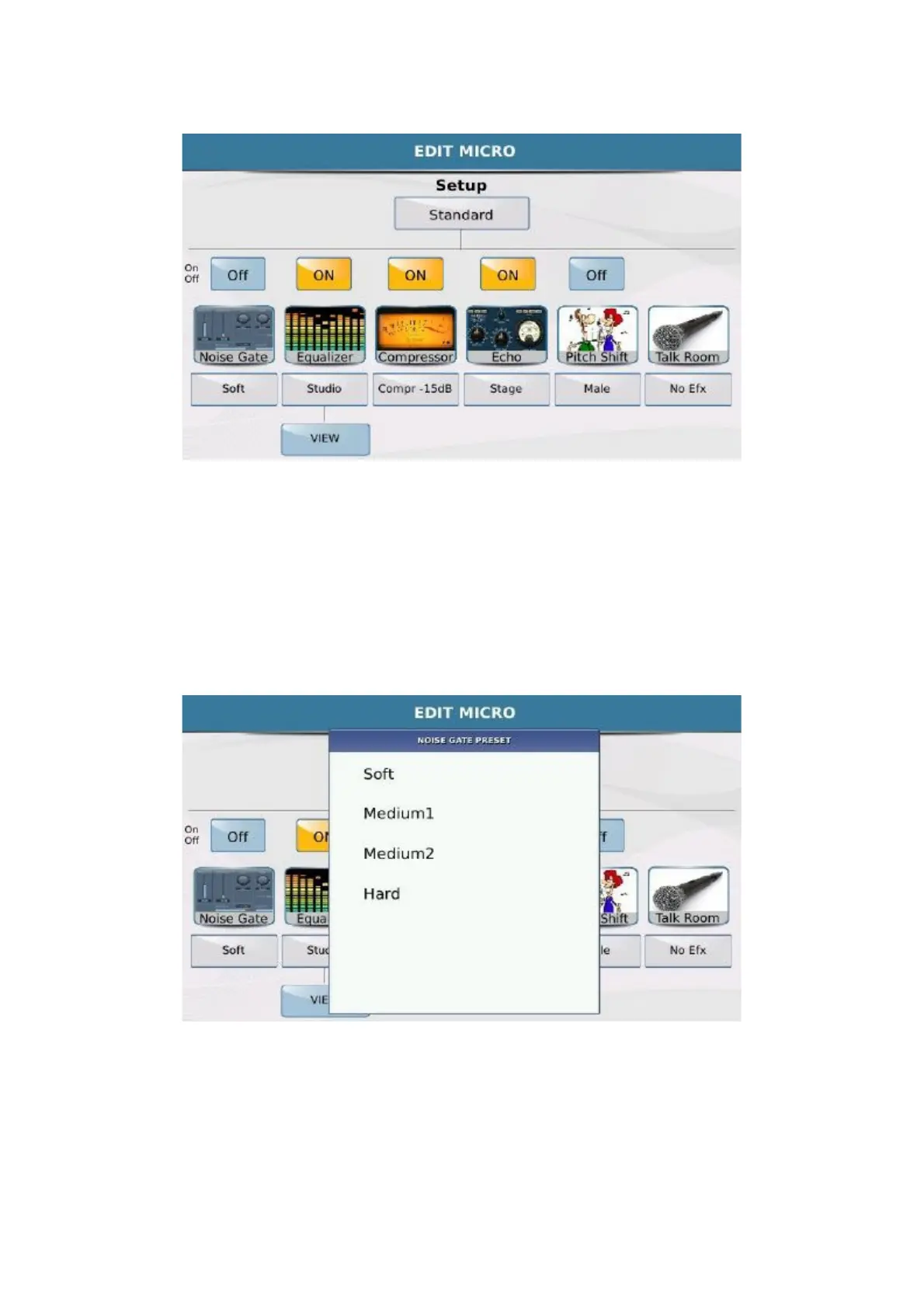
The microphone preset, whose name is displayed in the top box, consists of a number of effects that may be enabled
or disabled using the
ON/ OFF box above the corresponding image.
Under each effect you will find a box with the name of the preset used by each effect. Simply touch the box to open
a Pop up window with the different presets that may be selected on the Touch Screen. To go back to the EDIT
MICRO page simply press EXIT on the panel.
- NOISE GATE has 4 presets:
-
EQUALIZER : The parameter equalizer for the Micro has 4 bands, 4 presets and 2 user presets that may
be saved by the user.



 To Next Page