Drum Mixer
https://www.ketron.it/images/ketron/Manuali_HTML/SD40/english/18_drum_mixer.html[13/05/2020 17:02:31]
Drum Mixer
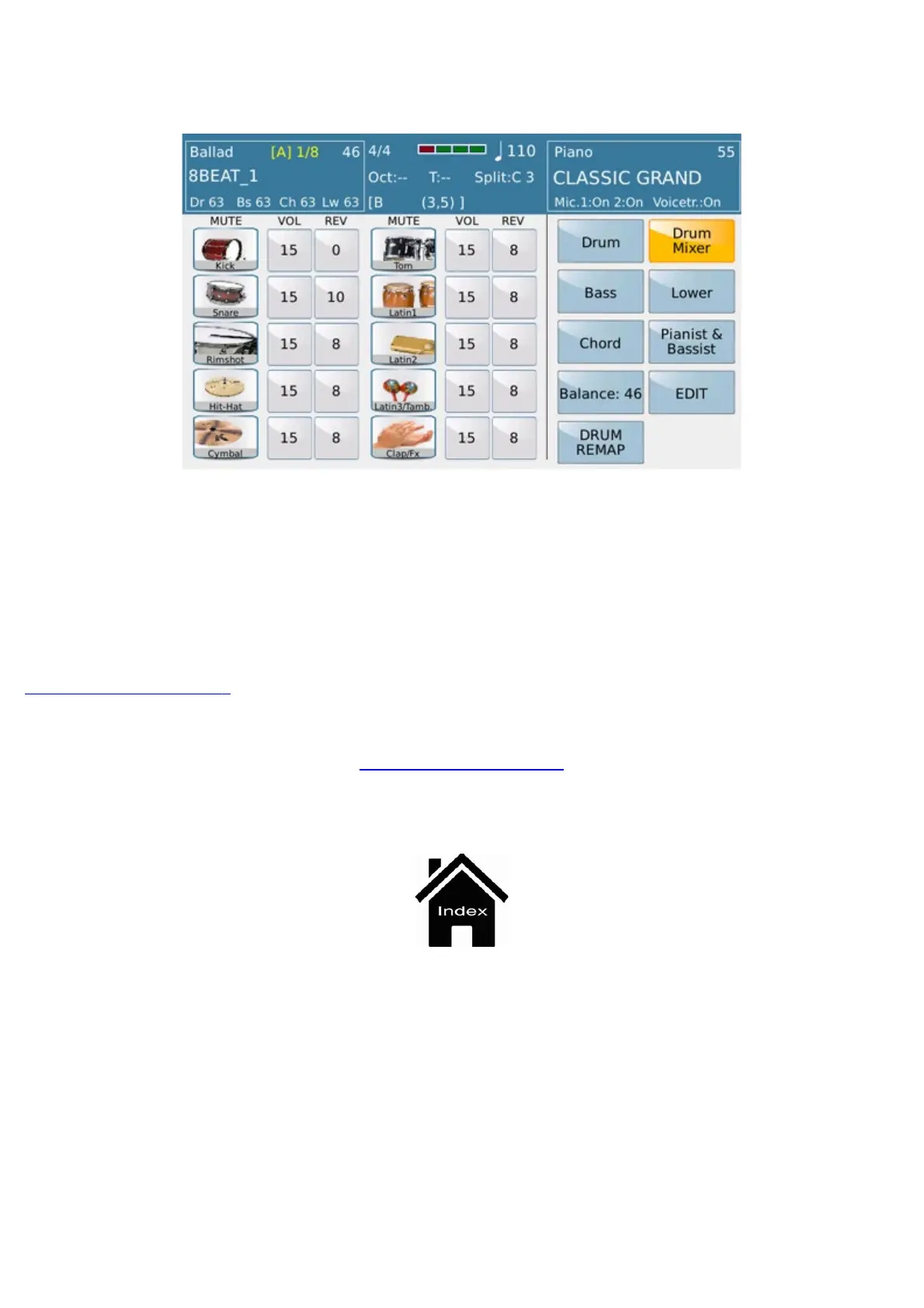
The display shows the 10 icons of the percussion instruments. These may be muted individually by tapping the icon.
A box for volume and reverb adjustments is displayed next to each icon. To do this, simply tap the box and change
the value with the Dial.
-
SINGLE / GLOBAL : When this is toggled to Single, the modifications introduced on one of the Kick,
Snare sections etc. are applied only to the current section of the Style; when it is toggled to Global mode, it is
applied to all the sections of the Style at the same time.
DRUM REMAP : Set Manual Drum feature ( Drum set instruments playable from external keyboard )
and holding this tab allows to play it directly from Touch screen view.
Arranger Setting



 To Next Page