Voice Edit
https://www.ketron.it/images/ketron/Manuali_HTML/SD40/english/53_voice_edit.html[13/05/2020 17:07:12]
Voice Edit
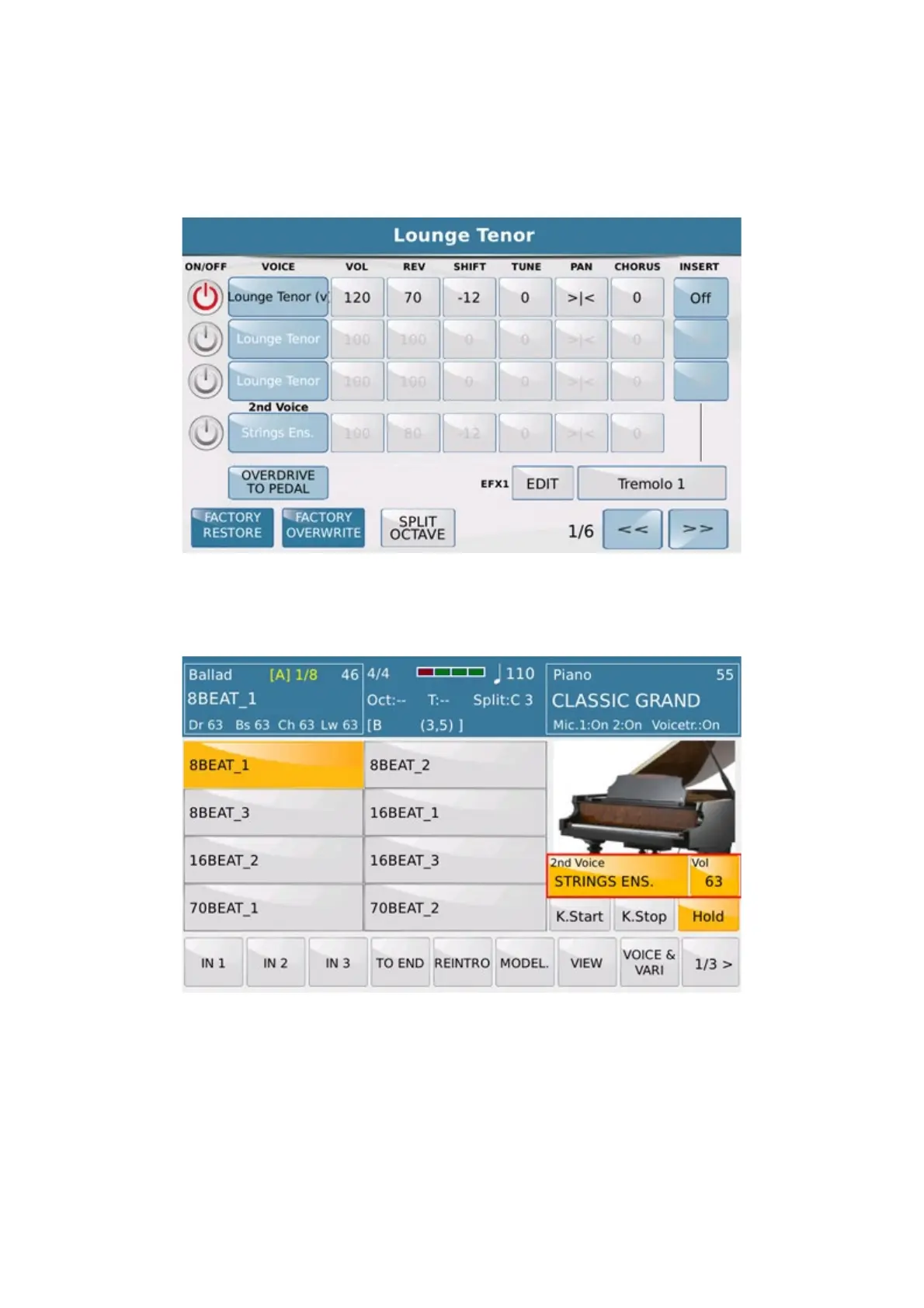
On the EDIT page of Voice mode you may assign 4 tones or layers to the keyboard connected to the Midi In. The
fourth layer is called 2ND VOICE.
Each Layer may be enabled or disabled with the virtual key ON/OFF. The 2nd Voice layer may also be enabled
or disabled on the main screen of Voice Mode by selected the
2ND directly from Touch Screen view:
You may assign a sound to each layer by selecting the box of the VOICE column that will enable a window on
which you may select the sound and sound families.
You may set the VOLUME, SHIFT tone, fine TUNE , REV and CHORUS values for each
layer and also enable an INSERT effect on the first 3 layers.
To select the Insert effect, press the INSERT TYPE box that will open the following page on which you
may select the effect.



 To Next Page