Functions
https://www.ketron.it/images/ketron/Manuali_HTML/SD40/english/25_function.htm[13/05/2020 17:04:49]
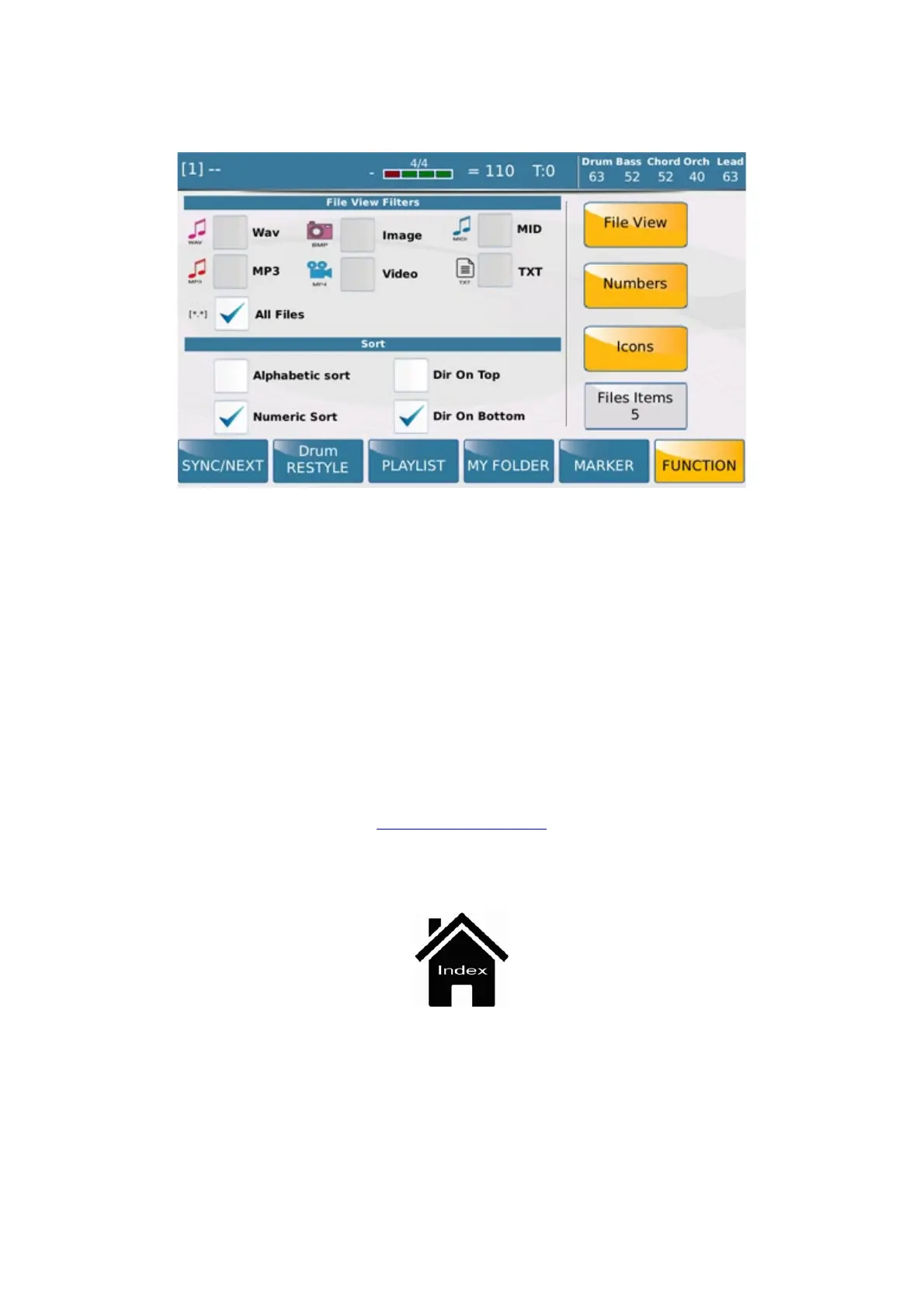
- FILE VIEW: This function allows you to select the type of files to view: .WAV, .MP3, .MID. , TXT, All
Files and the order in which they are viewed: Alphabetic Sort, Numeric Sort, Directory On Top, Directory On
Bottom.
-
NUMBERS: This function allows you toggle the numbers next to file names and folders on and off.
- ICONS: This function allows you to toggle the icons next to file names and folders on and off.
- FILE ITEMS: This function allows you to set the number of file names/folders to view on the screen (from
4 to 12)
PLAYER GM



 To Next Page