Connections
https://www.ketron.it/images/ketron/Manuali_HTML/SD40/english/02_connessioni.htm[13/05/2020 16:57:00]
Connections
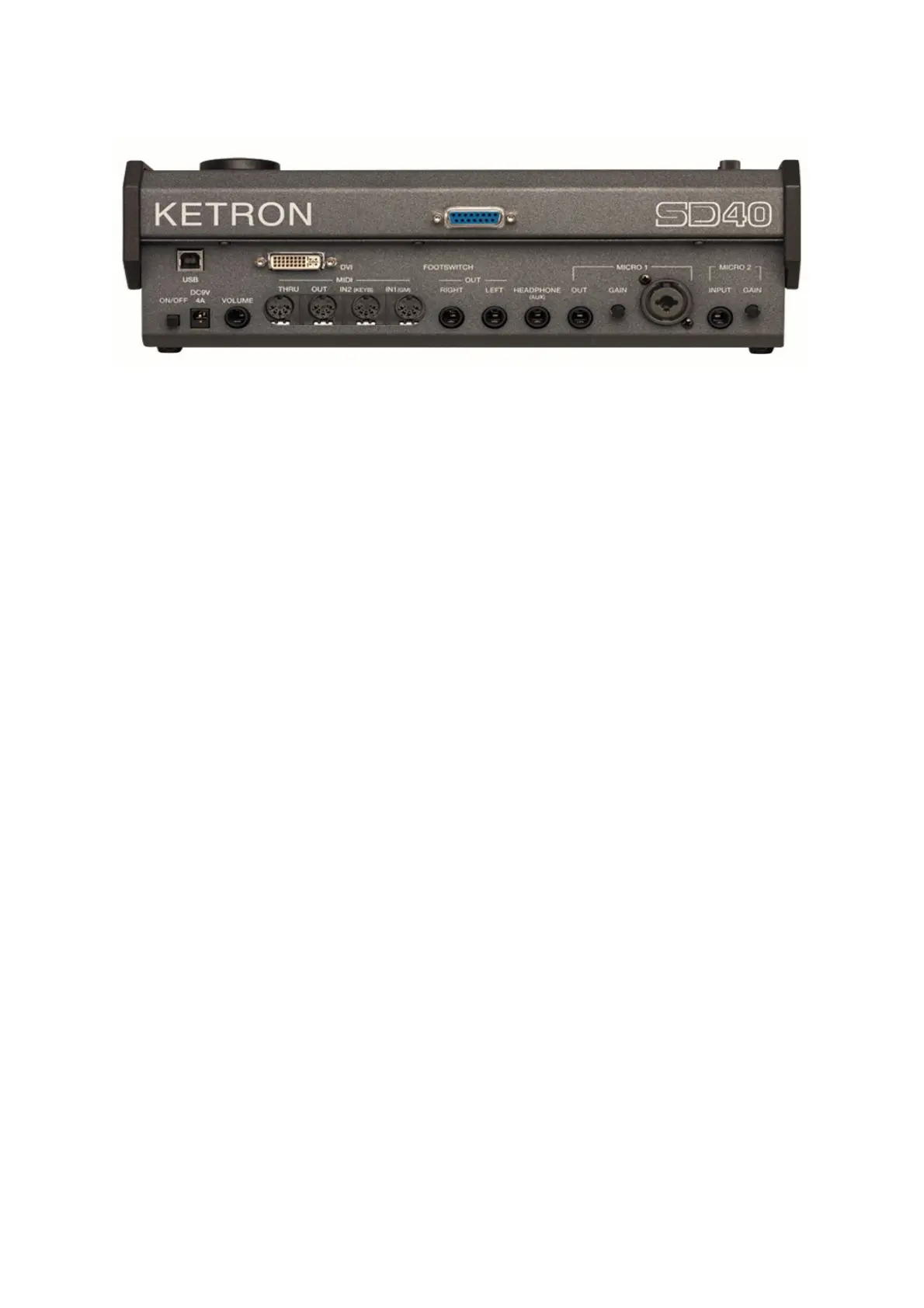
DC 9 V 4A Mains power supply socket
Please use only the power supply supplied with the instrument.
Output: 9 V, 4 A.
ON/OFF ON/OFF key.
This instrument may take up to 30 seconds to start up.
To turn off the instrument, press the ON/OFF key and wait for the instrument to turn off.
This may take up to 10 seconds.
VOLUME PEDAL Standard stereo jack to connect a Volume pedal (optional).
VIDEO DVI Digital video interface for connection to an external video monitor.
USB DEVICE This is used to connect a computer USB device or other devices to manage the SD40 as
an external removable unit.
FOOTSWITCH Standard multi-pin plug for connection of an optional pedal to control a number of
internal functions. Compatible with Ketron FS6/FS13.
MIDI Plugs for MIDI IN1 (GM), MIDI IN 2 (Key),, MIDI OUT and MIDI THRU connection.
MAIN OUT Standard mono jack for the main output to connect to a PA STEREO system: left (Left
Mono), right (Right Mono). We strongly recommend that you use the stereo connection
for best performance of the instrument and relevant EFXs. A Mono connection (namely
use of only the Left or Right output) will give poorer reproduction with respect to quality
of the sounds and EFXs of the instrument.
HEADPHONE Standard stereo jack for connection to a headphone. The volume of the headphone is
controlled by the Master section.
MICRO 1 IN Standard mono combo plug (Jack/Xlr) for connection of a dynamic microphone.



 To Next Page