Midi
https://www.ketron.it/images/ketron/Manuali_HTML/SD40/english/35_midi.html[13/05/2020 17:05:24]
Midi
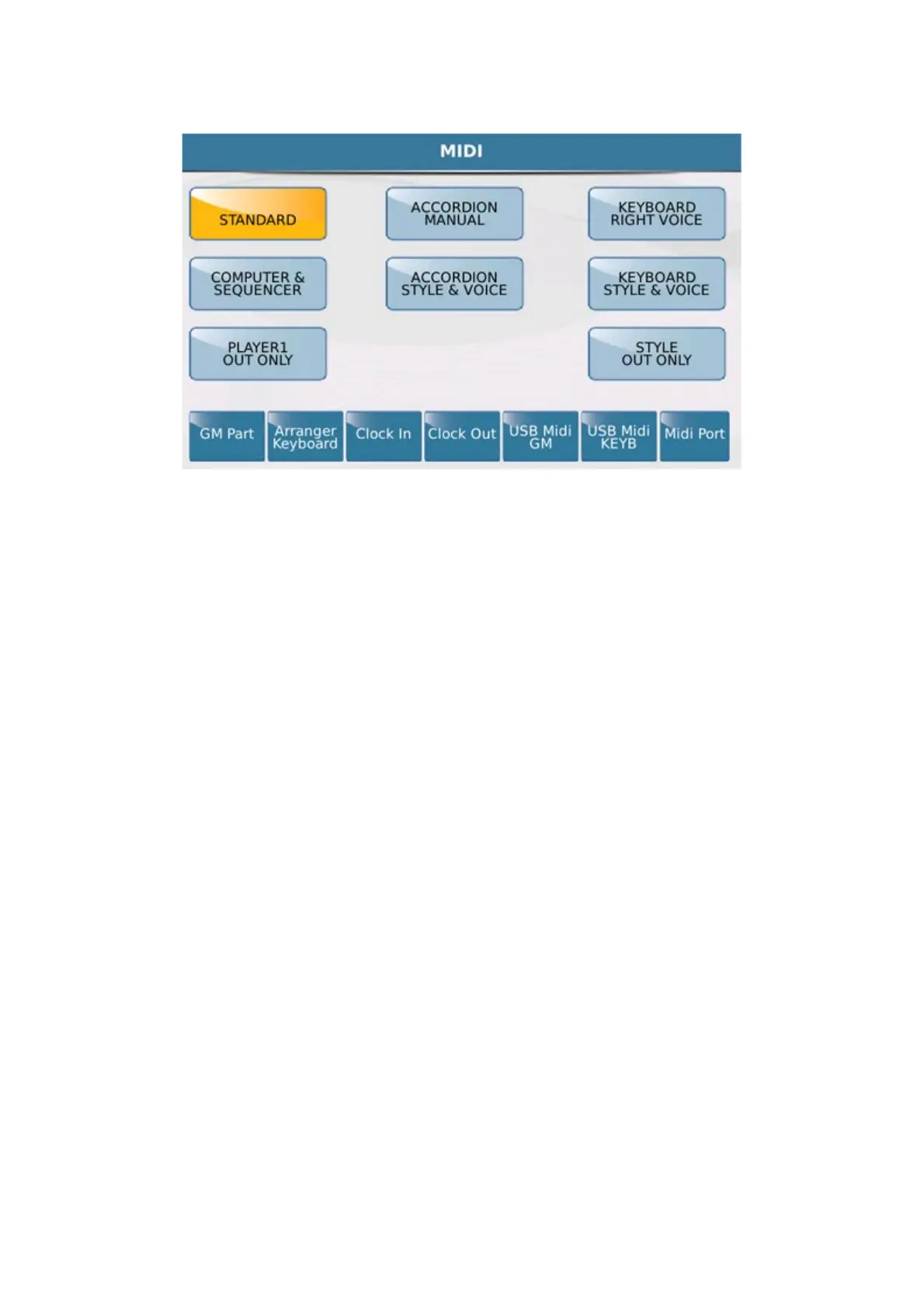
The 9 Midi KETRON settings are displayed at the centre of the screen.
-
STANDARD: In this mode the SD40 may be controlled by an external Midi controller (via the Midi In)
above all to play the Styles and Voices of the Arranger sound module.
- ACCORDION MANUAL: This is the Accordion Mode and should be used if you connect your
SD40 to a Midi Accordion. Accordion Mode automatically sets a specific Midi channel on the following sections:
Right Ch. 01, Left Ch. 02, Bass Ch. 03. It allows you to play the accordion manually, namely without an automatic
accompaniment.
- KEYBOARD RIGHT VOICE: This is an optimised mode that allows you to control the Voice
Lead via the external keyboard. It is substantially a variation of the Standard mode.
- COMPUTER SEQUENCER: This mode allows you to connect your instrument to an external
Software Sequencer or Computer (via the Midi In). Select this mode when you are playing a Midifile or sequences
from a computer (the SD40 will function like a GM sound module).
- ACCORDION STYLE & VOICE: This is a variation of Accordion Manual mode which uses
the same Midi channel optimised for use with a Midi accordion and also guarantees the Arranger control via the
accordion connected to the Midi In of the instrument.
- KEYBOARD STYLE & VOICE: This is yet another variation of standard mode which is
optimised for Arranger control via an external keyboard connected to the Midi In of the instrument.
- PLAYER 1 OUT ONLY: This configuration may be very useful when you want to play a Midifile on
Player1 using only the external sound module connected to the Midi Out of your SD40.
- STYLE OUT ONLY: This mode allows you to play the Arranger section using the sounds of an
external module.
At the bottom you will find 6 virtual keys that provide access to new pages on which you may customise the Midi
sections or enable specific functions.



 To Next Page