Voice Edit
https://www.ketron.it/images/ketron/Manuali_HTML/SD40/english/53_voice_edit.html[13/05/2020 17:07:12]
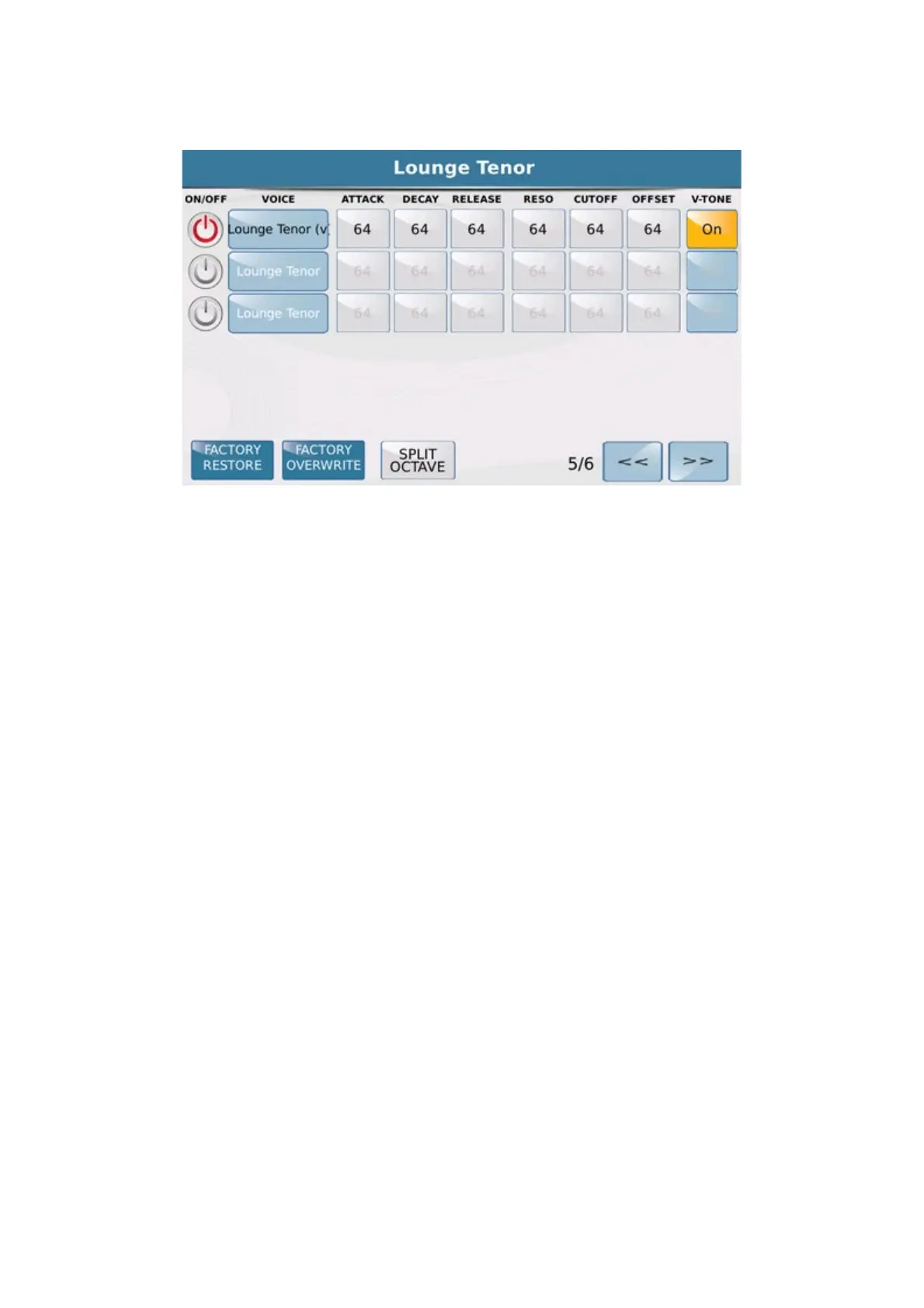
-ADR-FILTER-V-TONE
- ATTACK : Sets the attack time of the sound.
- DECAY : Sets the decay time of the sound.
- RELEASE : Sets the release time of the sound.
- RESONANCE : Change the level of resonance.
- CUT OFF : Change the cutoff frequency
-V-TONE : Activates exclusively on Voice marked with the logo V. The V-Tone allows sound created with
this feature a sort of round robin timbre (ie an automatic and / or random variable timbre of the same wave). When
you apply the flag of the V-Tone on the icon inside of the Voice on which you are working (obviously if predisposed
to this function) will appear a tiny V just to indicate the activation of this feature. Meanwhile this symbol will be
displayed on the other Voices also just to show feature available.
- MODULATION
Here the parameters available for each Modulation Voice:



 To Next Page