Arranger Setting
https://www.ketron.it/images/ketron/Manuali_HTML/SD40/english/13_arranger_setting.html[13/05/2020 17:00:58]
-
TO END: Performs END 1 immediately without waiting whole measures of the arranger (A / B / C / D /) in
use.
- REINTRO: When Style is running, with the command REINTRO enabled, if you press one of three END
buttons SD40 run again the intro instead of going to the END. If the REINTRO button is active as well K.Stop ,
pressing one of the Intro / Ending SD 40 performs Ending instead of Intro
MODELING: In this menu, you can rearrange your own Style inserting new pattern made available on SD
40. Choose from hundreds of templates already programmed by KETRON on different sections such Drum, Bass,
Chord. This environment is explained with more detail on
Modeling page
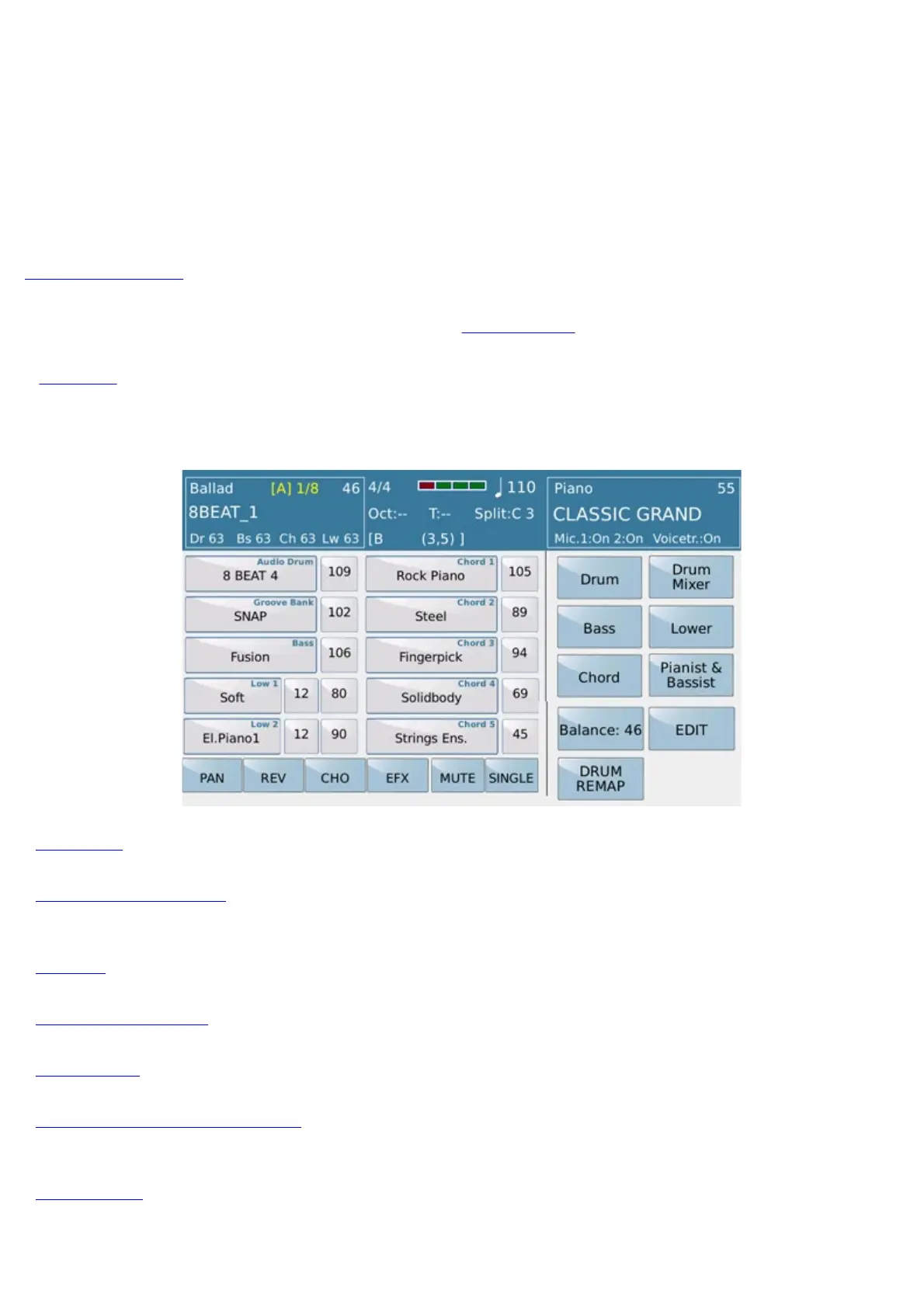
- VIEW: Shows the overall status of the Style ie all tracks of the Arranger and the Lower section of the
keyboard. This environment allows to make important changes on Arranger setting .
here is the available features :.
- DRUM: Allows you to set the parameters of the Drum section.
- DRUM MIXER: Opens a mixer for the drum where it is possible to enable or mute the individual
percussion instruments of the drum and adjust the volume and reverb of each.
- BASS: Opens the page on which to regulate the Bass track.
- 4 VOICE SET: Allows you to modify the 4 Voices of the Upper section.
- CHORD: Opens the page to adjust the harmonic tracks of the automatic accompaniment.
- PIANIST & BASSIST: Provides access to a page on which you may set the control mode of Arranger
via the keyboard.
- LOWER: Opens the page to adjust the Lower track, namely the section of the keyboard on the left of the split
point.



 To Next Page