Keyscan Inc. – Technical Guide (PC109x - 04.15)
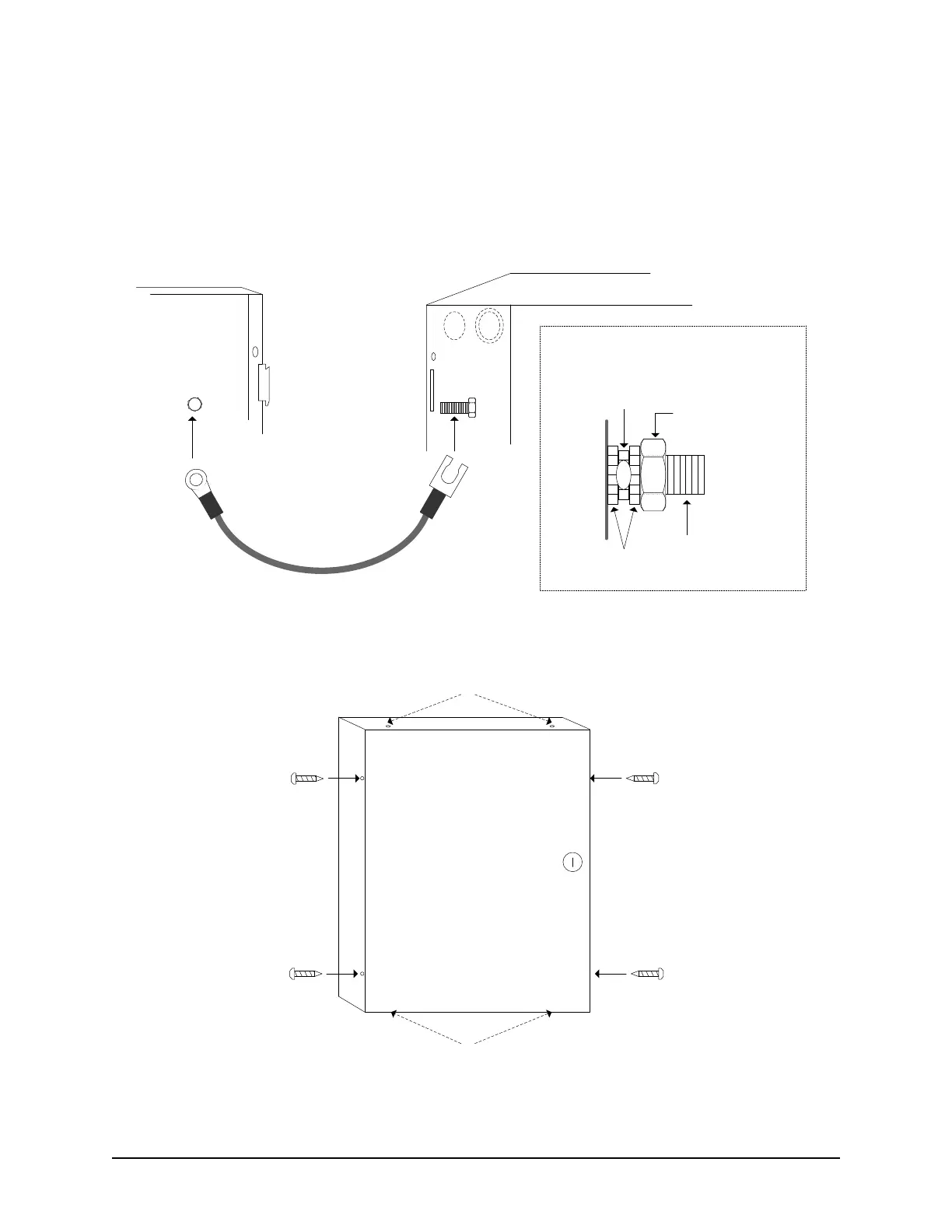
Connect Enclosure Ground Strap
Ensure that the enclosure ground strap is connected to the designated studs on both the metal enclosure and
the enclosure cover. Be sure the cable lug is positioned between two star washers and securely tightened with
a nut as illustrated in the diagram below.
Figure 13 – Enclosure Ground Strap Connection
Figure 14 – Securing the Enclosure Cover
Enclosure Ground Strap
Enclosure Cover
Metal Enclosure
Use the enclosed star
washers and nuts to
secure both ends of the
cable to the studs as
shown on the right.
Stud
Stud
Star
Washers
Nut
Cable
Lug
Stud
Side View of Stud with Cable Lug Connection
KI-00117E-07-11
Front View
of Enclosure
with Cover
3/8“ x 4
Cover
Locking
Screw
Cover
Locking
Screw
Cover
Locking
Screw
Cover
Locking
Screw
Optional locations for
cover locking screws
Optional locations for
cover locking screws
KI-00118E-07-11



 To Next Page