ENGLISH
Chapter 5: KGUARD Web Client
DVR User’s Manual
101
5.6 Local Sengs
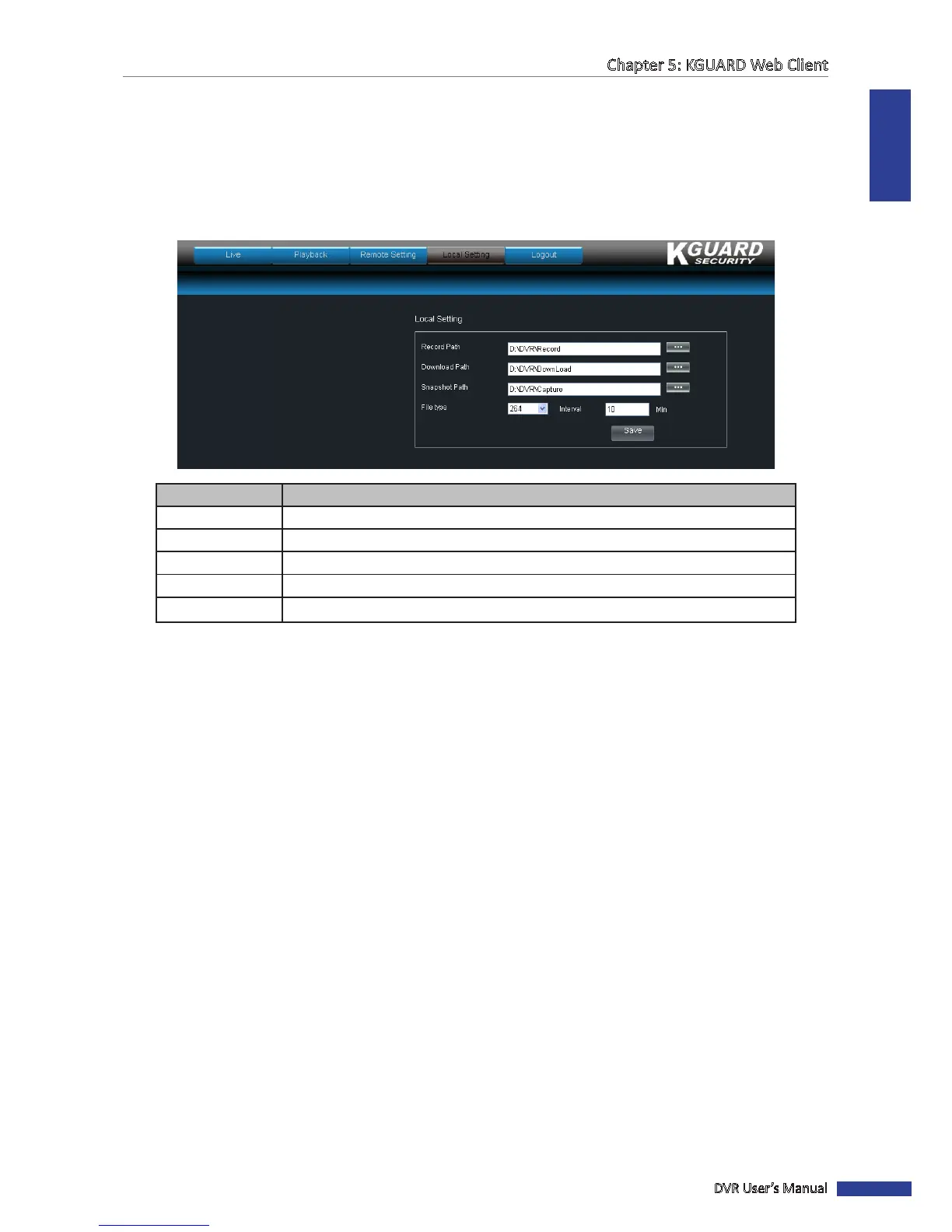
Use the Local Seng menu to specify the local path directory to save downloaded videos, les, and snapshots.
To congure the local sengs, do the following:
1 On the Main Menu, click Local Seng.
2 Click the corresponding browse buon to modify the path.
Menu Item
Descripon
Record Path All manual recording made from the Live screen are saved in this path.
Download Path All downloaded videos from the Playback screen are saved in this path.
Snapshot Path All captured snapshots are saved in this path.
File Type
Select the le type. Opons are: 264 (H.264 format) or avi.
Interval Set the interval me in minutes.
3 Click Save.



 To Next Page