ENGLISH
Chapter 5: KGUARD Web Client
DVR User’s Manual
81
5.5.2 Seng the Recording
Use the Record menu to remotely set the recording schedule and customize the recording sengs, such as frame rate,
quality, and resoluon.
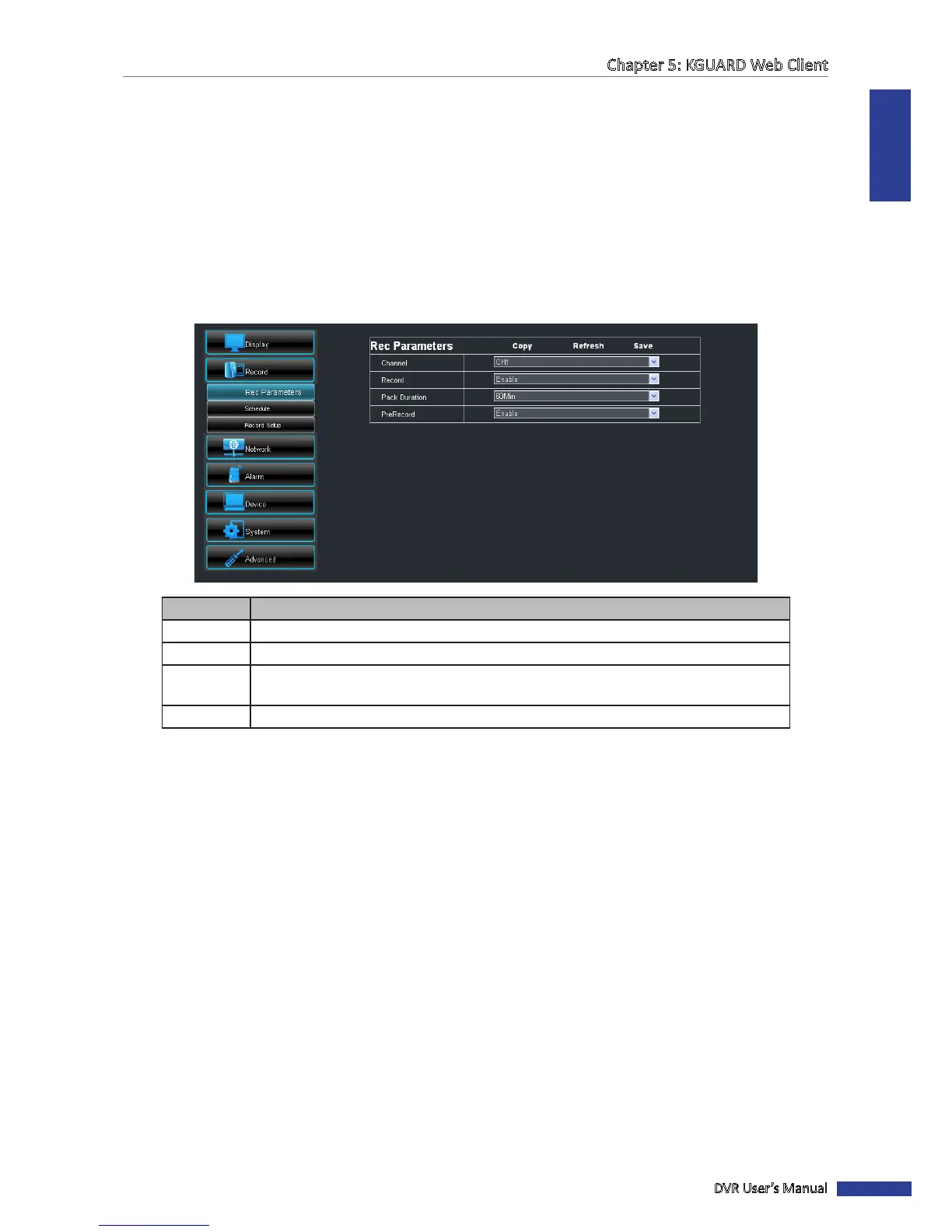
Seng the Recording Parameters
Use the recording parameters screen to recording le size, duraon, etc.
1 On the Main Menu, click Remote Seng.
2 On the le panel, click Record.
3 Modify the necessary sengs.
Item Descripon
Channel Select the channel that you want to congure.
Record Enable/Disable recording.
Pack
Duraon
Set the recording length for each video le (15/30/45/60 minutes). When the me
elapsed, the recording is saved to another le.
PreRecord Enable/Disable recording prior to the set recording me.
4 To save the sengs, click Save.
« TIP »
• To apply the same recording sengs to other channels, click Copy. See “Copying Sengs To Other Channels”
on page 79.
• To cancel any modicaons and retain the exisng sengs, click Refresh.



 To Next Page