ENGLISH
Chapter 2: Installaon
24
DVR User’s Manual
2.7.2 BNC Connecon
Note:
Available in 16-channel DVRs only.
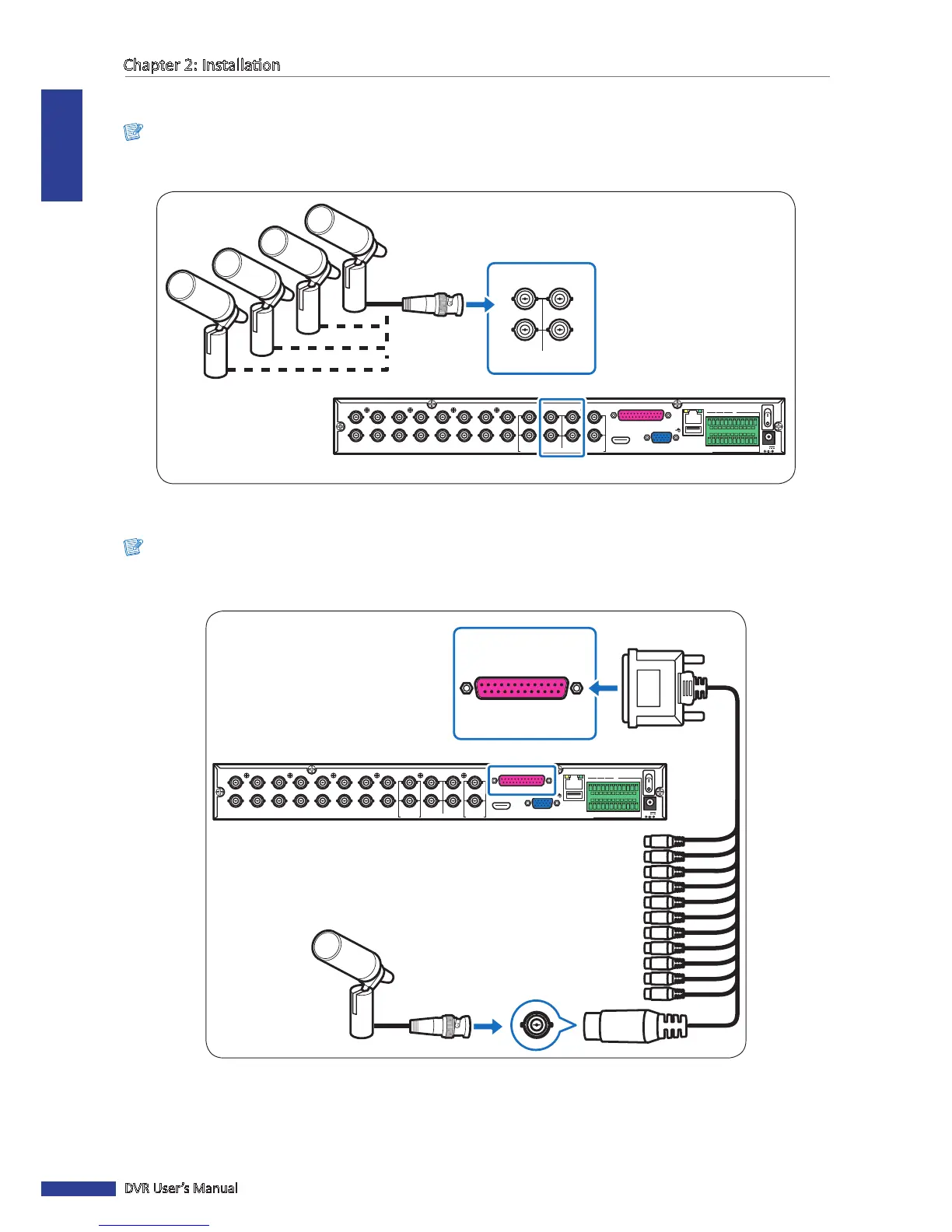
Connect the microphone(s) for channels 1 to 4 using direct BNC connecon as shown.
Microphone
VGA
AUDIO IN (CH5-CH16)
HDMI
LAN
1
2
AUDIO OUTVIDEO OUT AUDIO IN
2
4
1
3
MAIN
SPOT
CH8
CH16
CH7
CH15
CH6
CH14
CH5
CH13
CH4
CH12
CH3
CH11
CH2
CH10
CH1
CH9
G12345678910 11
+
-
NO COMG 16 15 14 13 12
RS-485
D+ D
-
KB OUT IN
ALARM
12V
1
3
2
AUDIO IN
4
BNC cable
16-Channel DVR
2.7.3 Parallel Connecon
Note:
Available in 16-channel DVRs only.
Use this connecon to connect microphones for channels 5 to 16.
VGA
AUDIO IN (CH5-CH16)
HDMI
LAN
1
2
AUDIO OUTVIDEO OUT AUDIO IN
2
4
1
3
MAIN
SPOT
CH8
CH16
CH7
CH15
CH6
CH14
CH5
CH13
CH4
CH12
CH3
CH11
CH2
CH10
CH1
CH9
G12345678910 11
+
-
NO COM G1615141312
RS-485
D+ D
-
KB OUT IN
ALARM
12V
AUDIO IN (CH5-CH16)
Microphone
Parallel-to-BNC
Adapter
16-Channel DVR
1 Connect the microphone(s) to the BNC end of the Parallel-to-BNC adapter.
2 Connect the other end of the adapter to the parallel port on the back of the DVR.



 To Next Page