ENGLISH
Chapter 4: Using the DVR
68
DVR User’s Manual
Load Default Sengs
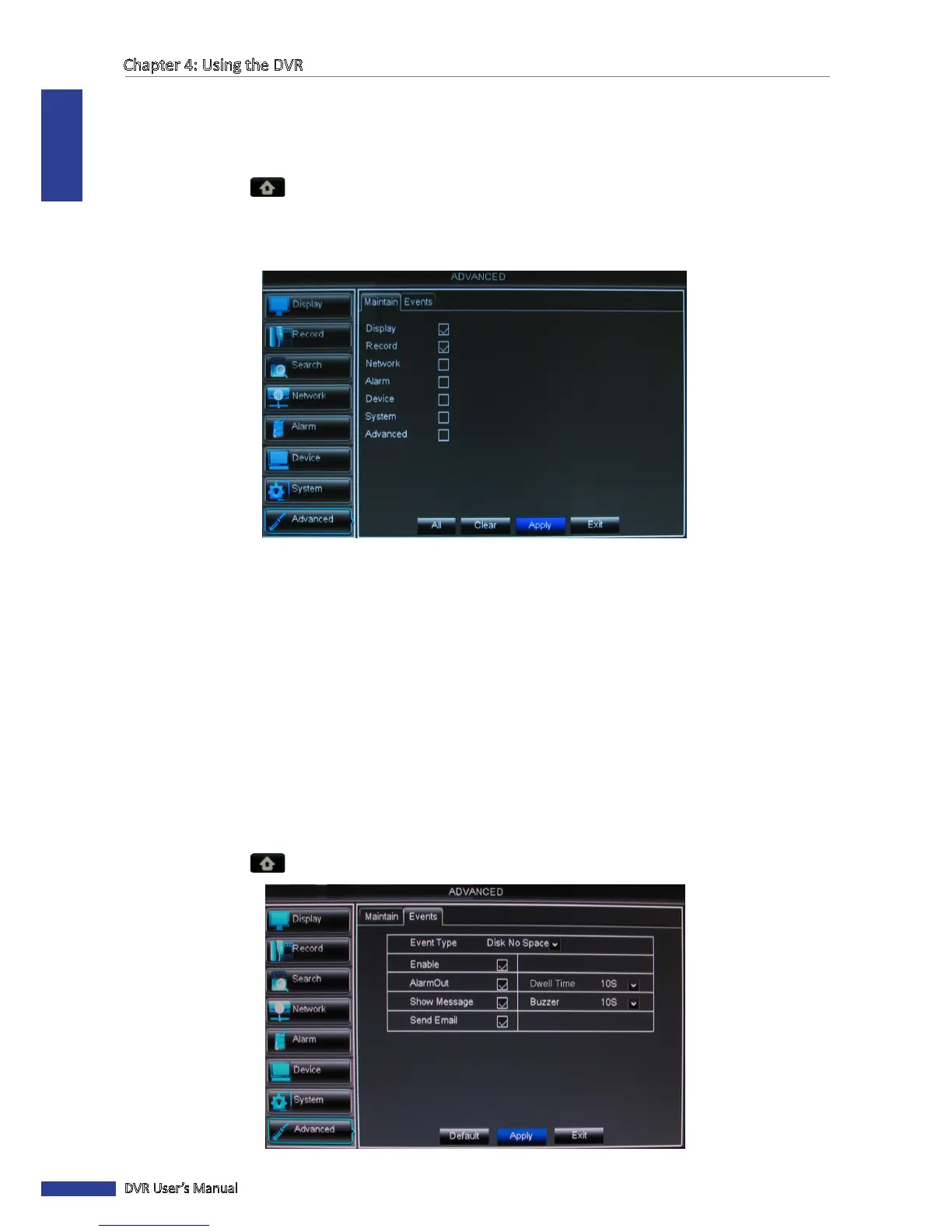
Use this feature to restore the factory default sengs of the DVR.
1 In preview mode, right-click on the mouse to display the Pop-up menu.
2 Select Main Menu > ADVANCED.
3 Click Load Default.
4 Check the check box of the sengs that you want to restore.
« TIP »
• To restore all sengs, click Select All.
• To deselect all checked boxes, click Clear.
• To cancel, click Cancel.
5 Aer all sengs are complete, click Apply.
6 A warning message appears, click OK to conrm.
7 When data saving is complete, click OK.
4.8.2 Events Sengs
The Events page allows you to dene the type of events for the DVR to issue an alarm.
1 In preview mode, right-click on the mouse to display the Pop-up menu.
2 Select Main Menu > ADVANCED, select the Events tab.



 To Next Page