ENGLISH
Chapter 2: Installaon
18
DVR User’s Manual
2.1.2 Installing HDD on 16-Channel DVR
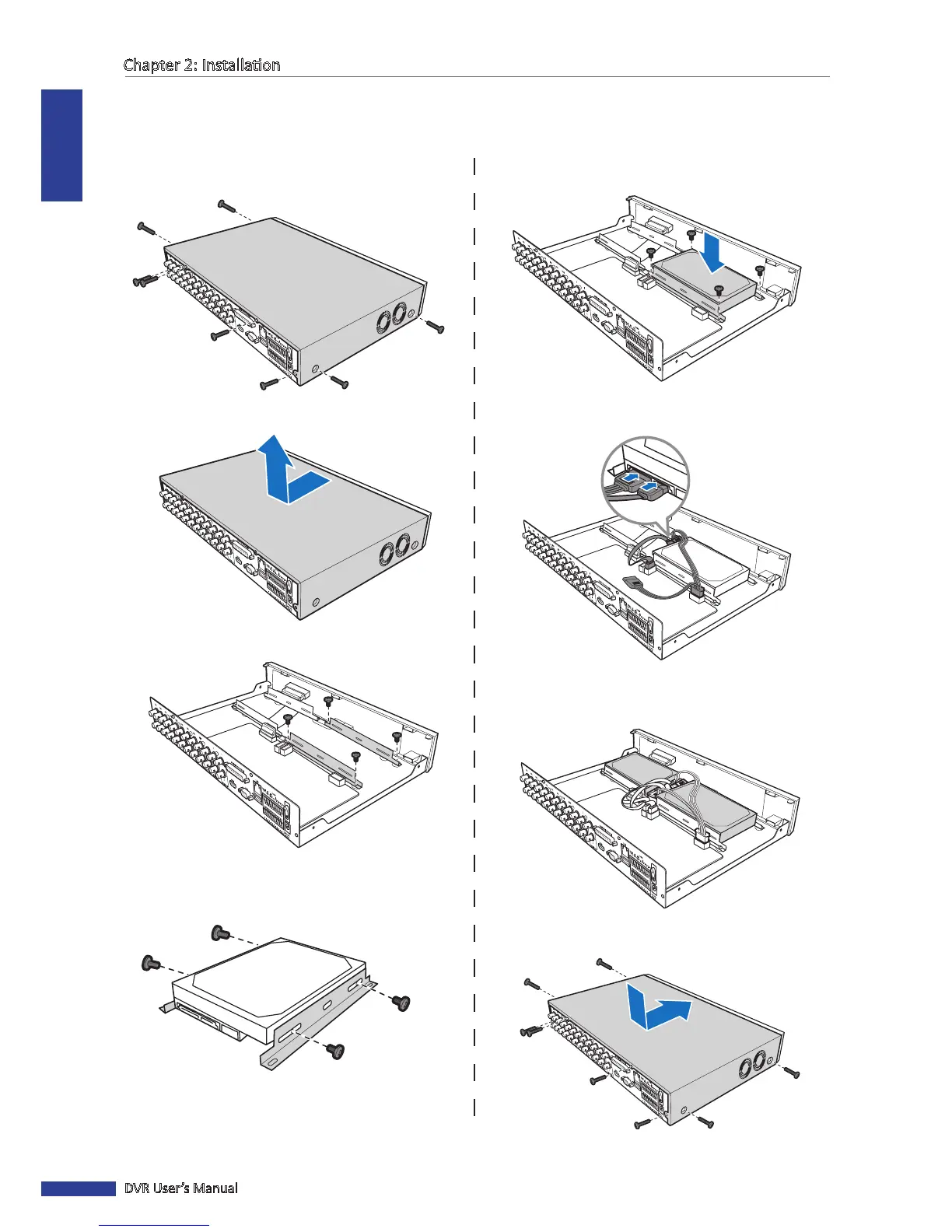
The 16-channel DVR supports up to two 3.5” SATA hard disk drives. To install the HDD, follow the steps below.
5 Aach the bracket back to the compartment using
four (4) screws.
6 Connect the data cables to the hard disk drive (HDD).
7 Connect the power cables to the hard disk drive (HDD)
and the DVR.
8 Aach the cover and screws back in place.
1 Loosen the screws on the le, right, and rear sides as
shown.
2 Push back then li up the cover to remove it.
3 Detach the screws to remove the HDD bracket.
4 Aach the HDD to the bracket using the four (4)
supplied screws.



 To Next Page