ENGLISH
Chapter 4: Using the DVR
DVR User’s Manual
57
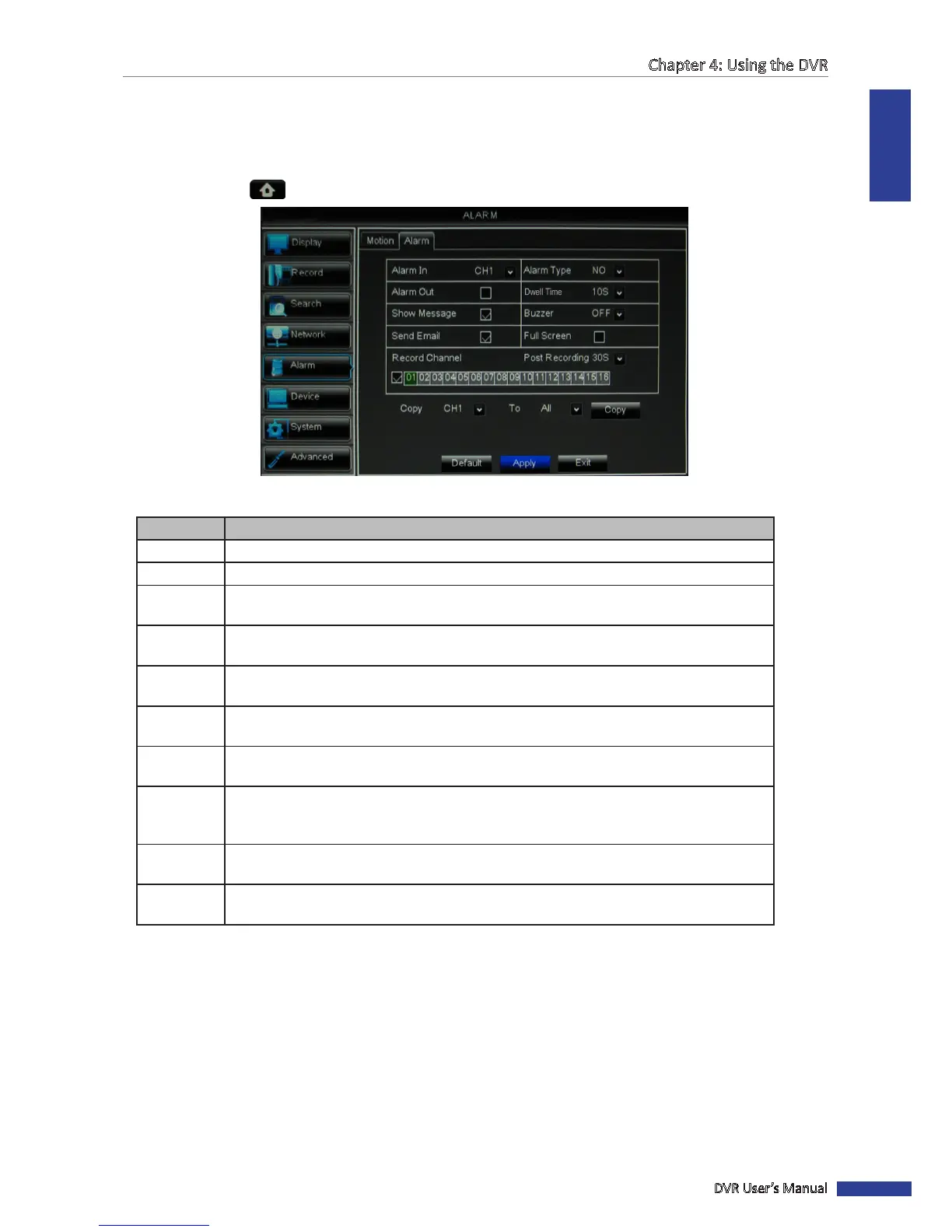
4.5.2 Other Alarm Sengs (16-Channel only)
For 16-channel DVRs with a connected alarm device, do the following to set up the alarm sengs:
1 In preview mode, right-click on the mouse to display the Pop-up menu.
2 Select Main Menu > ALARM, select the Alarm tab.
3 Modify the necessary sengs:
Menu item Descripon
Alarm In
Select the channel that will trigger the alarm.
Alarm Type
Select the alarm type: NO (Normal-Open), NC (Normal-Close), or OFF.
Alarm Out
If an alarm device is connected, check the box to make the device sound the alarm when
triggered.
Dwell Time Select the alarm sound duraon of the I/O alarm device
(10S/20S/40S/60S) then check to
apply the seng to each alarm type.
Show
Message
Check the box to display a message on screen when the alarm is triggered.
Buzzer Set the buzzer duraon when the alarm is triggered
(O/10 S/20 S/40 S/60 S).
To disable buzzer, select O.
Send Email Check to enable email alarm nocaon. If the funcon is enabled, the system will send
the alarm images to the specied email address. See “4.4.4 Email Sengs” on page 53.
Full Screen Check the box to enable this funcon. If this funcon is enabled and the alarm is triggered,
the corresponding channel will be displayed in full screen. Select the screen display
duraon (1 S/3 S/5 S/7 S/10 S)
Record
Channel
Check the box to enable recording and then select the channels to record when the alarm
is triggered.
Post
Recording
Select the post-recording duraon.
4 Click Apply.
5 When data saving is complete, click OK.
« TIP »
• To copy the current sengs to other channels, select the channel, then click Copy.
• To revert to the default alarm sengs, click Default.
6 When data saving is complete, click OK.



 To Next Page