Instrument cluster control
Adjusting instrument cluster
illumination
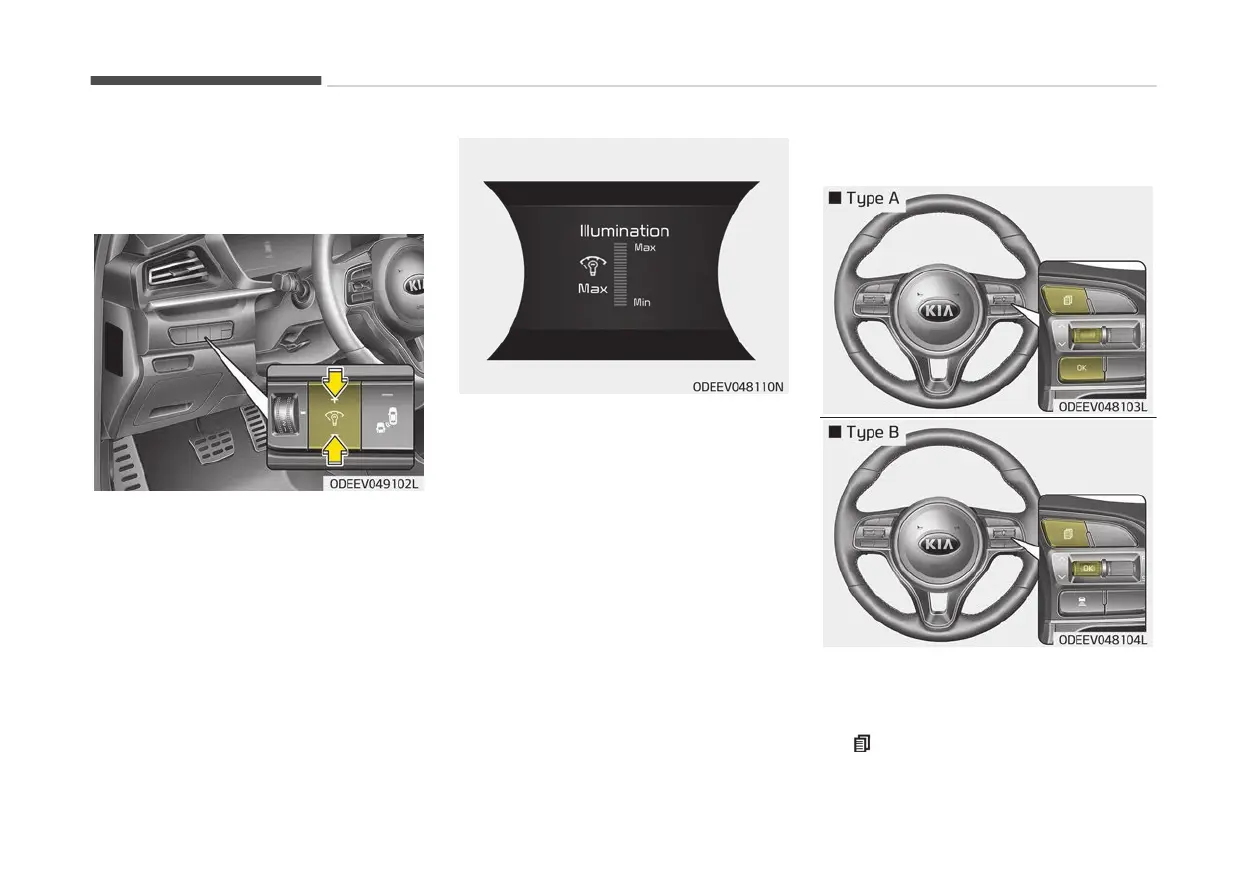
The brightness of the instrument panel
illumination
is changed by pressing the
illumination control button (“+” or “-”)
when POWER button is ON, or the tail‐
lights are turned on.
• If
you hold the illumination control
button (“+” or “-”), the brightness will
be changed continuously.
• If the brightness reaches to the max‐
imum or minimum level, an alarm will
sound.
LCD display control
The LCD display modes can be changed
by
using the control buttons on the
steering wheel.
1.
: MODE button for change the
LCD MODES
Features of your vehicle
5-40


 To Next Page