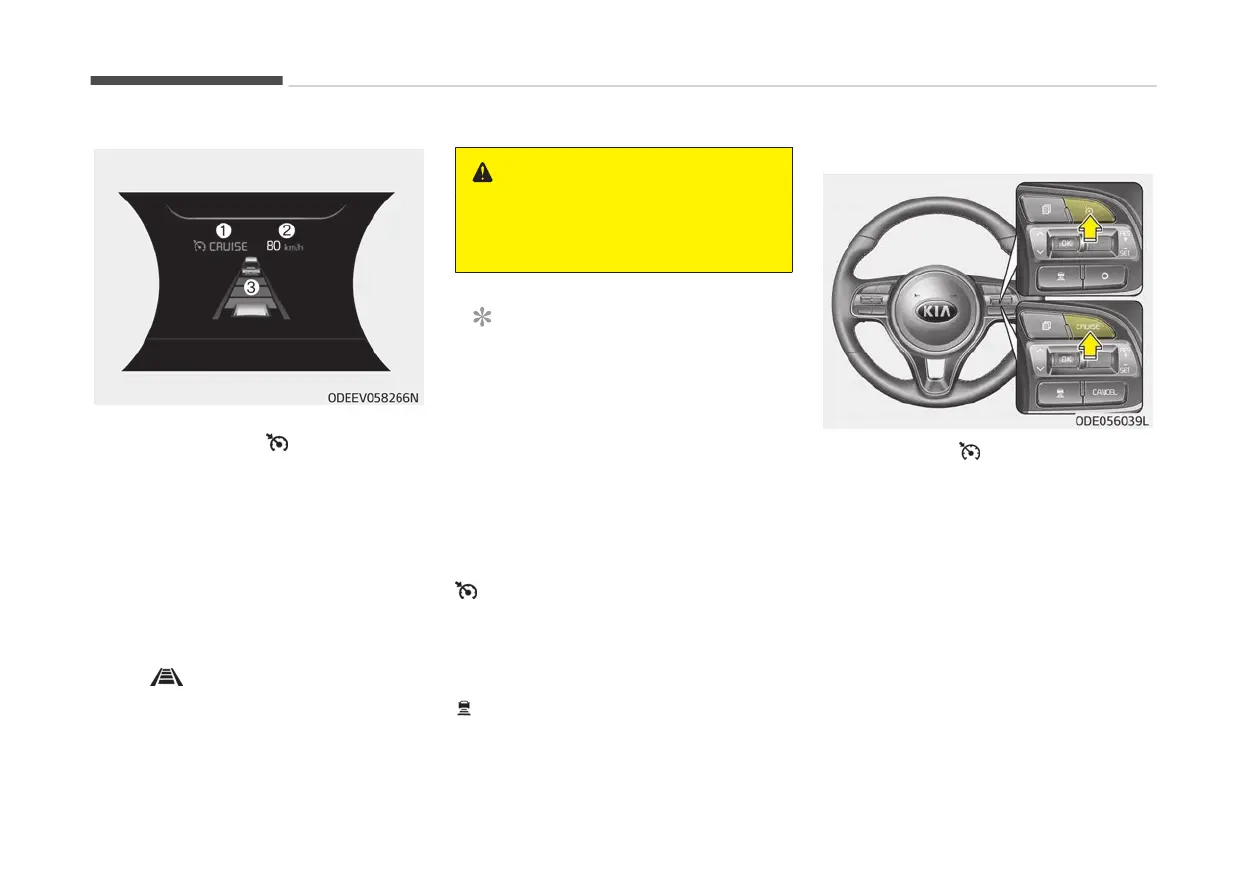
SMART CRUISE CONTROL (SCC) (IF EQUIPPED)
1. Cruise indicator ( CRUISE)
2.
Set speed
3. Vehicle-to-vehicle distance
Smart Cruise Control system allows you
to program the vehicle to maintain con‐
stant speed and distance detecting the
vehicle ahead without depressing the
accelerator or brake pedal.
To see the SCC screen on the LCD dis‐
play on the cluster, select Driving Assist
mode (
). For more informations, re‐
fer
to “LCD display (if equipped)” on
page 5-60.
WARNING
For your safety, please read the
owner's
manual before using Smart
Cruise Control system.
NOTICE
To activate Smart Cruise Control, de‐
pr
ess the brake pedal at least once
after turning the ignition switch to
the ON position or starting the vehi‐
cle. This is to check if the brake
switch which is important part to
cancel Smart Cruise Control is in nor‐
mal condition.
Smart cruise control switch
/CRUISE: Turns cruise control system
on or off.
RES+ : Resumes or increases cruise
control speed.
SET- : Sets or decreases cruise control
speed.
: Sets vehicle-to-vehicle distance.
O/CANCEL: Cancels cruise control oper‐
ation.
To set smart cruise control speed:
1. Pr
ess the
/CRUISE button, to
turn
the system on. The CRUISE in‐
dicator in the instrument cluster
will illuminate.
2. Accelerate to the desired speed.
Smart Cruise Control speed can be
set as follows:
• 10 km/h (5mph) ~ 160 km/h
(100 mph): when there is no vehi‐
cle in front
• 0 km/h (0 mph) ~ 160 km/h
(100 mph): when there is a vehi‐
cle in front
Driving your vehicle
6-92



 To Next Page