NOTICE
• Rated voltage : AC 220V
•
Maximum electric power : 200W
• In order to avoid an electrical sys‐
tem failure, electric shock, etc., be
sure to read owner's manual be‐
fore use.
• Be sure to close the cover except
for when in use.
• T
o prevent the battery from being
discharged, do not use the AC inver‐
ter while the vehicle is not on.
• After using an electric accessory or
equipment, pull the plug out. Leaving
the accessory or equipment plugged
in for a long time may cause battery
discharge.
• Do not use an electric accessory or
equipment the power consumption of
which is greater than 200W (220V).
• When the AC inverter input voltage is
less than 11.3V, automatically turn
off the power.
AC inverter will operate as normal
when the voltage is increased.
• While
the power consumption of
some electrical devices/appliances
may be within the AC inverter’s elec‐
tric power range, it may malfunction
in below cases.
- If the device/appliance requires
high electric power for initial start
up
- If the device/appliance processes
precise/very accurate data
- If the device/appliance requires
very stable supply of electricity
CAUTION
n
Electric accessory devices
• Do not use broken electric acces‐
sories
which may damage the AC
inverter and electrical systems of
the vehicle.
• Do not use two or more electric
accessories
at the same time. It
may cause damage to the electri‐
cal systems of the vehicle.
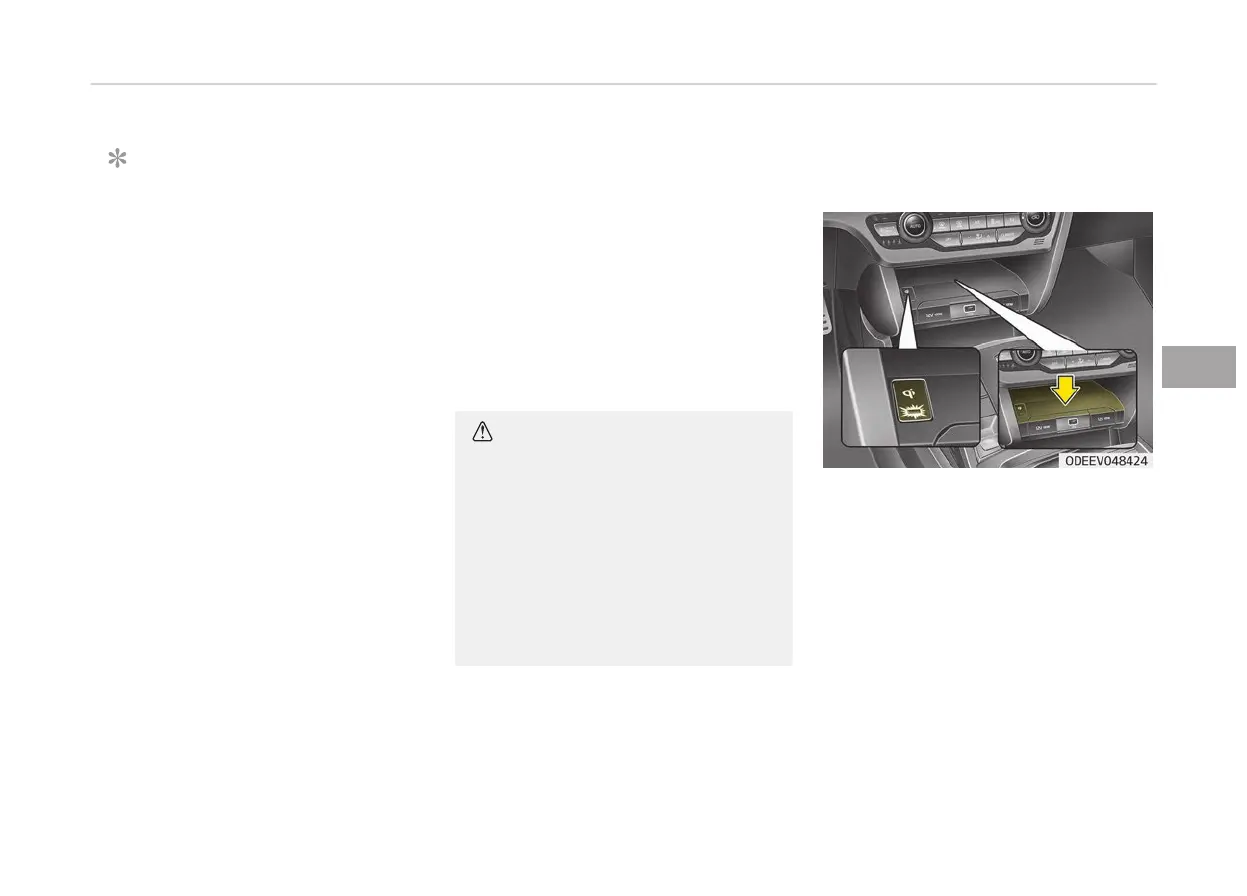
Wireless smart phone charging
system (if equipped)
A wireless smart phone charging sys‐
tem
located in front of the center con‐
sole.
Firmly close all doors, and turn the
POWER button in the ACC or ON. To
start wireless charging, place the smart
phone equipped with wireless charging
function on the wireless charging pad.
For best wireless charging results, place
the smart phone on the center of the
charging pad.
5-131
5
Features of your vehicle



 To Next Page