(Continued)
• The system detects lane markers
and
road edge and controls the
steering wheel by a front view
camera, therefore, if the lane
markers are hard to detect, the
system may not work properly. Al‐
ways be cautious when using the
system.
• When the lane markers and road
edge
are hard to detect, please re‐
fer to “Driver's Attention” on page
6-65.
• Do not remove or damage the re‐
lated parts of LKA system.
• Do not place objects on the crash
pad
that reflects light such as mir‐
rors, white paper, etc. it may
cause malfunction of LKA system
if the sunlight is reflected.
• You may not hear warning sound
of
LKA system because of the ex‐
cessive audio sound.
• While other beeps such as the seat
belt
warning sound are in opera‐
tion and override LKA alarming
system, LKA beeps may not occur.
(Continued)
(Continued)
• If the vehicle speed is high, steer‐
ing
torque for assistance will not
be enough to keep your vehicle
within the lane. If so, the vehicle
may move out of its lane. Obey
speed limit when using LKA sys‐
tem.
• If you attach objects to the steer‐
ing
wheel, the system may not as‐
sist steering.
• If you attach objects to the steer‐
ing
wheel, hands off alarm may
not work properly.
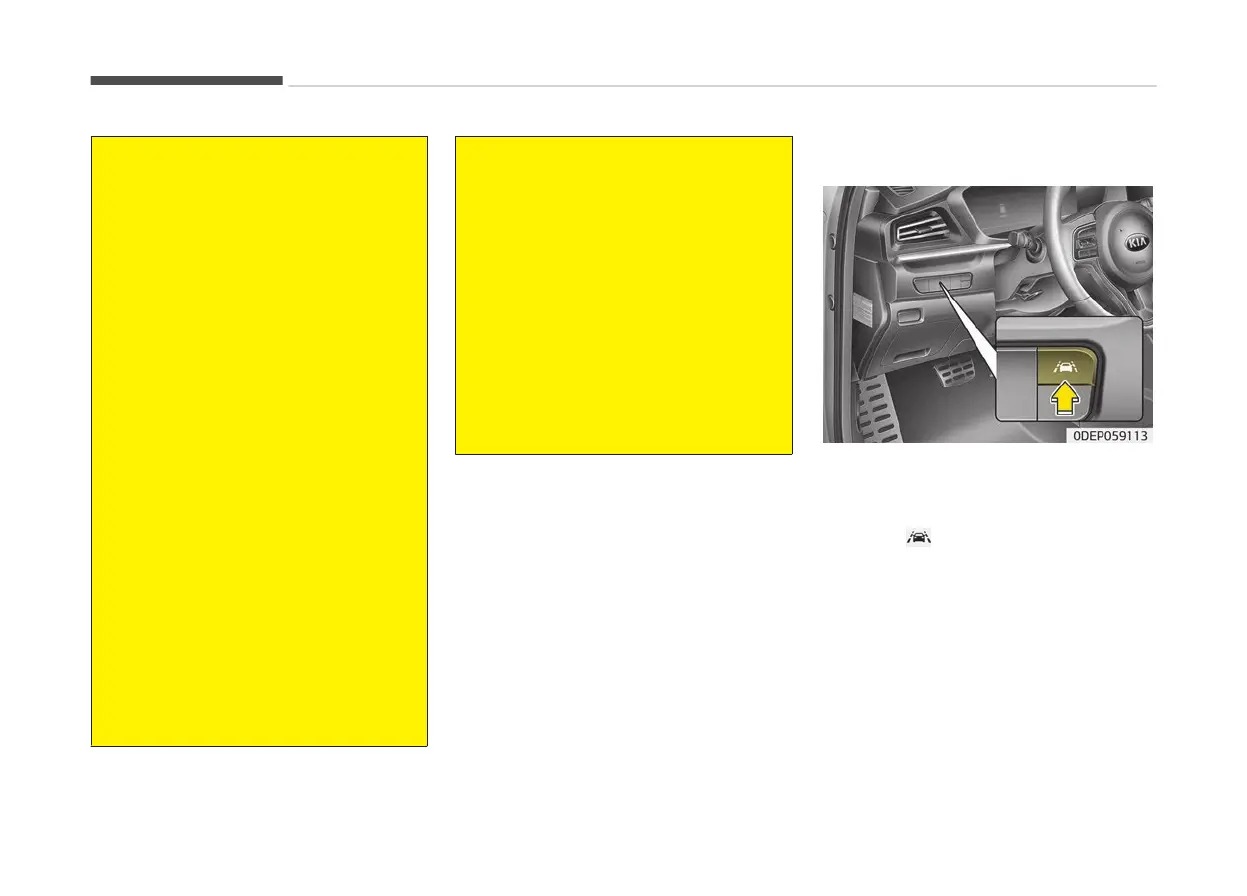
LKA system operation
To activate/deactivate LKA:
With
the ignition switch in the ON posi‐
tion, LKA turns on automatically. The
indicator (
) in the cluster display will
initially
illuminate white. If you press
the LKA button located on the instru‐
ment panel on the lower left hand side
of the driver, LKA will be turned off and
the indicator on the cluster display will
go off.
The color of indicator will change de‐
pend on the condition of LKA.
- White : Sensor does not detect the
lane marker or vehicle speed is less
than 60 km/h (37 mph).
Driving your vehicle
6-62



 To Next Page