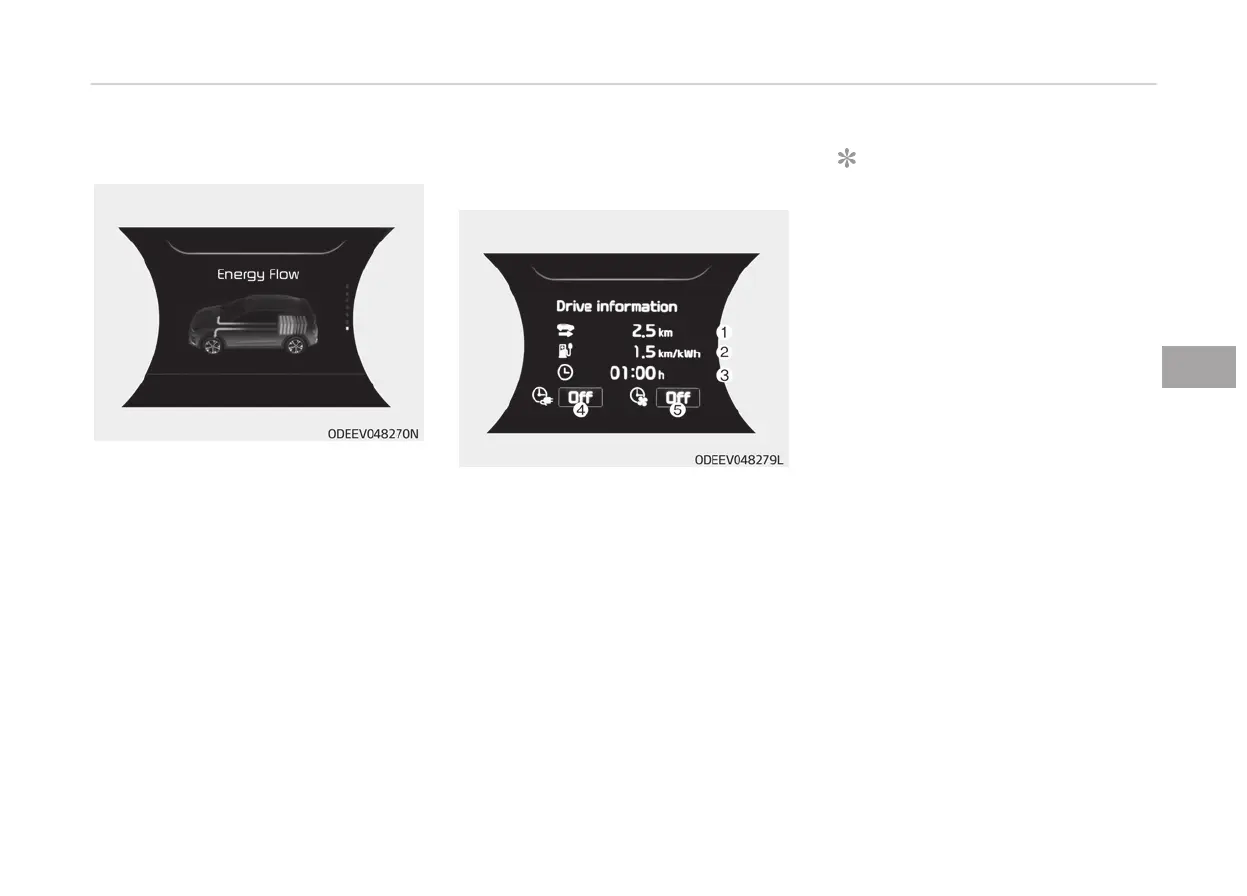
Energy flow
The electric vehicle system informs the
driv
ers its energy flow in various oper‐
ating modes. While driving, the current
energy flow is specified in 3 modes.
For more details, refer to “Energy flow”
on page 1-07 in the Electric Vehicle
Guide provided in front of the owner's
manual.
LCD display messages
Driving info display
At the end of each driving cycle, the
Driving
Info message is displayed. This
display shows the trip distance (1),
average energy consumption (2), driv‐
ing time (3), charging time status (4)
and climate time status (5).
This information is displayed for a few
seconds when you turn off the vehicle,
and then goes off automatically. The
information is calculated for each time
the vehicle is turned on.
NOTICE
• If
sunroof open warning is dis‐
played in the cluster, the Driving
Information message may not be
displayed.
• To set the charging time and/or
climate time, refer to a separately
supplied ‘CAR MULTIMEDIA SYS‐
TEM QUICK REFERENCE GUIDE’ for
detailed information.
Press brake pedal to start vehicle
This warning message is displayed if
the POWER button changes to the ACC
position twice by pressing the button
repeatedly without depressing the
brake pedal.
You can start the vehicle by depressing
the brake pedal.
Key not in vehicle
This warning message is displayed if
the smart key is not in the vehicle
when you press the POWER button.
When attempting to start the vehicle,
always have the smart key with you.
5-63
5
Features of your vehicle



 To Next Page