(Continued)
- Do not place reflective materials
such
as white paper or mirror on
the crash pad. Sunlight reflections
can cause a malfunction in LFA
system.
-
Too big sound from the sound sys‐
tem
can interrupt the alarming
sound from LFA system.
-
Keeping your hands off the wheel
while
driving will trigger the
hands-off warning and deactivate
the steering-assist system. Put
your hands back on the wheel,
then the steering-assist system
will be reactivated.
-
When driving at a high speed, the
steering
assist force can become
weak and the vehicle can drive out
of its lane. Extra caution is re‐
quired, and comply with the speed
limit.
-
Attaching an object to the steering
wheel
could deter steering assis‐
tance.
-
Attaching an object to the steering
wheel
could deter the hands-off
alarming system.
LFA system operation
T
o use the Lane Following Assist two
steps are necessary:
1. LFA system has to be enabled, and
2. SCC system has to be activated
With the POWER button [ON], select or
release the setting from "User setting
Driver assistance Lane Following
Assist".
Select
LFA system in the user setting
of the instrument panel.
LFA system status is remembered by
the system and therefore does not
need to be enabled again for each new
journey.
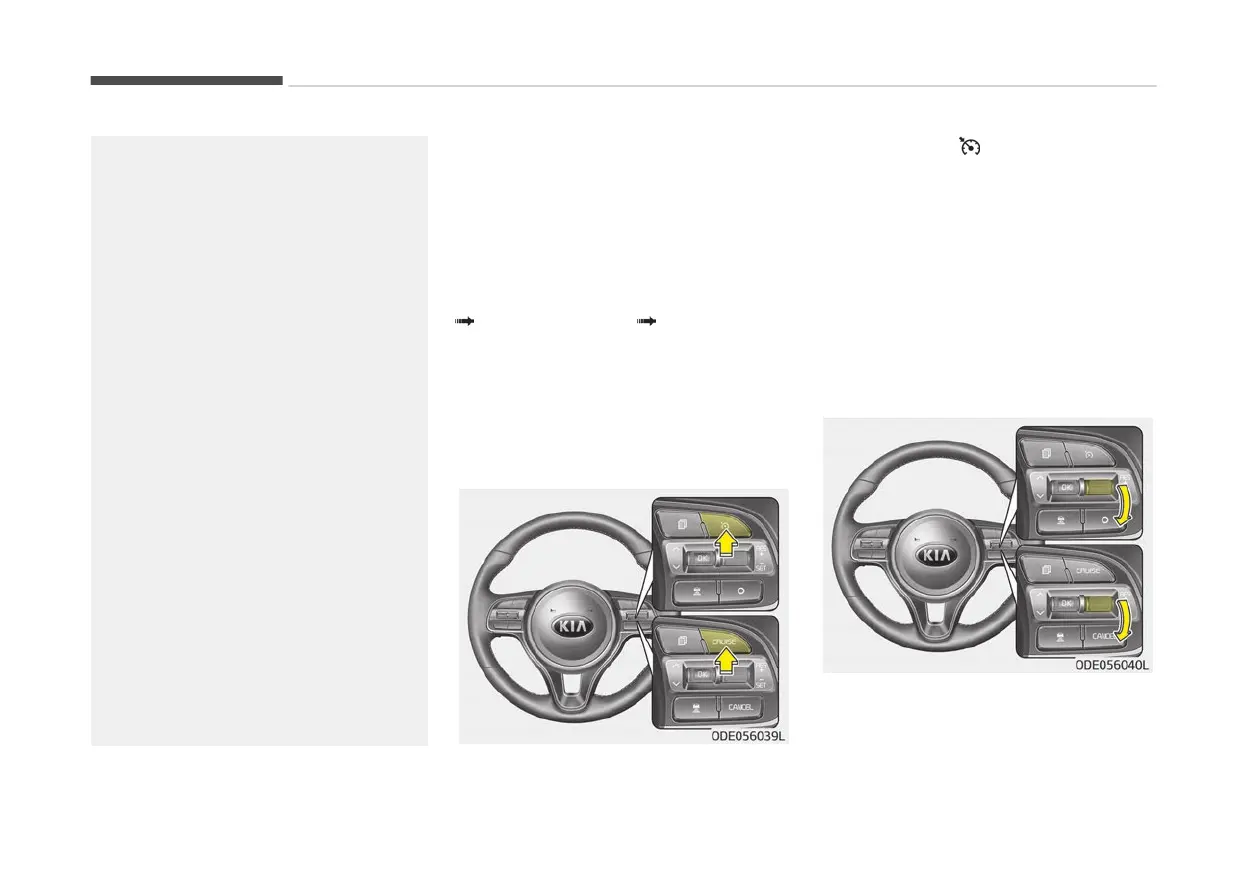
1. Pr
ess the
/CRUISE button, to
turn
the system on. The CRUISE in‐
dicator in the instrument cluster
will illuminate.
2. Accelerate to the desired speed.
Smart Cruise Control speed can be
set as follows:
• 10 km/h (5mph) ~ 160 km/h
(100 mph): when there is no vehi‐
cle in front
• 0 km/h (0 mph) ~ 160 km/h
(100 mph): when there is a vehi‐
cle in front
3. Mov
e the switch down (to SET-),
and release it at the desired speed.
The set speed and vehicle to vehicle
distance on the LCD screen will illu‐
minate.
Driving your vehicle
6-112



 To Next Page