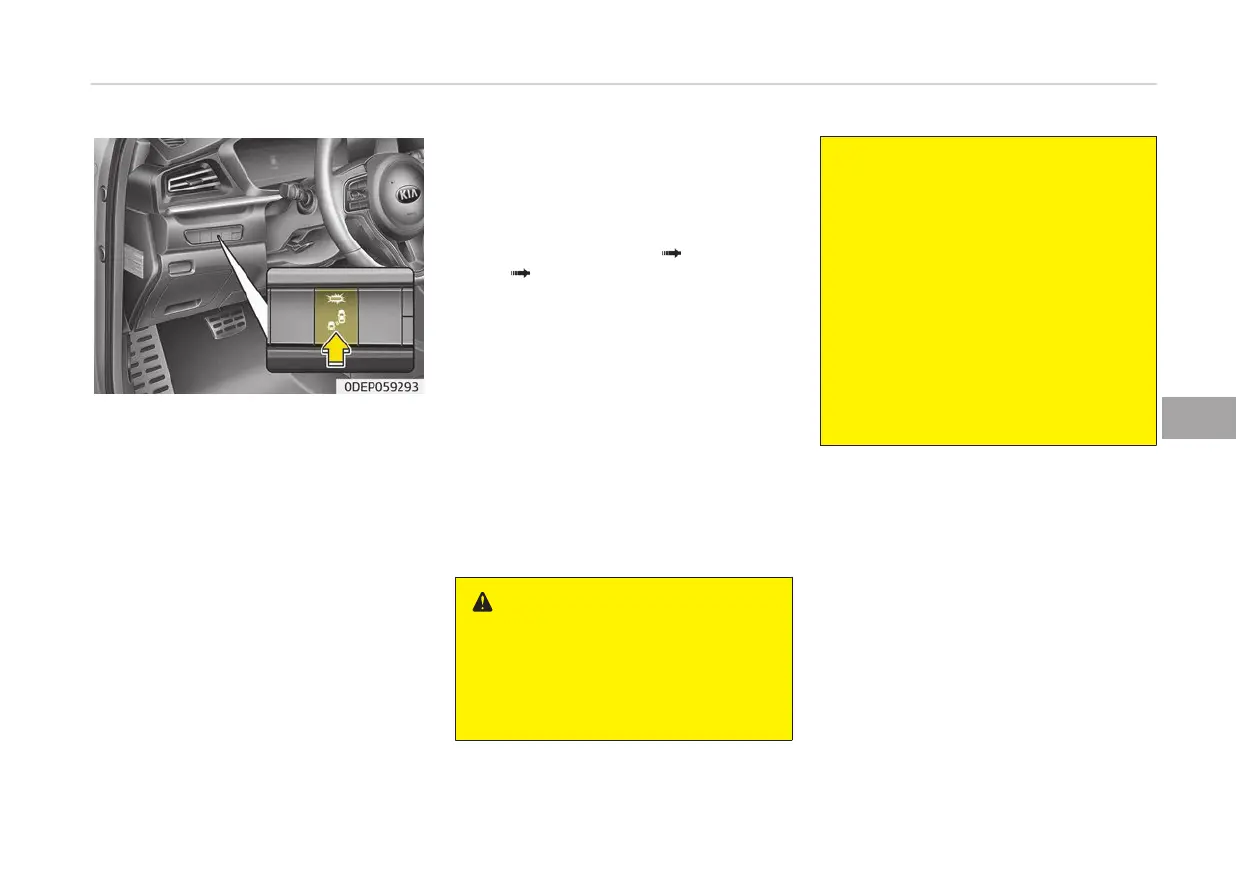
• If
you press BCW button the indicator
on the button extinguishes and the
system deactivates.
• If you press BCW button while the
system is cancelled the indicator on
the button illuminates and the sys‐
tem activates. In this case, the sys‐
tem returns to the state before the
vehicle turned off. When the system
is initially turned on and when the
motor is turned off then on again
while the system is in activation, the
warning light will illuminate for
3 seconds on the outside rearview
mirror.
• If the POWER button is turned off
then on again, the system maintains
the previous state.
Setting the warning sound of Blind-
Spot Collision Warning system
The driver can select the warning
sound of Blind-Spot Collision Warning in
the ‘User settings’ in the LCD display by
selecting “User settings
Driver assis‐
tance BCW sound (Blind-Spot Colli‐
sion W
arning)”
Operating conditions
The system enters the ready status,
and the following conditions are satis‐
fied:
The system will activate when:
-
The system is on
-
Vehicle speed is above 30 km/h
(18.6 mph)
-
Other vehicles are detected in the
rear side
WARNING
• Always check the road condition
while
driving for unexpected situa‐
tions even though Blind-Spot Colli‐
sion Warning system is operating.
(Continued)
(Continued)
• Blind-Spot Collision Warning sys‐
tem
is a supplemental system to
assist you. Do not entirely rely on
the system. Always pay attention,
while driving, for your safety.
• Blind-Spot Collision Warning sys‐
tem
is not a substitute for proper
and safe driving. Always drive
safely and use caution when
changing lanes or backing the vehi‐
cle up. Blind-Spot Collision Warning
system may not detect every ob‐
ject alongside the vehicle.
6-69
6
Driving your vehicle


 To Next Page