PCR-M 29
Chapter 2 Installation and Preparation
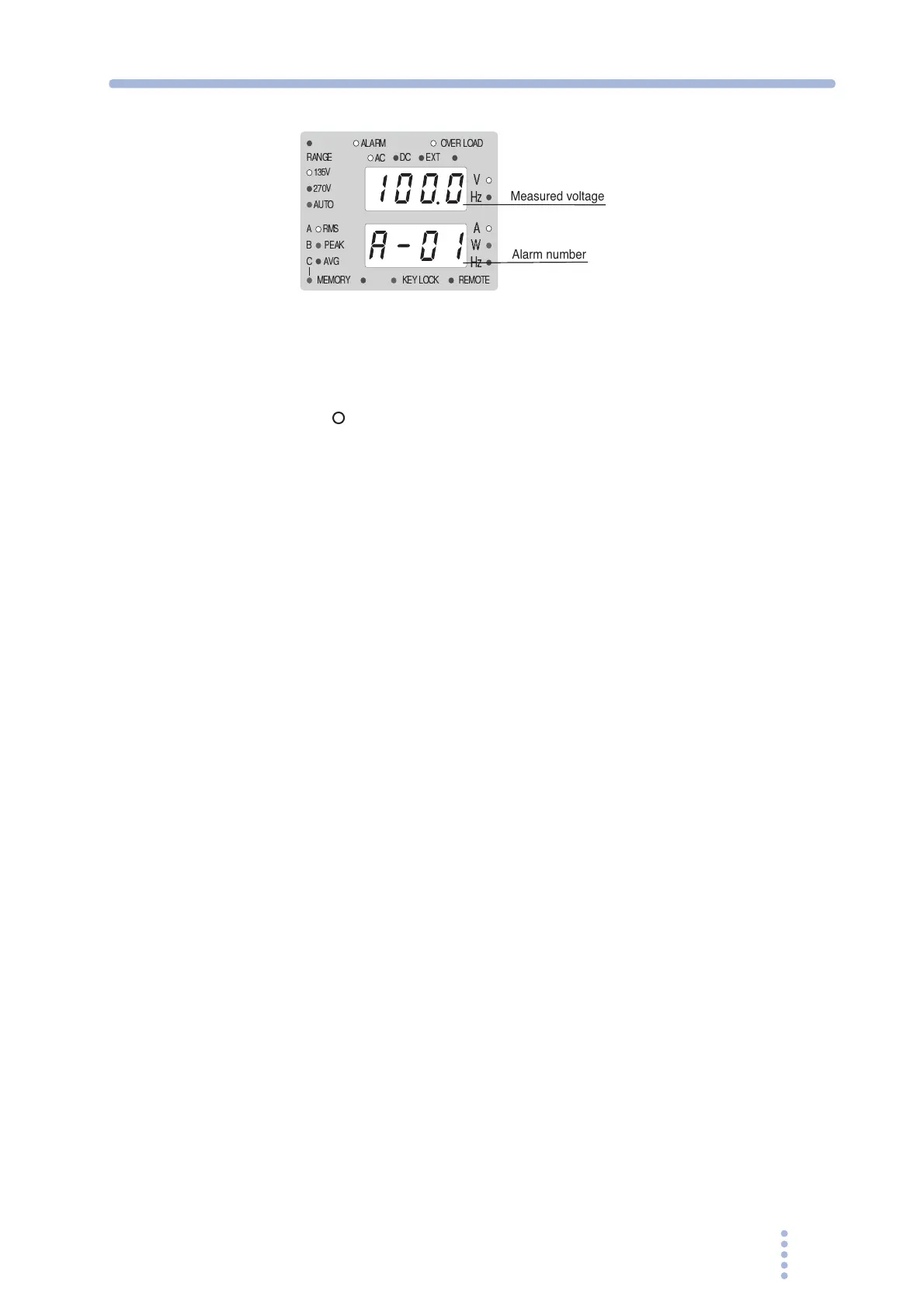
Fig.2-9 ALARM LED illumination and error number display
example
Turning the POWER switch off
Push the ( ) side of the POWER switch to turn the PCR-M off.
The PCR-M stores the values below at 5-second intervals. When the POWER
switch is turned on, these items start up with the values that existed when the
POWER switch was turned off the last time.
• Output voltage and frequency settings
• Output voltage range (135 V, 270 V, or AUTO)
• Limit value settings
• Output mode (AC, DC, or EXT)
• Measured value display (RMS, PEAK, AVG, or W)
• Locking the Panel Operation
• Configuration
The output on/off state is not stored. The PCR-M always starts up with the output
turned off when the power is turned on.
If the POWER switch is turned off immediately after changing the settings, the last
settings may not be stored.
V
Hz
PEAK
Hz
135V
270V
RANGE
AC
DC
W
A
AVG
RMS
AUTO
MEMORY
REMOTE
ALARM
KEY LOCK
EXT
A
B
C
OVER LOAD
Measured voltage
Alarm number







 To Next Page