PCR-M 47
Chapter 3 Operation
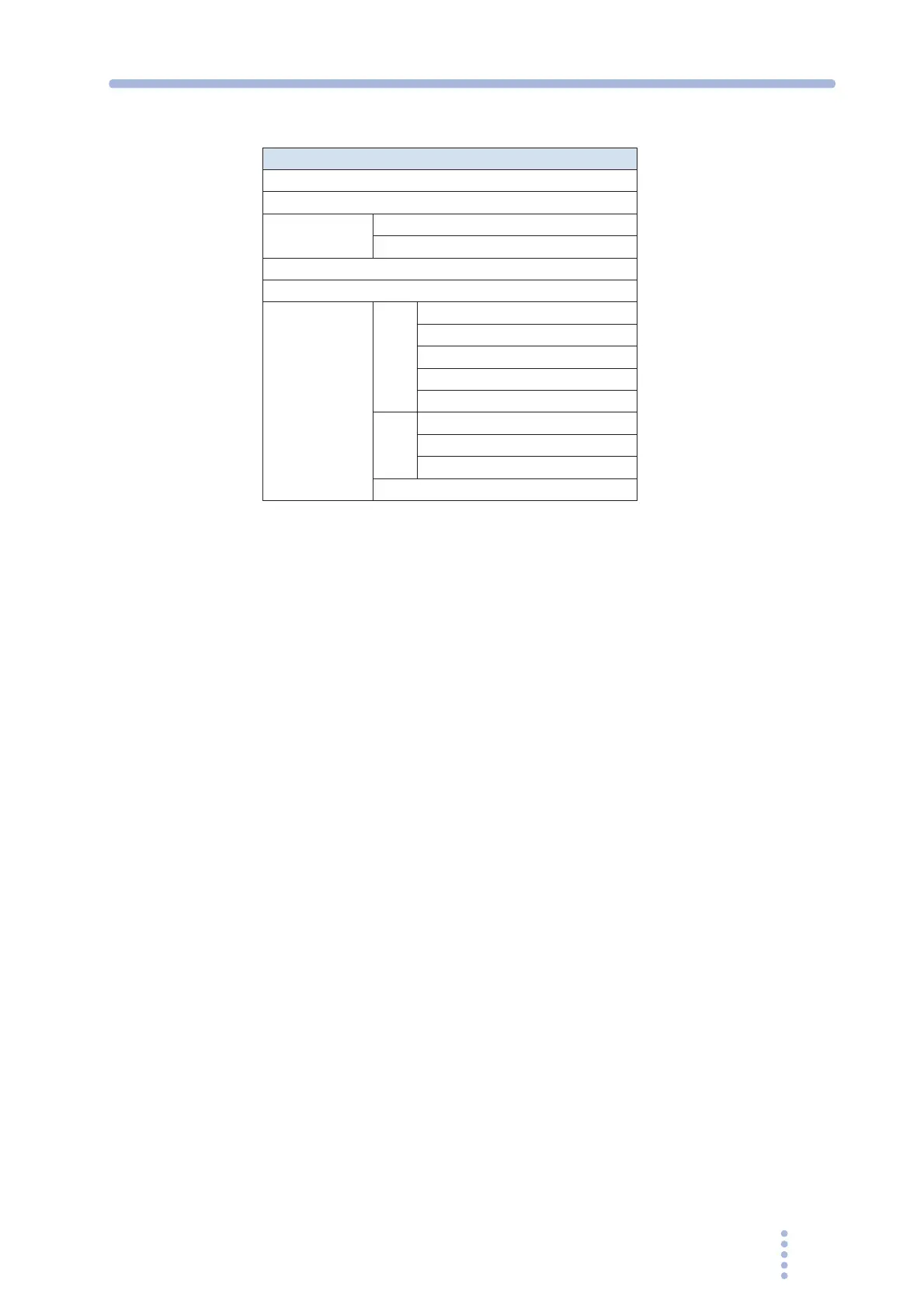
Table 3-11 Stored settings
Recalling the memory
If a memory is recalled with the OUTPUT turned on, a short alarm sounds and the
recalling is disabled when the output mode or voltage range switches. If this
happens, turn the OUTPUT off, recall the memory, and then turn the OUTPUT back
on.
1.
Press the RECALL key to select the memory you wish to recall.
The MEMORY LED on the display blinks. Memories A, B, and C are selected in order
each time the RECALL key is pressed, and the corresponding LED illuminates.
The settings stored to memory (preset voltage on the upper numeric display and preset
frequency on the lower numeric display) are displayed.
2.
Press the ENTER (SHIFT+RECALL) key to recall the settings from the
memory.
The settings of the selected memory are recalled, and new settings are activated. The
MEMORY LED on the display turns off. To cancel the recall operation, press a key
other than the RECALL key or ENTER (SHIFT+RECALL) key.
3.9 Switching from remote control to local
control
The RMT LED illuminates when the remote control is activated. Press the LOCAL
key to switch from remote control to local control (Front panel operation).
Stored Settings
Output mode (AC, DC, or EXT)
Voltage range (135 V, 270 V, or AUTO)
Voltage AC
DC
Frequency
Measured value display (RMS, PEAK, AVG, or W)
Limit values AC Voltage upper limit
Voltage lower limit
Current limit
Frequency upper limit
Frequency lower limit
DC Voltage upper limit
Voltage lower limit
Current limit
Current limit operation







 To Next Page