44 PCR-M
Chapter 3 Operation
3.7 Setting the limit value
The limit function prevents damaging the load caused by operation errors by setting
a limit on the output setting of the PCR-M. The limit value can be specified to
match the load conditions in advance.
The limit can be set regardless of whether the OUTPUT is on or off.
1.
Press the LIMIT key.
The LIMIT key illuminates, and the limit setting display appears.
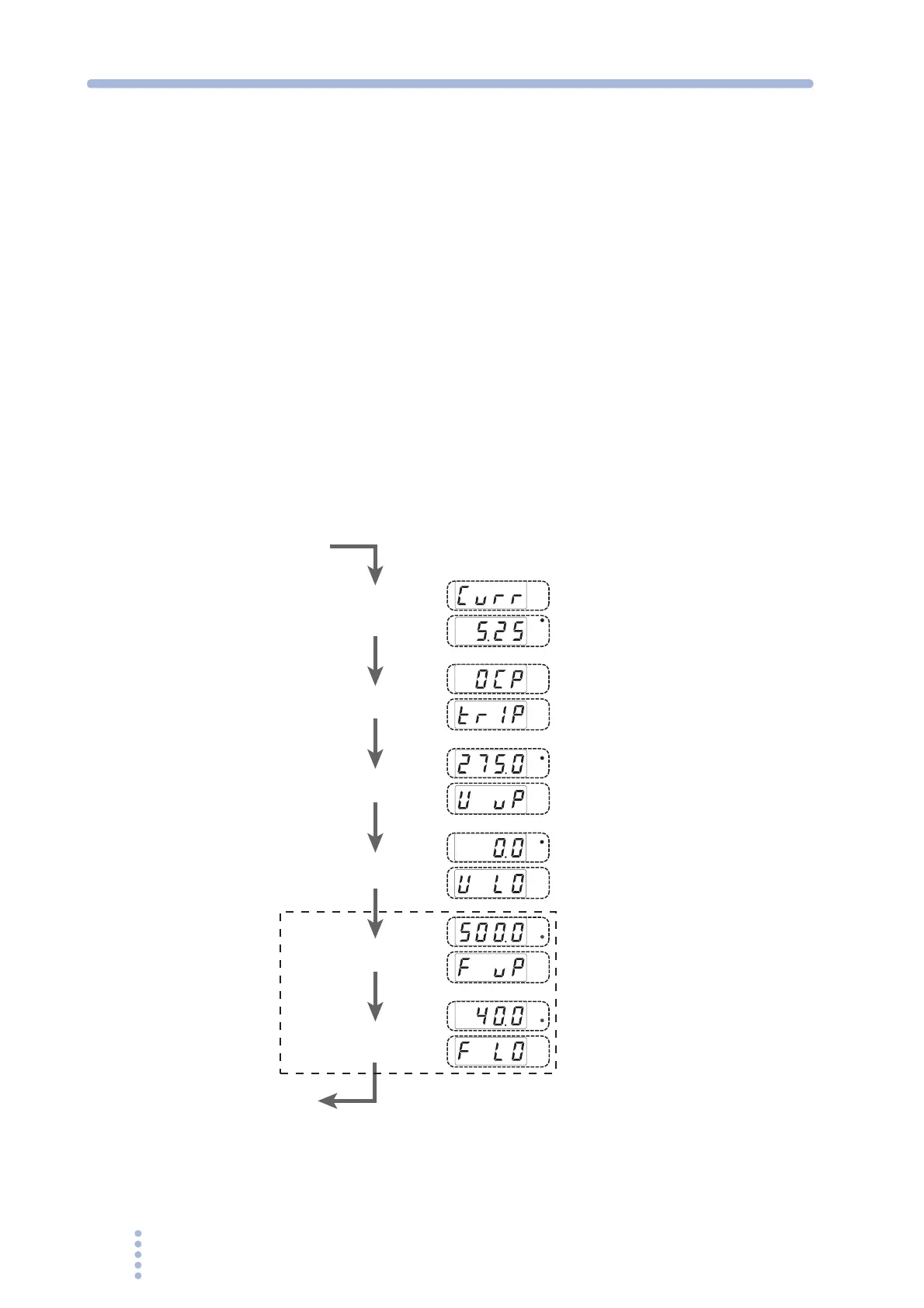
The limit settings switch in order each time the LIMIT key is pressed. Press the LIMIT
key repeatedly until the desired limit setting is displayed. The measured value display
is shown after all limit settings are shown.
2.
Turn the rotary knob to set the condition.
3.
To set other limit values, press the LIMIT key. To show another setting
display or the measured value display, press the V, F, or I key.
The voltage setting display, frequency setting display, or measured value display is
shown, respectively.
Fig.3-7 Setting the limit value
V
Hz
Hz
W
A
V
Hz
Hz
W
A
V
Hz
Hz
W
A
V
Hz
Hz
W
A
V
Hz
Hz
W
A
V
Hz
Hz
W
A
Voltage upper limit
(V UP)
Select the current
limit operation
(OCP)
Voltage lower limit
(V LO)
Frequency upper limit
(F UP)
Frequency lower limit
(F LO)
Not displayed in DC mode.
Current limit
(CURR)
Measured value display







 To Next Page