46 PCR-M
Chapter 3 Operation
3.8 Using Memories
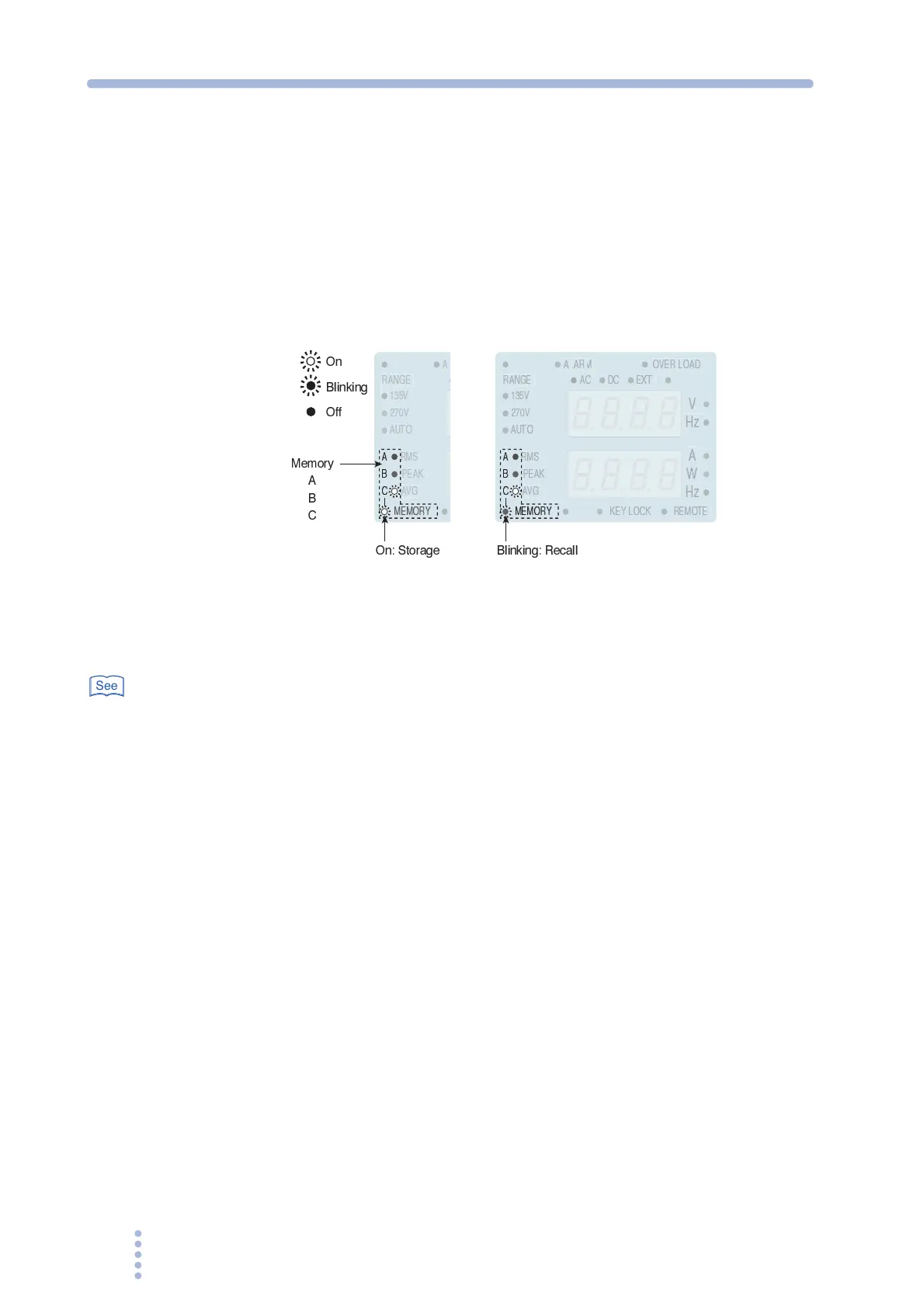
The settings can be stored to memory. There are three memories, A, B, and C.
Memories are effective when testing drastic changes in voltage or frequency.
In case the optional interface board is installed in the optional slot on the rear panel,
the setting condition can be stored up to 10 memories. The memory 4 through 10
can be used only under the remote control operation.
For details, see the
Communication Interface Manual.
Fig.3-8 Memory display
Saving to the memory
Table 3-11
1.
Configure the PCR-M to the settings you wish to store.
2.
Press the STORE key to select the destination memory (A, B, or C).
The MEMORY LED on the display illuminates. Memories A, B, and C are selected in
order each time the STORE key is pressed, and the corresponding LED illuminates.
The upper numeric display indicates the preset voltage. In AC mode, the lower
numeric display indicates the preset frequency.
3.
Press the ENTER (SHIFT+RECALL) key to store the settings to the
memory.
The settings are stored to the selected memory. The MEMORY LED on the display
turns off. To cancel the storage operation, press a key other than the STORE key or
ENTER (SHIFT+RECALL) key.
On
Blinking
Off
On: Storage
Memory
A
B
C
MEMORY
PEAK
135V
270V
AVG
RMS
AUTO
MEMORY
A
B
C
V
PEAK
135V
270V
RANGE
W
A
AVG
RMS
AUTO
MEMORY
REMOTE
KEY LOCK
A
B
C
OVER LOAD
AC
DC
EXT
Blinking: Recall
See







 To Next Page