54 PCR-M
Chapter 3 Operation
OUTPUT on phase
Set the OUTPUT on phase for AC mode.
When using the OUTPUT on phase control, also set the phase angle.
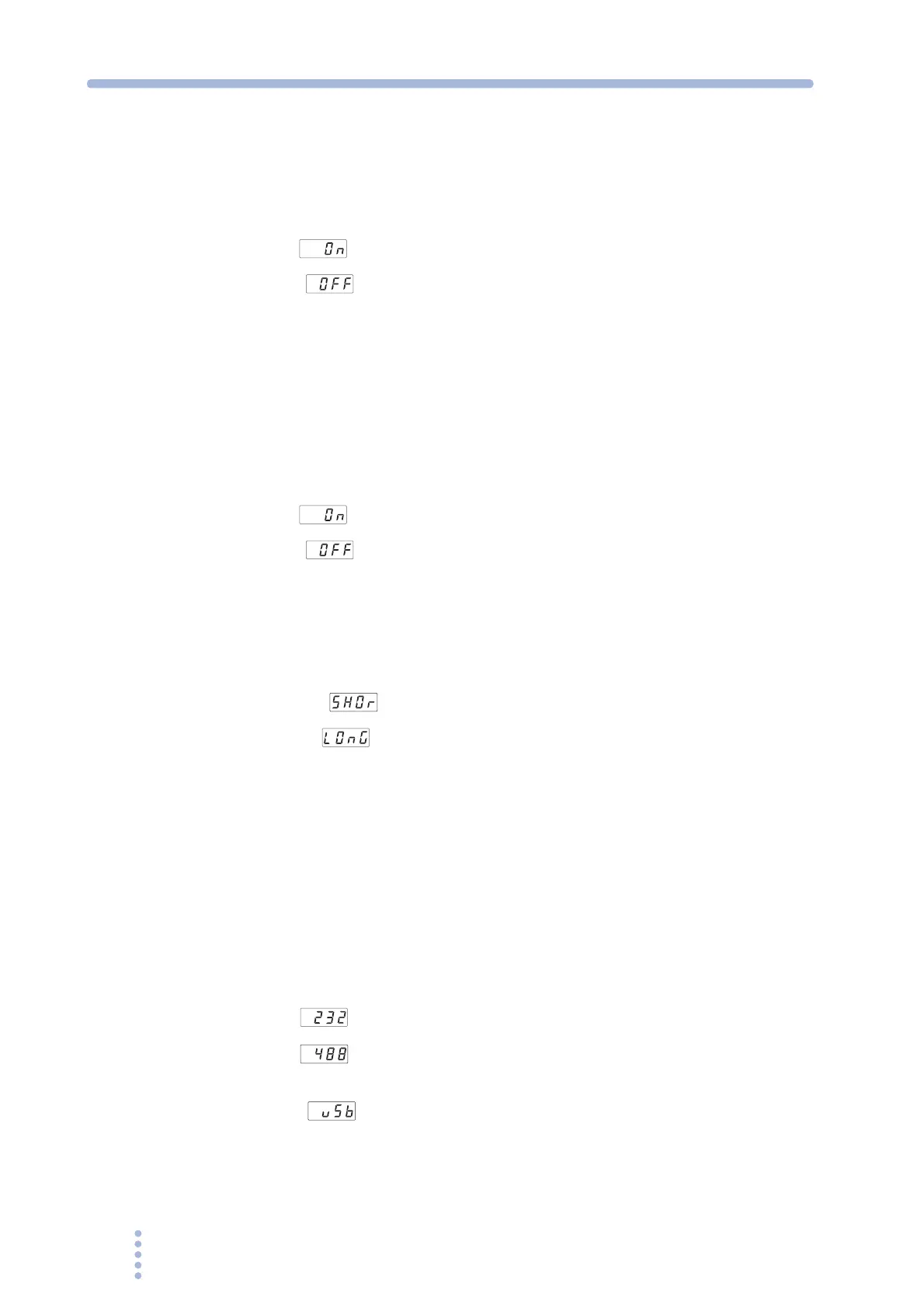
• OUTPUT on phase
ON ( ): OUTPUT on phase control enabled
OFF ( ): FREE operation (no phase control)
• Phase angle
0 deg to 359 deg: Range for phase angle setting
Averaging period
You can select the averaging period of the measured values (excluding the peak
current).
• Measured value averaging
ON ( ): Displays the moving average over approximately 3 seconds
OFF ( ): Updates and displays approximately every 0.3 s
Hold time of peak current
You can change the hold time of the peak current.
• Peak hold time
SHORT ( ): Updates approximately every 0.3 s
LONG ( ): Holds the peak value for approximately 5 seconds If a
greater peak value is measured while holding, the new peak
value is held for approximately 5 seconds from that point.
Communication interface
The functions of the PCR-M can be expanded by installing an interface board to the
option slot. However, the GPIB, RS232C, and USB interfaces cannot be used
simultaneously.
• Communication interface type
To activate the settings, the POWER switch must be turned off when at least 5
seconds elapses after changing the settings and then turned back on.
232 ( ): RS232C (standard equipped)
488 ( ): GPIB (selectable only when the optional interface board is
installed)
USB ( ): USB (selectable only when the optional interface board is
installed)







 To Next Page