10. Perform a control of gas flow
10.1. Perform a measurement of theoretical flow
➢ Turn on the analyser. Go to “Procedures” menu with the keypad then press OK.
The analyser asks to select a customer: go to “OK” then press OK.
The list of customers is displayed.
➢ Select the customer then press OK.
The list of boilers is displayed.
➢ Select the boiler then press OK.
“Procedure” screen is displayed.
➢ Go to “Gas flow” with keypad then press OK.
A message indicating “Step 1: Theoretical flow” is displayed.
➢ Go to “Next” then press OK.
“Theoretical flow” is displayed.
➢ Specify the power capacity of the boiler in kW (data on the information plate of the boiler): go to each number, press OK,
press the up and down arrows to increment or decrement the number then press OK to validate.
➢ Make the same operation to select the standard: NF or CE.
➢ Make the same operation to select the gas type: GAS H, GAS B, BUTANE or PROPANE.
➢ Press the “OK” function key to validate.
A message indicating “Step 2: Real flow” is displayed.
The theoretical flow is calculated according to a power capacity in kW of the boiler, the standard of the boiler (CE or NF standard), the
gas type (Gas H, Gas B, butane or propane) and according to a coefficient. Table below allows to calculate this flow according to the
power capacity:
Standard GAS H (19-21 mbar) GAS B (25 mbar) Butane Propane
NF Pu/KW x 2.166 Pu/KW x 2.519 Pu/KW x 0.651 Pu/KW x 0.843
CE Pu/KW x 1.927 Pu/KW x 2.241 Pu/KW x 0.579 Pu/KW x 0.750
10.2. Perform a measurement of real flow
The measurement of the theoretical flow must be performed previously
A message indicating “Step 2: Real flow” is displayed.
➢ Go to “Next” then press OK.
“Start index (L)” is displayed.
➢ Specify the start flow indicated on the gas meter: go to each number, press OK,
press the up and down arrows to increment or decrement the number then
press OK to validate.
➢ Press the “OK” function key to validate.
A message indicating “Step 2: Wait: 2 min.” and a progress bar are displayed.
➢ Wait for 2 minutes. It is possible to cancel this measurement: press OK.
➢ Go to “Next” then press OK at the end of the 2 minutes.
“End index (L)” screen is displayed.
➢ Specify the end flow indicated on the gas meter: go to each number, press OK, press the up and down arrows to increment
or decrement the number then press OK to validate.
➢ Press the “OK” function key to validate.
A message displays the flow measurement result.
When the measurement is finished:
➢ Press OK.
The analyser asks to save the measurement result then to print the measurement result.
➢ Go to YES or NO then press OK.
10.3. Results interpretation
The analyser displays the flow result by the following:
• OK: lower or equal to 10%
• A1: between 10.1 and 20%
• A2: greater than 20%
Perform a control of gas flow 27
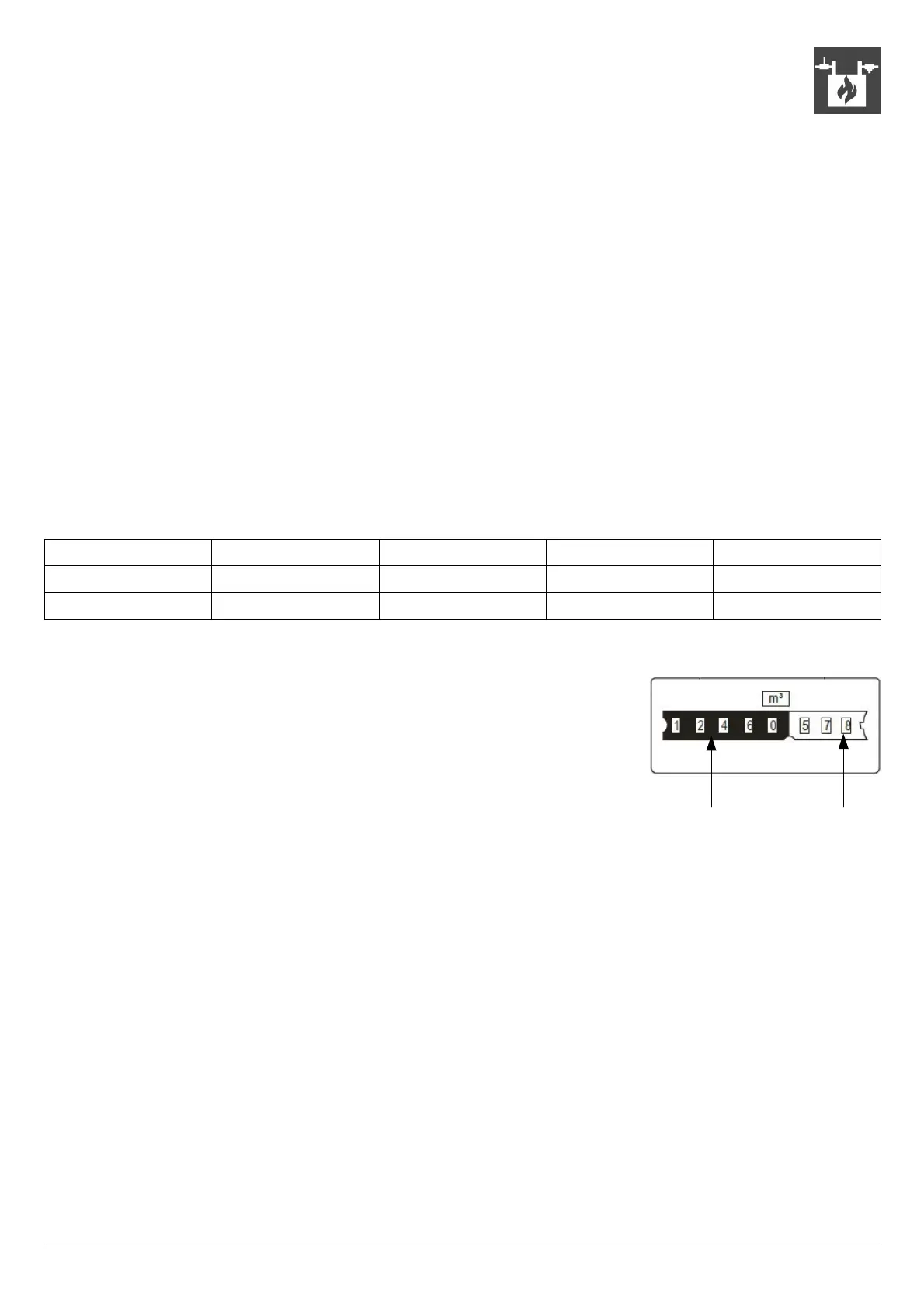
Read a gas meter :
Totaliser in m
3
Totaliser in litres



 To Next Page