8. Customers / Boilers deletion of the analyser
It is possible to delete customers and/or boilers saved in the analyser via the LIGAZ-2 software.
➢ Connect the analyser to the computer then detect it with the LIGAZ-2 software.
➢ Click on “Menu” then “Customers/boilers deletion...”.
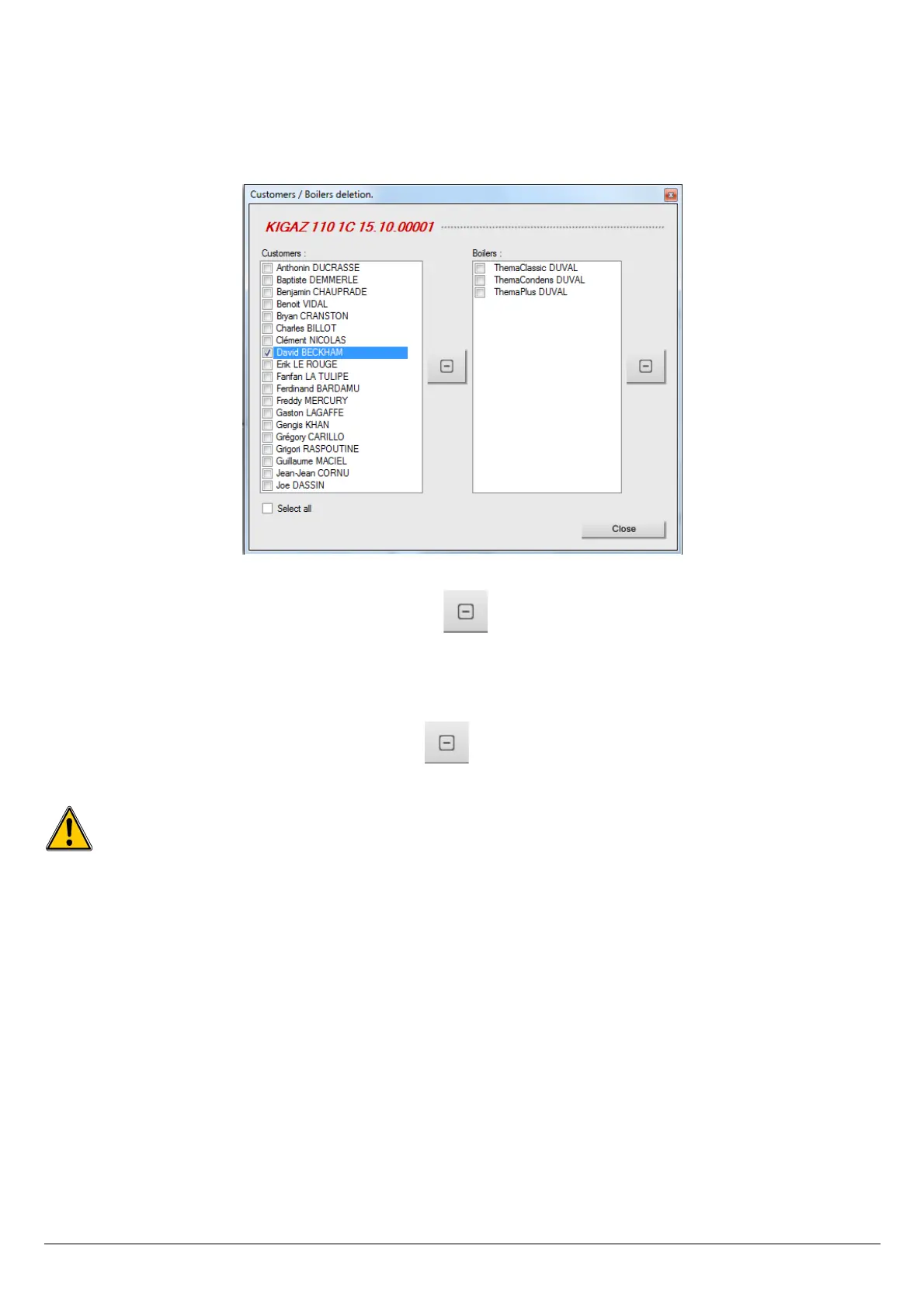
The following windows opens:
To delete a customer from the analyser:
➢ Tick the box of the customer to delete then click on the button between “Customer” and “Boiler” columns.
A message of confirmation is displayed.
➢ Click on “Yes” to confirm the deletion.
To delete a boiler on the analyser:
➢ Click on the line of the customer to whom the boiler to delete is associated.
➢ Tick the box of the boiler to delete then click on the button on the left of the “Boilers” column.
A message of confirmation is displayed.
Click on “Yes” to confirm the deletion.
Inspections linked to the deleted customer or boiler are also deleted.
56 Customers / Boilers deletion of the analyser



 To Next Page