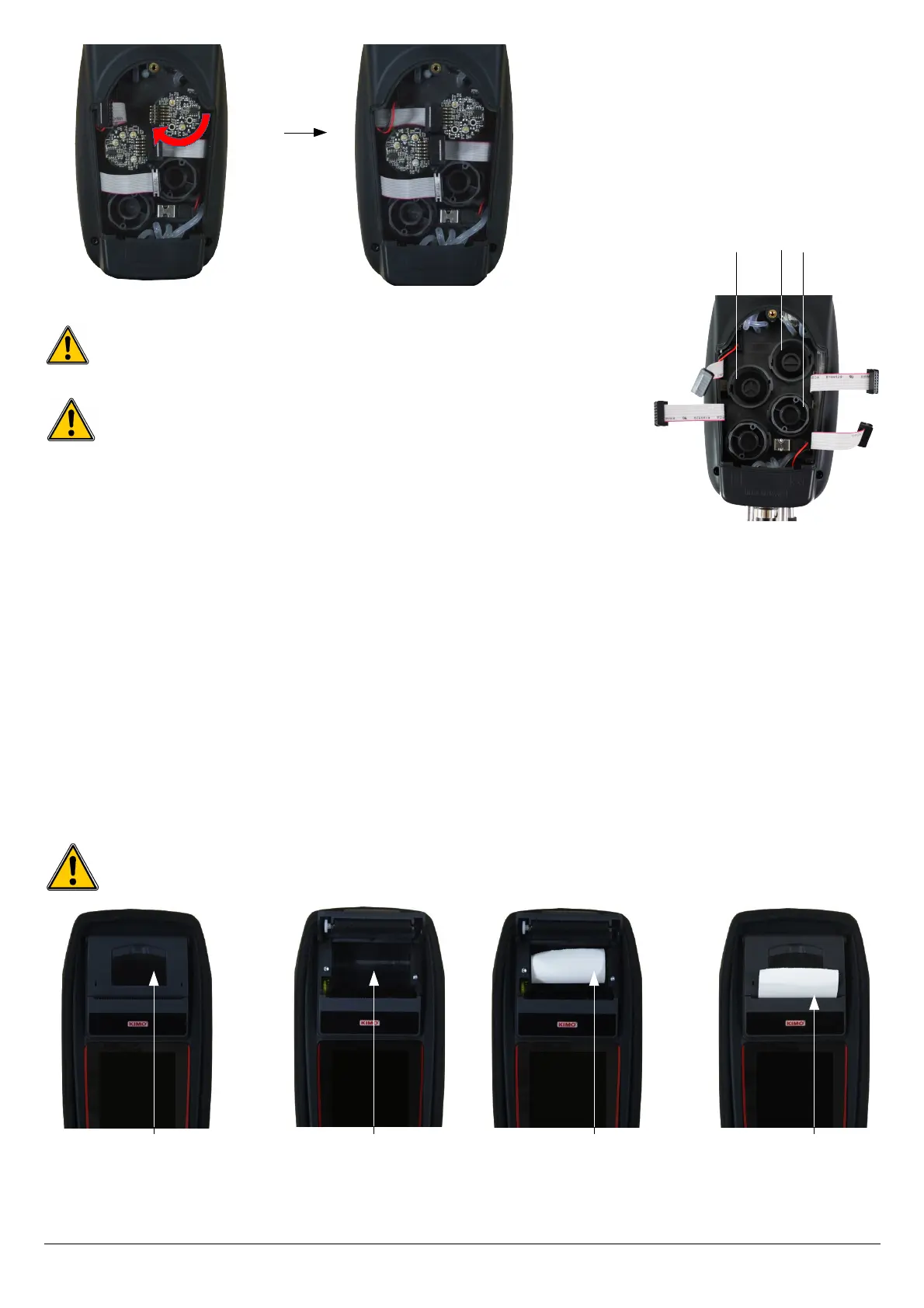
Sensors have very accurate locations, see the following locations defined for each sensor:
• long-life O
2
sensor must be in position 1
• CO sensor must be in position 2
• NO and CH
4
sensors must be in position 3.
When a sensor has been replaced, it is possible to check the proper functioning of this new sensor by going in the “Information”
menu of the analyser. It is normal that a sensor that has just been installed gives the following message: “Current Error”, it is
necessary to wait a few time to stabilise the polarisation of the sensor.
Here are the stabilisation times for each sensor:
• O
2
: 48 hours
• CO-H
2
: 48 hours
• NO: 48 hours
• CH
4
: 48 hours
21.3. Replace the paper roll of the printer
Follow this procedure to replace the paper roll of the printer:
➢ Raise the upper part of the printer.
➢ Put the paper roll in the required location.
➢ Pull up slightly on the paper: it must be caught between the upper part and the lower part of the printer.
➢ Close the upper part.
Some paper must be out from the slot situated between the lower part and the upper part of the printer part.
Both sides of the paper are different: the brightest side is the printed side and must be facing the user.
40 Maintenance of the analyser
5
6
1
2
3
Exercise the pressure on the sensor body and not on the electronic card.
Insertion of a new sensor then rotation
of the sensor
Connection of the
sensor ribbon cable
Upper part to
raise
Paper location Introduction of
the paper roll
Paper correctly
introduced



 To Next Page