20. To get to information about the analyser
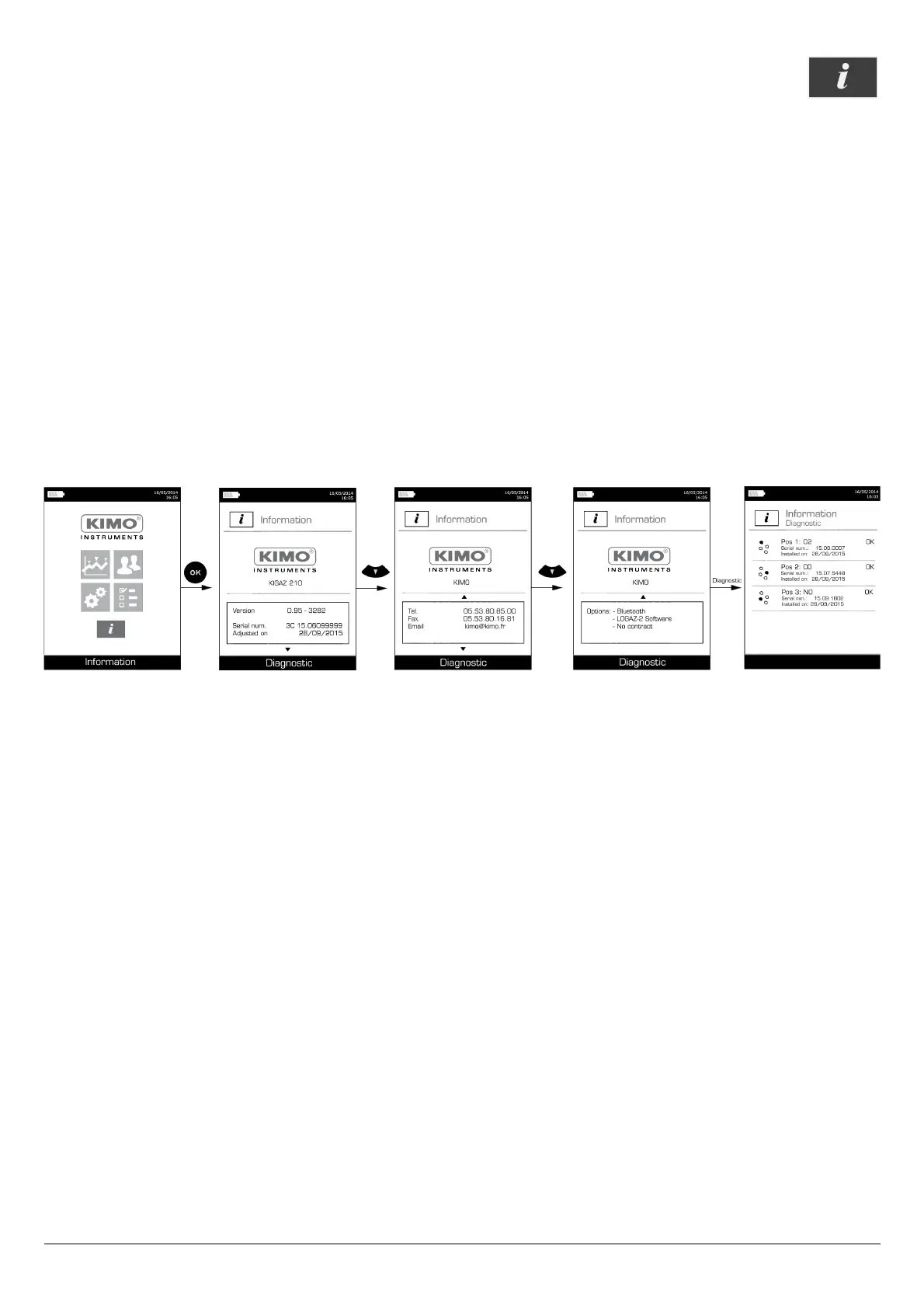
The “Information” menu of the analyser allows to get to several information:
• Type of analyser
• Version of the firmware
• Serial number of the analyser
• The adjustment date
• Phone and fax numbers, e-mail of Kimo Instruments
• Options of the analyser
• Type of sensor, its serial number and its installation date.
To get to this menu:
From the home screen:
➢ Go to “Information” menu with the keypad then press OK.
The information is displayed on the screen.
➢ Use the keypad to go from one screen to the other.
From any information screen:
➢ Press the “Diagnostic” function key.
The analyser displays information about sensors.
38 To get to information about the analyser



 To Next Page