E02016 2/02 Electrical Propulsion Components E2-31
“1) Select A Truck Configuration . . .”
Note: A truck configuration must be selected before
menu choices 1 through 8 can be used.
1. With the TRUCK SETUP CONFIGURATION
MINE MENU displayed, press [1] or move the
cursor to 1) and press [ENTER] to select “Select
a truck configuration, . . . ”.
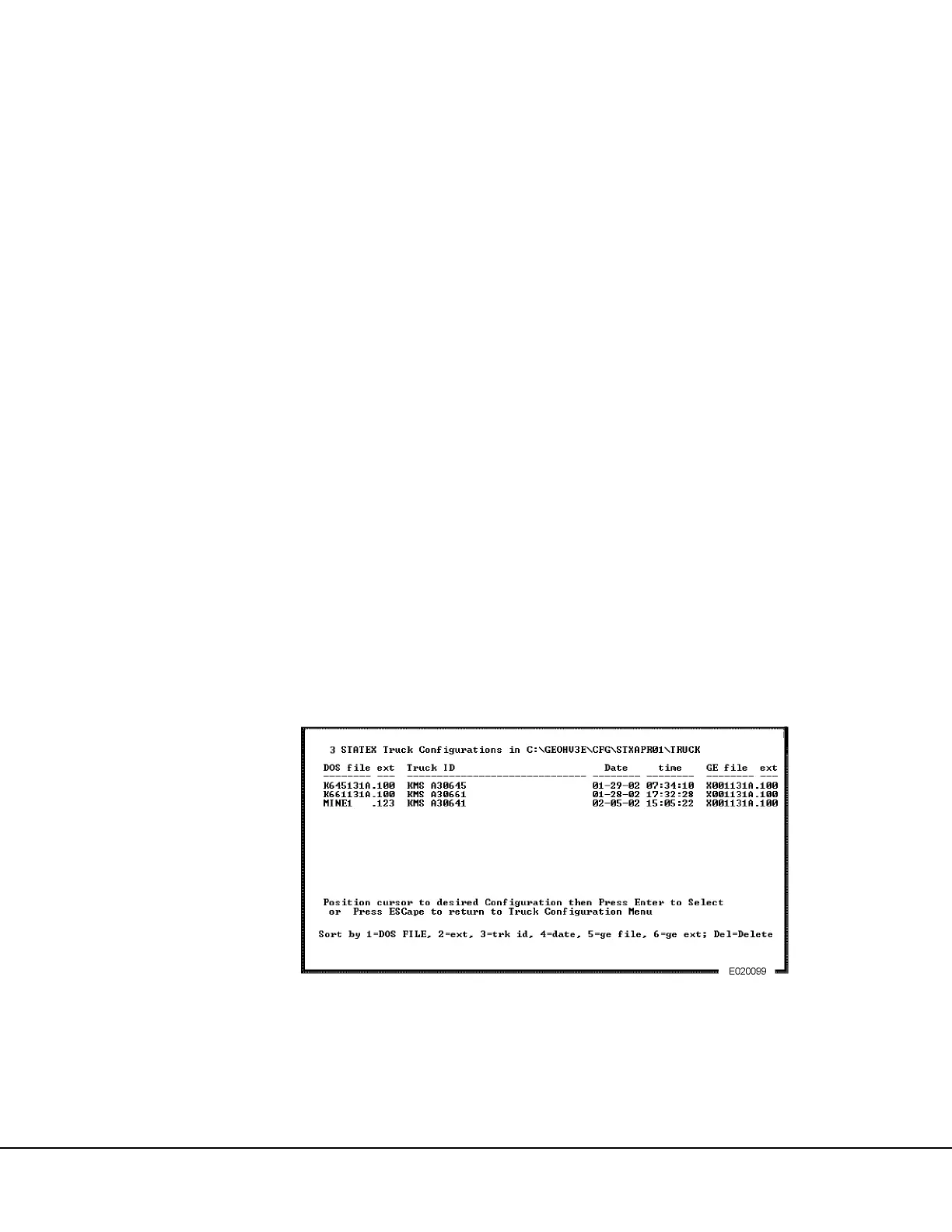
2. A listing of the configuration files stored in the
source directory (line 0), will appear as shown in
Figure 2-9.
NOTE: Normally, the display would show the base
configuration that was provided by the OEM, to define
the specific truck model options plus a configuration
that was made by the mine specifically for each truck.
3. Note that across the bottom of the screen, six dif-
ferent file list sort options are available.
1 = DOS file name
2 = DOS filename.extension
3 = Truck ID
4 = Date that the file was created
5 = GE file name
6 = GE filename.extension
DEL = Choosing delete will prompt for a Y/N
input to delete the selected file or not.
When many files are listed, it is helpful to sort the file
names in a different order from what they appear. For
example, to sort the files by truck ID, press the [3] key.
If the Delete key [DEL] is chosen, the file next to the
cursor will be deleted after the prompt appears and [Y]
is chosen. If the file should not be deleted, press [N] to
return the cursor to the file list.
When many files are listed, [Page Up] and [Page
Down] keys help move the cursor around the screen
faster. Otherwise use the UP arrow and DOWN arrow
keys.
4. Move the cursor to the desired configuration and
press [ENTER] to select the filename and return
to the TRUCK CONFIGURATION MINE MENU.
The file selected will then appear in line “1)”
of the TRUCK SETUP CONFIGURATION MINE
MENU.
NOTE: Press [ESCAPE] if leaving the screen without
making a selection.
FIGURE 2-9. TRUCK CONFIGURATION FILE SELECTION SCREEN



 To Next Page