E2-32 Electrical Propulsion Components 2/02 E02016
“2) View Truck Configuration: Data Curves . . .”
NOTE: The following screens are “view only”. No
changes can be made.
1. With the sample configuration file selected and
displayed at the end of line 1) of the TRUCK
SETUP CONFIGURATION MINE MENU, use the
Down arrow to move the cursor to the menu posi-
tion “VIEW TRUCK CONFIGURATION SCREEN;
DATA CURVES SCREEN” and press [ENTER],
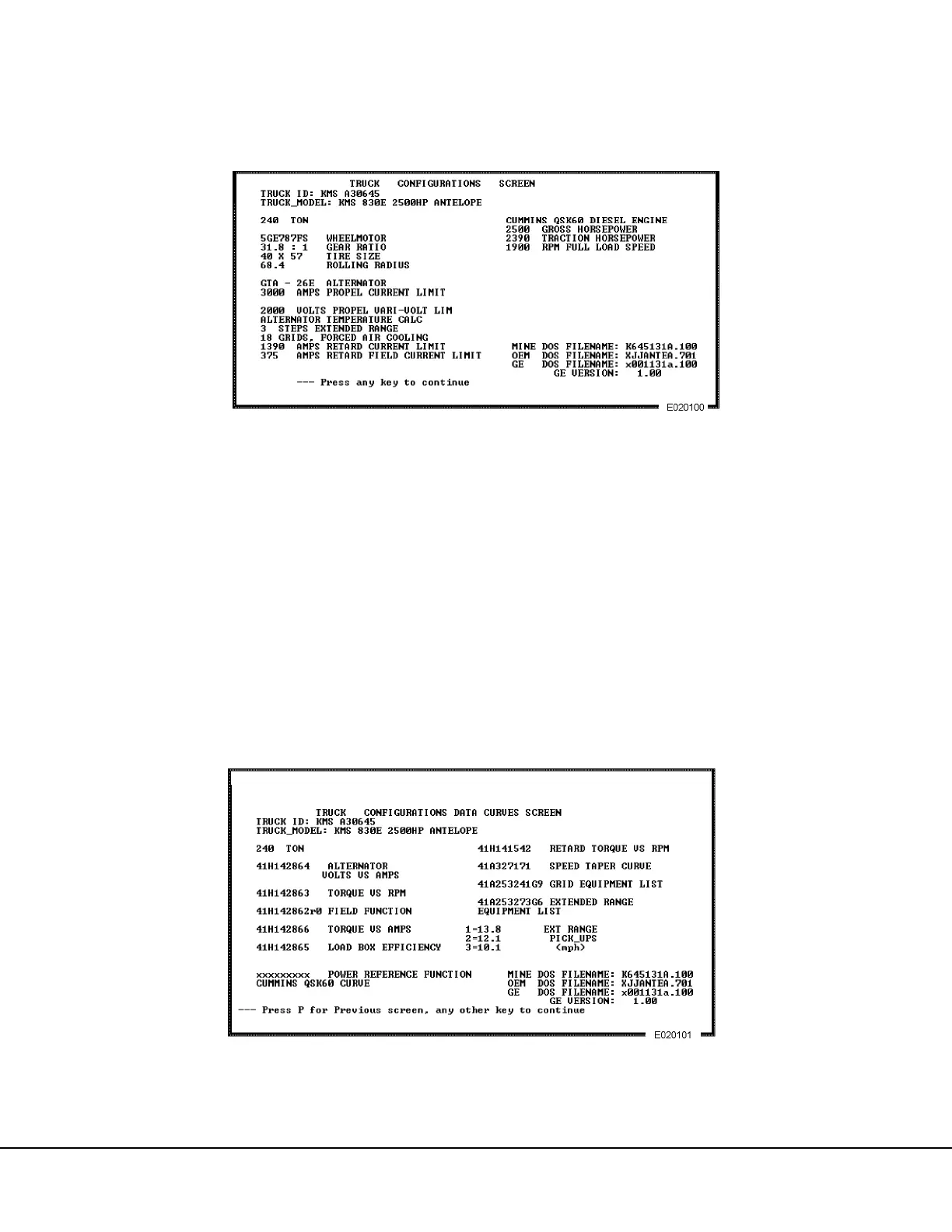
or press [2]. An example of a model 830E truck
configuration is shown in Figure 2-10.
2. Press any key to view the second screen:
TRUCK CONFIGURATION DATA CURVES
SCREEN. An example of the data curves is pro-
vided in Figure 2-11.
3. Press any key to return to the TRUCK CONFIG-
URATION MINE MENU.
FIGURE 2-10. TRUCK CONFIGURATIONS SCREEN
(830E Truck Sample Data)
FIGURE 2-11. DATA CURVES SCREEN



 To Next Page